EasyManua.ls Logo

Philips NeoPix Easy 2 - User Manual

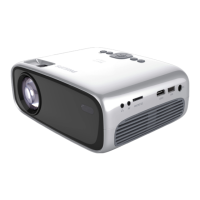
Philips NeoPix Easy 2
154 pages
Print Icon
To Next Page IconTo Next Page
Loading...
EN User Manual
FR Manuel utilisateur
DE Bedienungsanleitung
ES Manual del usuario
IT Manuale d’uso
NL Gebruiksaanwijzing
RU
Руководство пользователя
Register your product and get support at
www.philips.com/support
NeoPix Easy 2
+
Home Projector

Table of Contents

Question and Answer IconNeed help?

Do you have a question about the Philips NeoPix Easy 2 and is the answer not in the manual?

Summary

General Safety Information

Setting up the product

Guidelines for safe placement, ventilation, and handling.

Power supply

Overview

Remote control

Explains buttons and functions of the remote control.

Initial Operation

Placing projector

Guidelines for positioning the projector in four configurations.

Connecting power supply

Power on and setup

Connect to playback devices

Connecting to devices through HDMI

Connect playback devices using HDMI for audio and video.

Connecting to devices through AV

Connect playback devices using AV for audio and video.

Connecting to a computer through VGA

Connect a computer using VGA for video display.

Connecting external speakers or headphones

Media playback

Movie playback

Play movie files from USB or SD card.

Music playback

Play music files from USB or SD card.

Photo playback

Change settings

Picture and Sound Settings

Adjust picture mode, contrast, brightness, sound mode, treble, bass.

Service

Troubleshooting

Summary

General Safety Information

Setting up the product

Guidelines for safe placement, ventilation, and handling.

Power supply

Overview

Remote control

Explains buttons and functions of the remote control.

Initial Operation

Placing projector

Guidelines for positioning the projector in four configurations.

Connecting power supply

Power on and setup

Connect to playback devices

Connecting to devices through HDMI

Connect playback devices using HDMI for audio and video.

Connecting to devices through AV

Connect playback devices using AV for audio and video.

Connecting to a computer through VGA

Connect a computer using VGA for video display.

Connecting external speakers or headphones

Media playback

Movie playback

Play movie files from USB or SD card.

Music playback

Play music files from USB or SD card.

Photo playback

Change settings

Picture and Sound Settings

Adjust picture mode, contrast, brightness, sound mode, treble, bass.

Service

Troubleshooting

Philips NeoPix Easy 2 Specifications

General IconGeneral
Display TechnologyDLP
Light sourceLED
Contrast Ratio1000:1
Aspect ratio16:9
Focus adjustmentManual
Internal memoryNo
Resolution support1080p
Projection Size30 to 120 inches
Keystone correction\u00b115° vertical
Wireless screen mirroringYes
ConnectionsHDMI, USB
Power sourceAC
Speaker3W
Lamp Life30, 000 hours
Supported Resolutions720p, 1080p
Native Resolution800 x 480p

Related product manuals