EasyManua.ls Logo

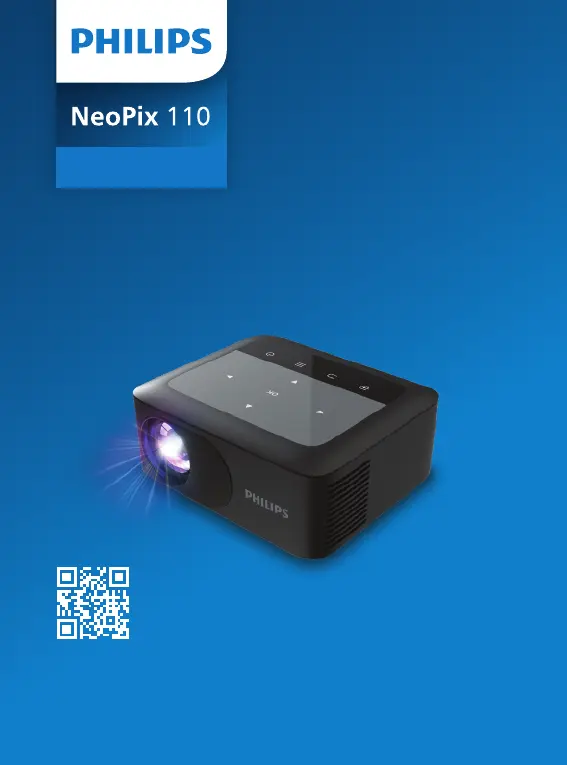
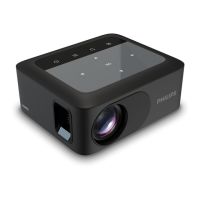
Philips NeoPix 110 - User Manual

Philips NeoPix 110
27 pages
Print Icon
To Next Page IconTo Next Page
Loading...
Download the full user manual at:
www.philips.com/support and register
your product for further support.
NPX110

Questions and Answers

Summary

Connectivity Diagram

Remote Control Operation

Remote Control Button Functions

Explanation of each button on the remote control for operation.

Power Connection

Connecting the Power Adapter

Step-by-step guide to connect the power adapter.

Image Adjustments

Focus and Keystone Adjustment

How to adjust image focus and correct keystone distortion.

Wireless Screen Mirroring (Method 1)

Peer-to-Peer Connection

Wirelessly mirror Android/iOS devices without a router.

Wireless Screen Mirroring (Method 2)

Via Wireless Router Connection

Wirelessly mirror Android/iOS devices using a Wi-Fi router.

Customer Support Hotlines

Summary

Connectivity Diagram

Remote Control Operation

Remote Control Button Functions

Explanation of each button on the remote control for operation.

Power Connection

Connecting the Power Adapter

Step-by-step guide to connect the power adapter.

Image Adjustments

Focus and Keystone Adjustment

How to adjust image focus and correct keystone distortion.

Wireless Screen Mirroring (Method 1)

Peer-to-Peer Connection

Wirelessly mirror Android/iOS devices without a router.

Wireless Screen Mirroring (Method 2)

Via Wireless Router Connection

Wirelessly mirror Android/iOS devices using a Wi-Fi router.

Customer Support Hotlines

Philips NeoPix 110 Specifications

General IconGeneral
Light sourceLED
Aspect ratio16:9
Focus adjustmentManual
Resolution support1920x1080p
Internal SpeakerYes
Recommended UseHome entertainment
ConnectionsHDMI, USB, 3.5mm audio out

Related product manuals