EasyManua.ls Logo

Philips NeoPix 720 - User Manual

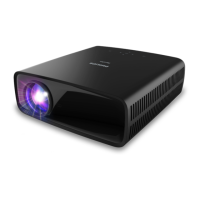
Philips NeoPix 720
27 pages
Print Icon
To Next Page IconTo Next Page
Loading...
User Manual
Register your product and get support at
www.philips.com/support
NeoPix 720
Home Projector

Questions and Answers

Summary

Introduction

Whats in the box

Lists all included items in the product package.

Customer service centre

Provides contact information for support and warranty.

General safety information

Setting up the product

Overview

Physical Views

Identifies projector components by physical location (Top, Front, Rear, Bottom).

Remote control

Details the functions of the remote control buttons.

Initial setup

Install the projector

Guides on how to position the projector for use.

Connect to power supply

Instructions for connecting the projector to a power source.

Set up Android TV

Guides through the Android TV initial configuration process.

Use Android TV

Navigate Android TV

Explains how to navigate the Android TV interface using the remote.

Cast content to Android TV

How to stream content from other devices to the projector.

Use a Bluetooth device

Steps for pairing and using Bluetooth devices.

Connect to other devices

Connect to a USB mouse, keyboard or gamepad

How to connect USB input devices for navigation and input.

Connect to a playback device through HDMI

Connecting external devices via HDMI for media playback.

Connect to a device through HDMI ARC

Connect to devices through USB-C

Connect to a dongle

Connect to wired speakers or headphones

Change settings

Wi-Fi settings

Configures network connections.

Bluetooth settings

Manages Bluetooth device pairing.

Change Android TV settings

Adjusts settings for the Android TV system.

Change projector settings

Input source settings

Configures the active input source for the projector.

Picture settings

Adjusts visual display parameters like brightness and contrast.

Sound settings

Image settings

Other settings

Language

Selects the preferred language for the projector interface.

Firmware Upgrade

Instructions on how to update the projector's software.

Maintenance

Cleaning

Guidelines for cleaning the projector's exterior surfaces.

Cleaning the lens

Specific instructions for cleaning the projector lens.

Update software

Steps to update the projector's firmware via USB.

Troubleshooting

Power cycling

Basic troubleshooting step involving power reset.

Appendixes

Technical data

Lists detailed specifications of the projector.

Package contents

Details all items included in the product packaging.

CE statement

FCC statement

Canada regulatory compliance

Other notice

Summary

Introduction

Whats in the box

Lists all included items in the product package.

Customer service centre

Provides contact information for support and warranty.

General safety information

Setting up the product

Overview

Physical Views

Identifies projector components by physical location (Top, Front, Rear, Bottom).

Remote control

Details the functions of the remote control buttons.

Initial setup

Install the projector

Guides on how to position the projector for use.

Connect to power supply

Instructions for connecting the projector to a power source.

Set up Android TV

Guides through the Android TV initial configuration process.

Use Android TV

Navigate Android TV

Explains how to navigate the Android TV interface using the remote.

Cast content to Android TV

How to stream content from other devices to the projector.

Use a Bluetooth device

Steps for pairing and using Bluetooth devices.

Connect to other devices

Connect to a USB mouse, keyboard or gamepad

How to connect USB input devices for navigation and input.

Connect to a playback device through HDMI

Connecting external devices via HDMI for media playback.

Connect to a device through HDMI ARC

Connect to devices through USB-C

Connect to a dongle

Connect to wired speakers or headphones

Change settings

Wi-Fi settings

Configures network connections.

Bluetooth settings

Manages Bluetooth device pairing.

Change Android TV settings

Adjusts settings for the Android TV system.

Change projector settings

Input source settings

Configures the active input source for the projector.

Picture settings

Adjusts visual display parameters like brightness and contrast.

Sound settings

Image settings

Other settings

Language

Selects the preferred language for the projector interface.

Firmware Upgrade

Instructions on how to update the projector's software.

Maintenance

Cleaning

Guidelines for cleaning the projector's exterior surfaces.

Cleaning the lens

Specific instructions for cleaning the projector lens.

Update software

Steps to update the projector's firmware via USB.

Troubleshooting

Power cycling

Basic troubleshooting step involving power reset.

Appendixes

Technical data

Lists detailed specifications of the projector.

Package contents

Details all items included in the product packaging.

CE statement

FCC statement

Canada regulatory compliance

Other notice

Philips NeoPix 720 Specifications

General IconGeneral
Contrast Ratio3000:1
Projection TechnologyDLP
Light SourceLED
Aspect Ratio16:9
Integrated Media PlayerYes
Wireless Screen MirroringYes
BluetoothYes
Wi-FiYes
Internal Memory16 GB
Lamp Life30, 000 hours
Screen Sizeup to 120"
Image Size (Diagonal)30" to 120"
ConnectionsHDMI, USB, 3.5mm audio out
Keystone CorrectionDigital, +/- 40 degrees

Related product manuals