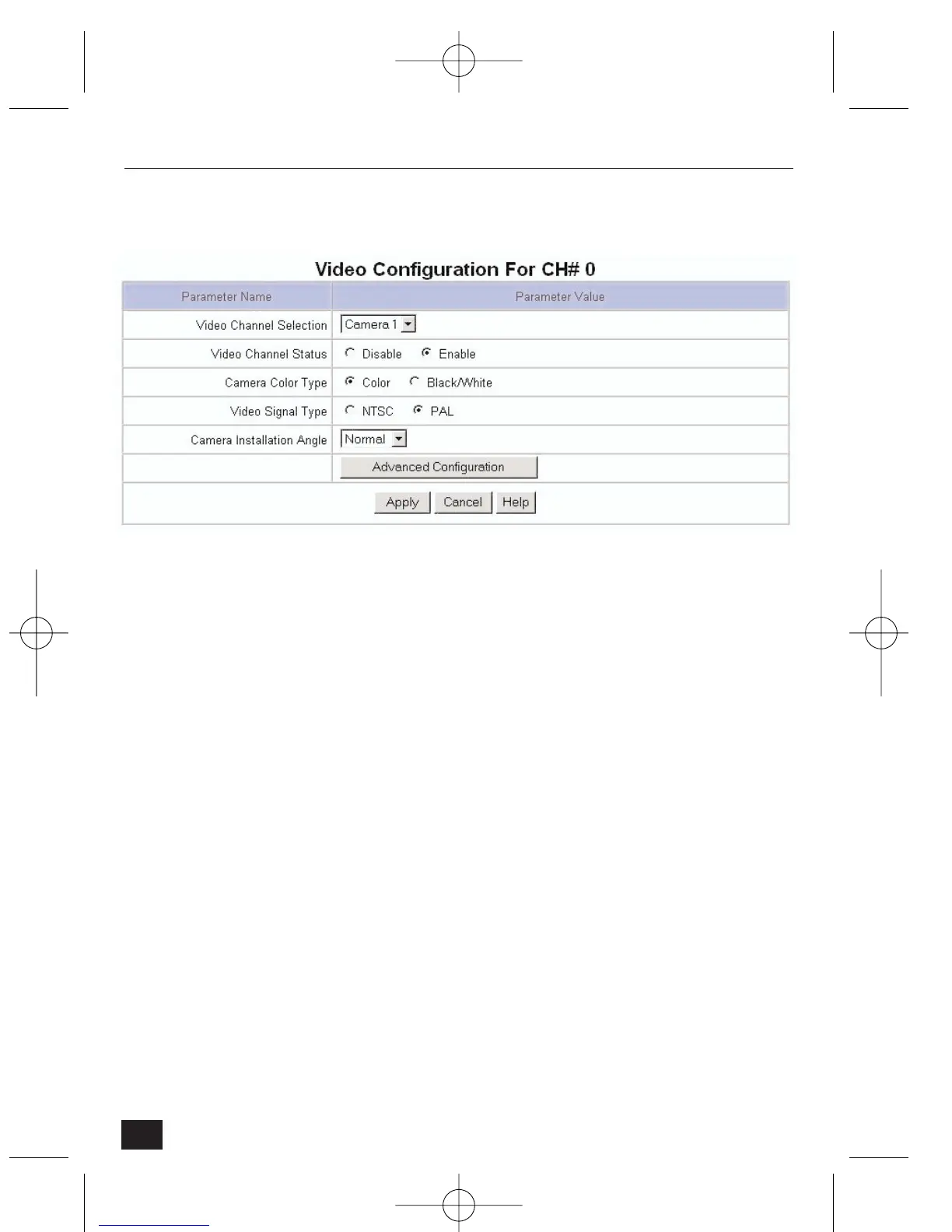
4.2.6 Video Configuration
• Video Channel Select – it is possible to configure each individual channel.
Select the Camera to configure from the pull-down menu.
• Video Channel Status – Select 'Disable' or 'Enable' (a disabled channel will
be black when selected).
• Camera Color Type – Select 'Color' or 'Black/White' (as appropriate).
• Video Signal Type – Select 'NTSC' or 'PAL' (as appropriate).
• Camera Installation Angle – Enables image rotation by 90°, 180° or 270°.
• Select ‘Apply' for one camera to save the information before configuring the
next camera.
38
NetCam2 Section 4










 To Next Page