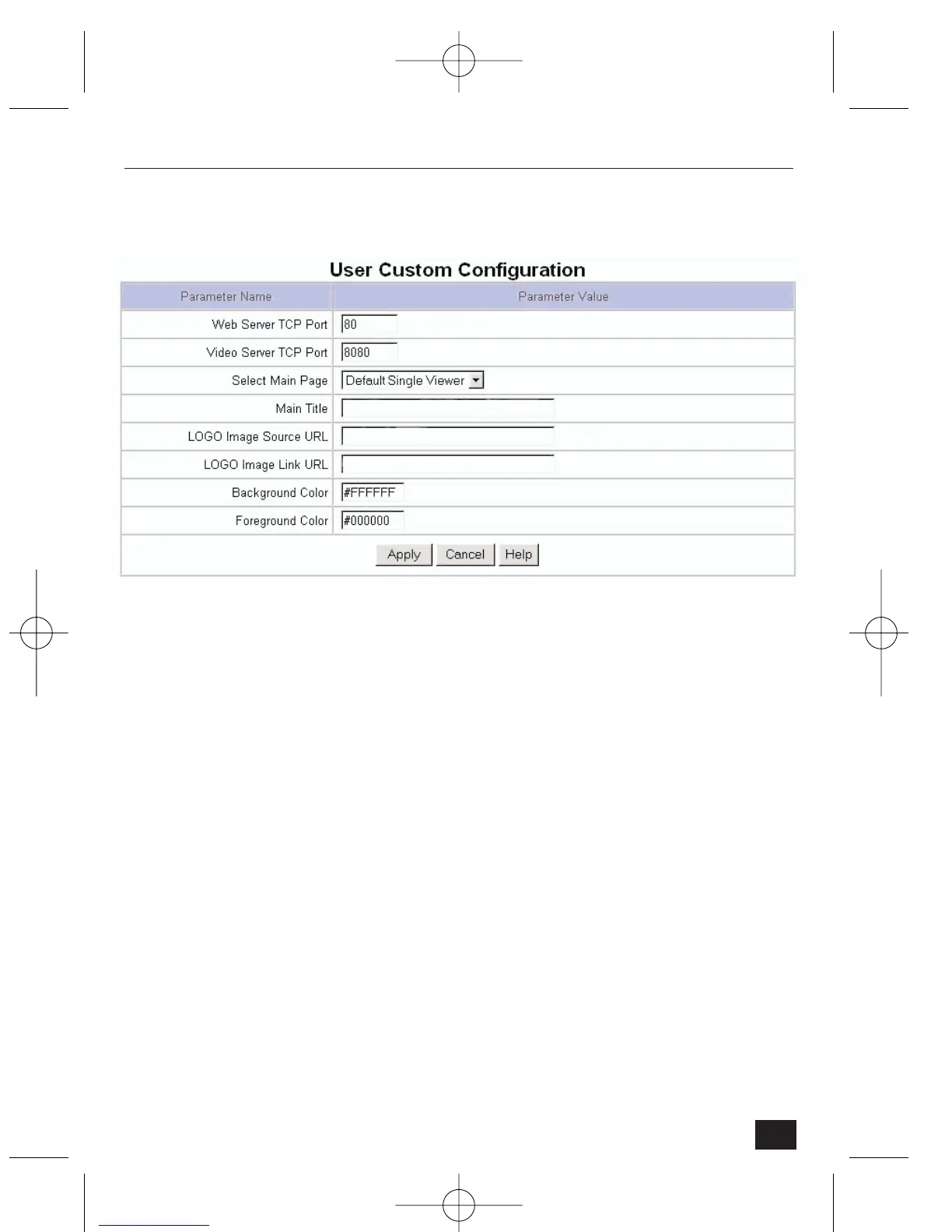
4.2.12 User Custom Configuration
• Web Server TCP Port – assigns the TCP port of the NetCam2 through
which people can access the NetCam2 and through which the NetCam2
sends data. Normally, port 80 is assigned as a Web Server TCP port.
• Video Server TCP Port – assigns a port through which the NetCam2
transmits images. Normally, port 8080 is assigned as a video server TCP
port.
• Select Main Page - assigns a viewer as a main page to show real-time images.
Six different viewers can be selected from the list:
Note: Single Viewer shows image from Ch#0(Internal) and Multi Viewer shows all
images from 4 cameras ‘Default Viewer’ is designed for users to easily edit.
• Main Title – enter text to be displayed at the top of the Homepage
The following items are reserved for future use:
• Logo Image Source URL – designates a URL of a site from which a logo
can be obtained. A space on the left top of the viewer is available.
• Logo Image Link URL – links the logo to a defined web page 9for example,
a company homepage or a personal page).
• Background Color and Foreground Color – changes the default viewer
background colors using RGB values.
47
NetCam2 Section 4











 To Next Page