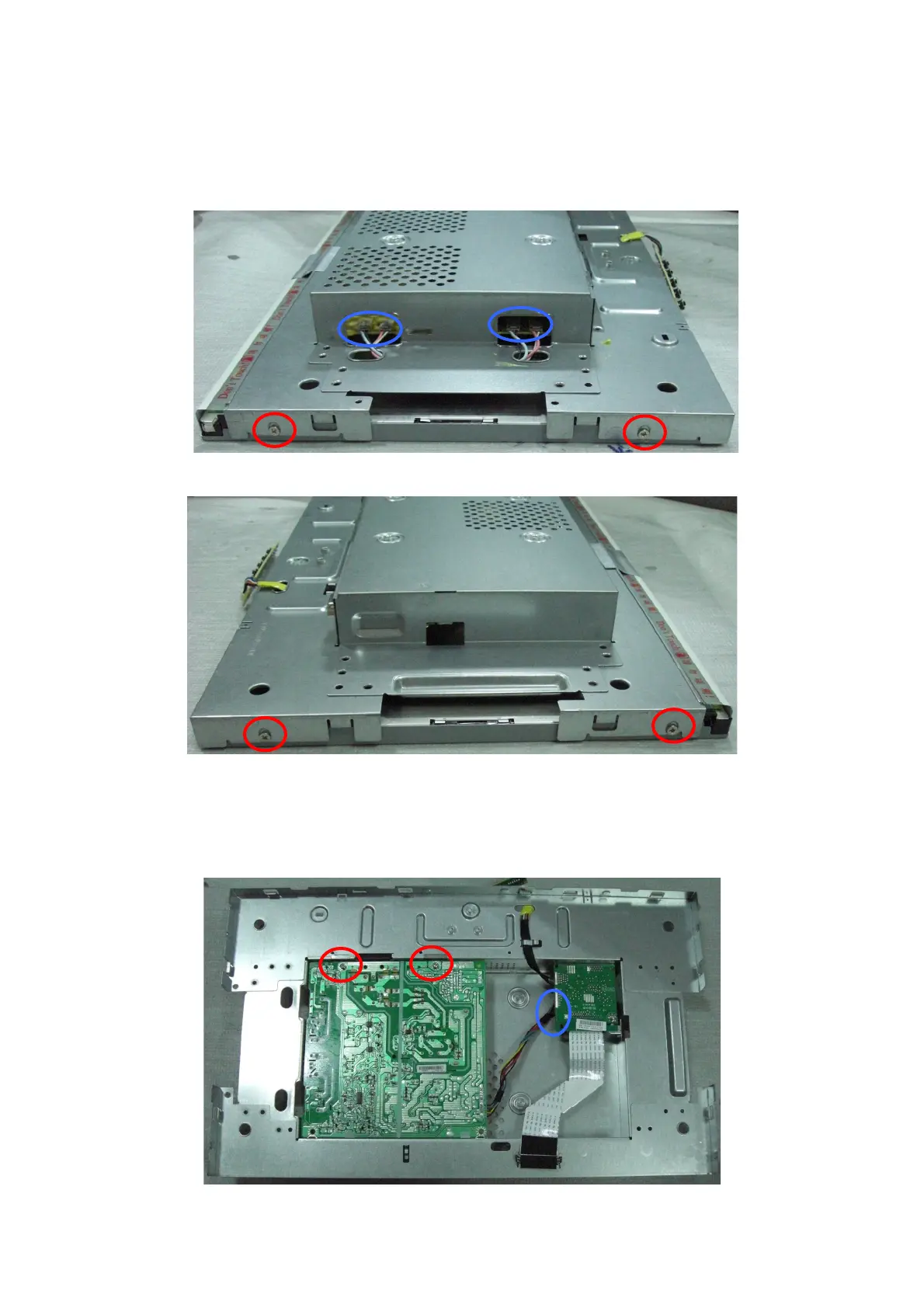
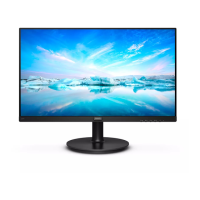
5. Remove main frame cover as Fig9~Fig10.
a. Remove the two screws marked in red as Fig9.
b. Disconnect the four connector marked in blue as Fig9.
c. Remove the two screws marked in red as Fig10.
Fig9
Fig10
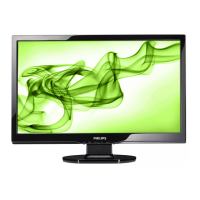
6. Remove power board as Fig11.
a. Remove the two screws marked in red as Fig11.
b. Disconnect the connector marked in blue as Fig11.
Fig11
http://www.wjel.net


 To Next Page