Meridian 5
CC170C
W8 LCD
C
C
Meridian 5
CC170C
W8 LCD
C
C
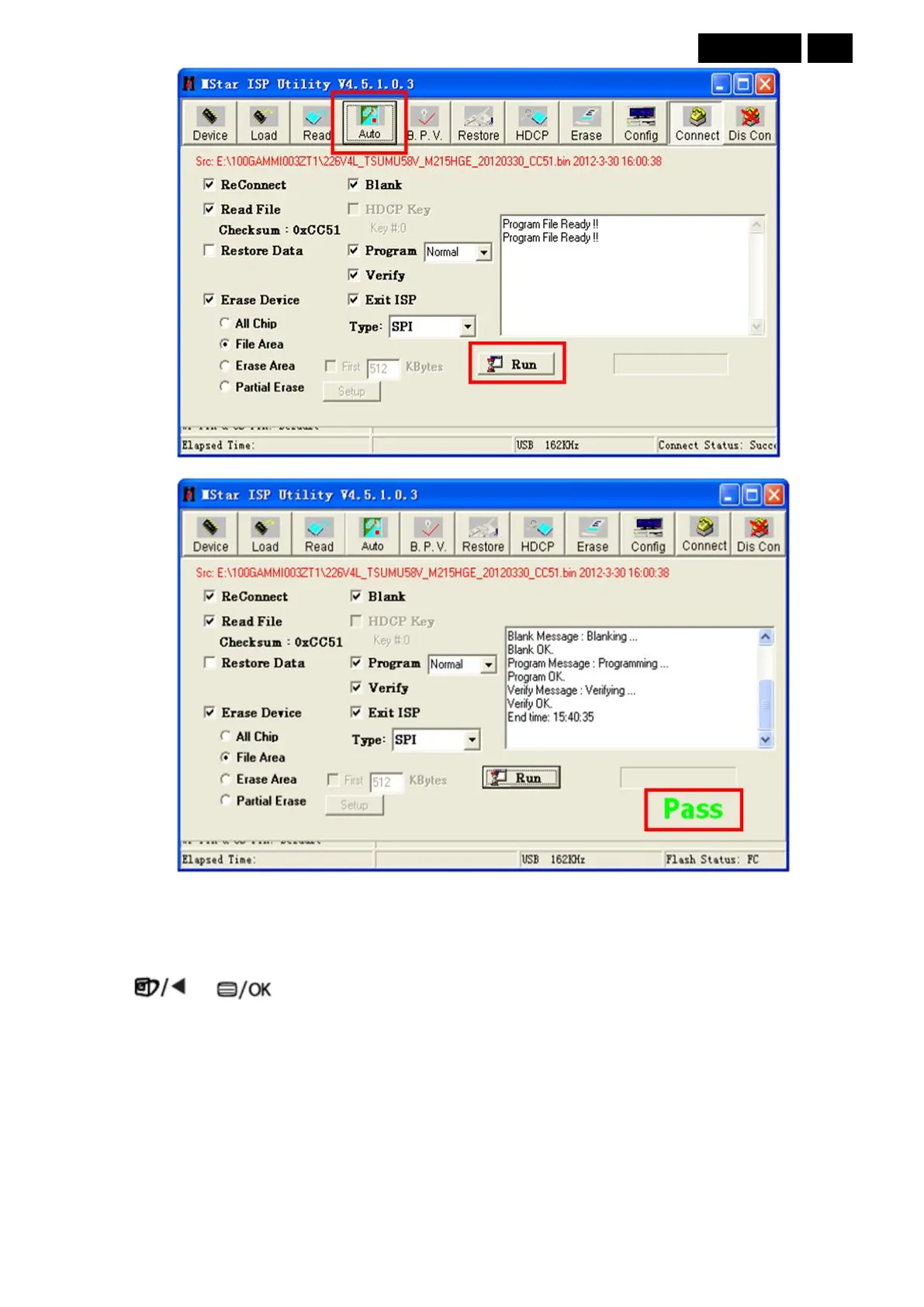
6. Show “Pass”, if program success.
7. Remove ISP tool, connect video source and check image. Enter factory menu, check the FW version. If check
OK, do “Auto Color” in factory. Any abnormity, record again.
Check whether the FW version is correct, then do “Auto Color” and “Reset”.
1. Connect the VGA source and power off the monitor.
2. Press and buttons at the same time, power on the monitor, and then press the menu again; the
menu will appear on the top left corner.
3. Select the “Factory” and press the “MENU” button to enter the factory mode.
Eg:193V5L



 To Next Page