Meridian 5
CC170C
W8 LCD
C
C
10. Mechanical Instructions
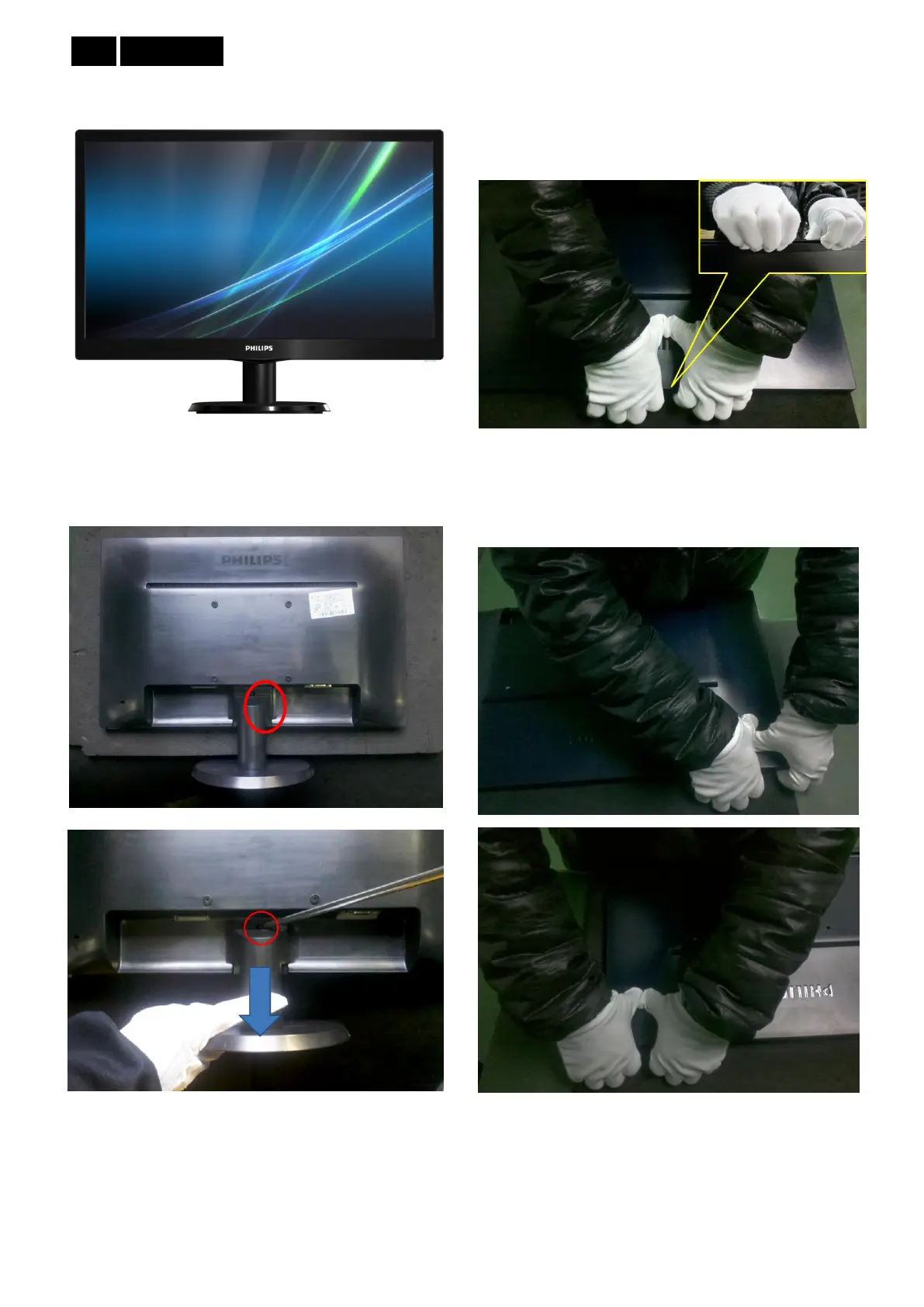
1.Place the monitor face on a clean surface, and leave
off stand while press the push area of back cover with
fixture.
2. Disassemble the middle of rear cover top: press rear
cover with thumb meanwhile other fingers clip into the
gap between rear cover and bezel to separate them..
3. Disassemble each corner and two sides of rear cover:
press rear cover with thumb meanwhile other fingers
clip into the gap between rear cover and bezel to
separate them.



 To Next Page