Meridian 5
CC170C
W8 LCD
C
C
EMI Monitor:
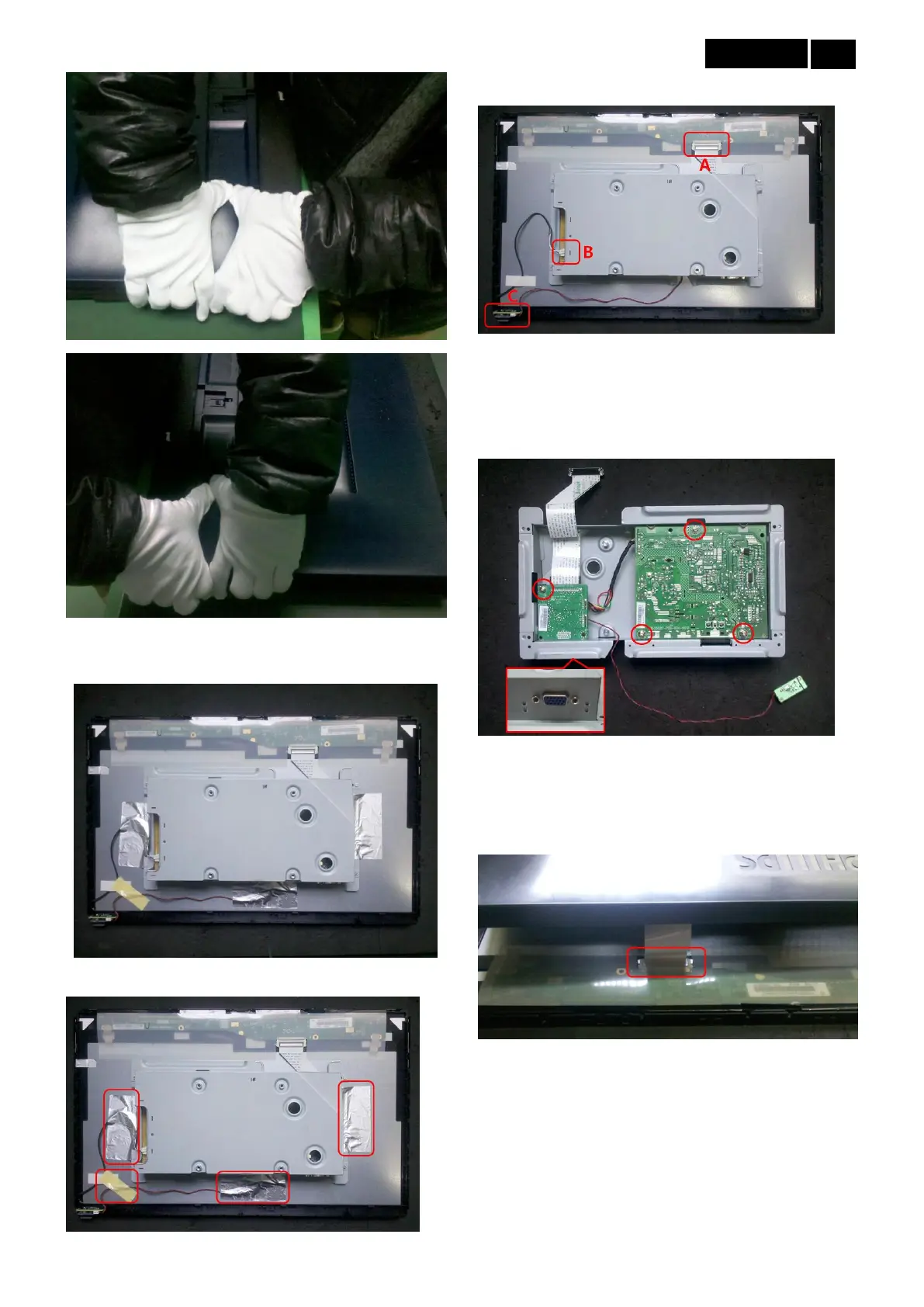
4. Take off back cover.
5. Pull out aluminum foils and tape.
6. Take off FFC (A), light PIN (B) and Key Board(C).
7. Take up main frame, according to the different
defective area, takes off the screws then get the
relevant part to maintain(Take off the six-angle before
take Main Board).
NON EMI Monitor (Do follow steps after step 4):
8. Open rear cover from the top (Notice: Do not take off
rear cover, or else PIN and wire may be pulled out),
take off FFC.
9. Take Key Board off from the front frame (Notice: Do
not take off rear cover, or else PIN and wire may be
pulled out).



 To Next Page