Meridian 5
CC170C
W8 LCD
C
C
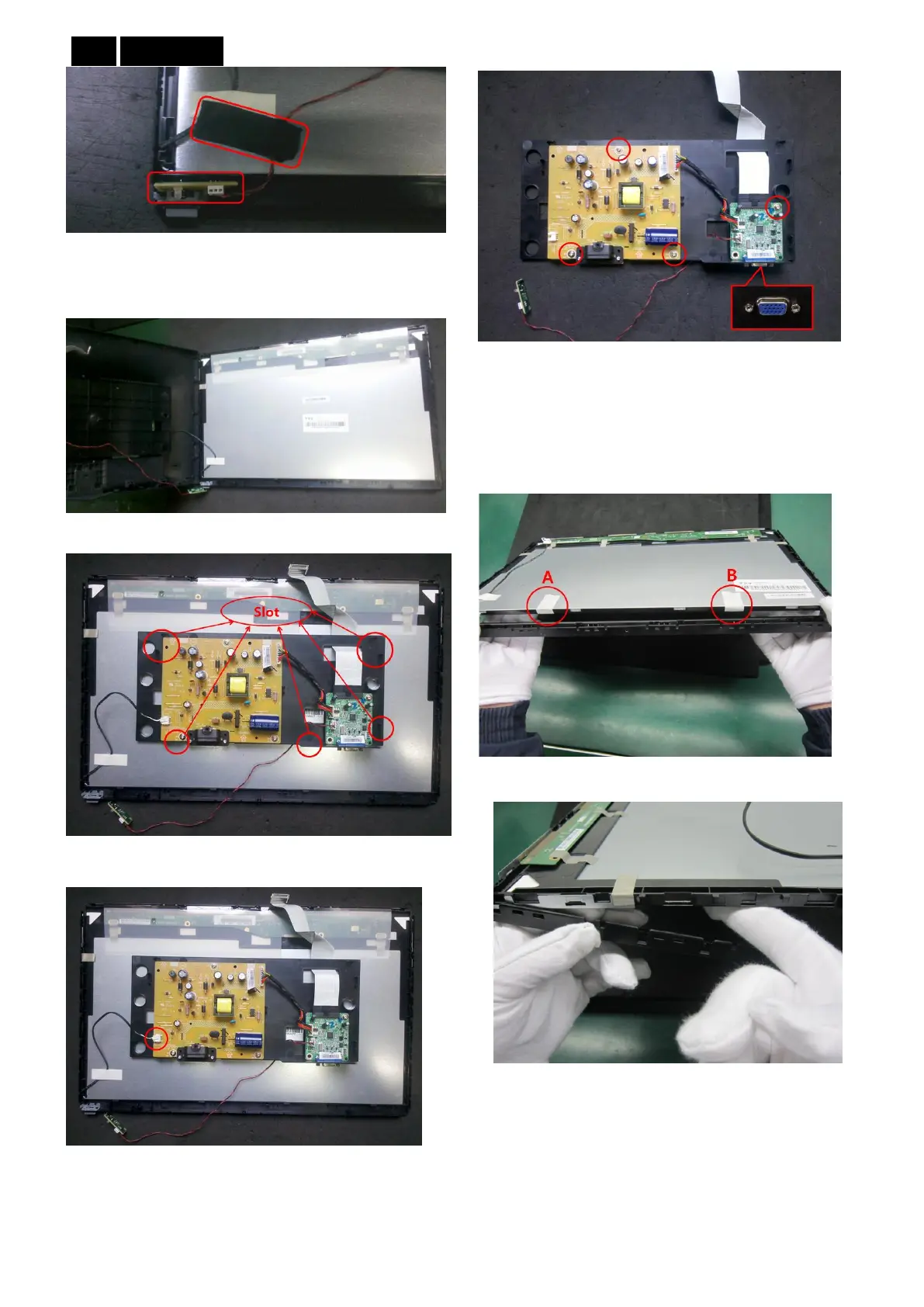
10. Open rear cover from the right. Light PIN is still
connect to Power Board, so does not take away rear
cover completely.
11. Take plastic plate off from rear cover.
12. Take off light PIN, then get plastic plate.
13. According to the different defective area, take off
the screws to get the relevant part to maintain (Take off
the six-angle before take Main Board).
Exchange bezel:
1. Separate bezel and the bottom of Panel, hold the
bottom of Panel with fingers tightly, otherwise dust may
get in. Stick bottom of panel tightly with two pieces
textured plastic, then you can unloose your hand.
2. Separate bezel slot from clips on Panel.
3. Separate bezel and Panel.


 To Next Page