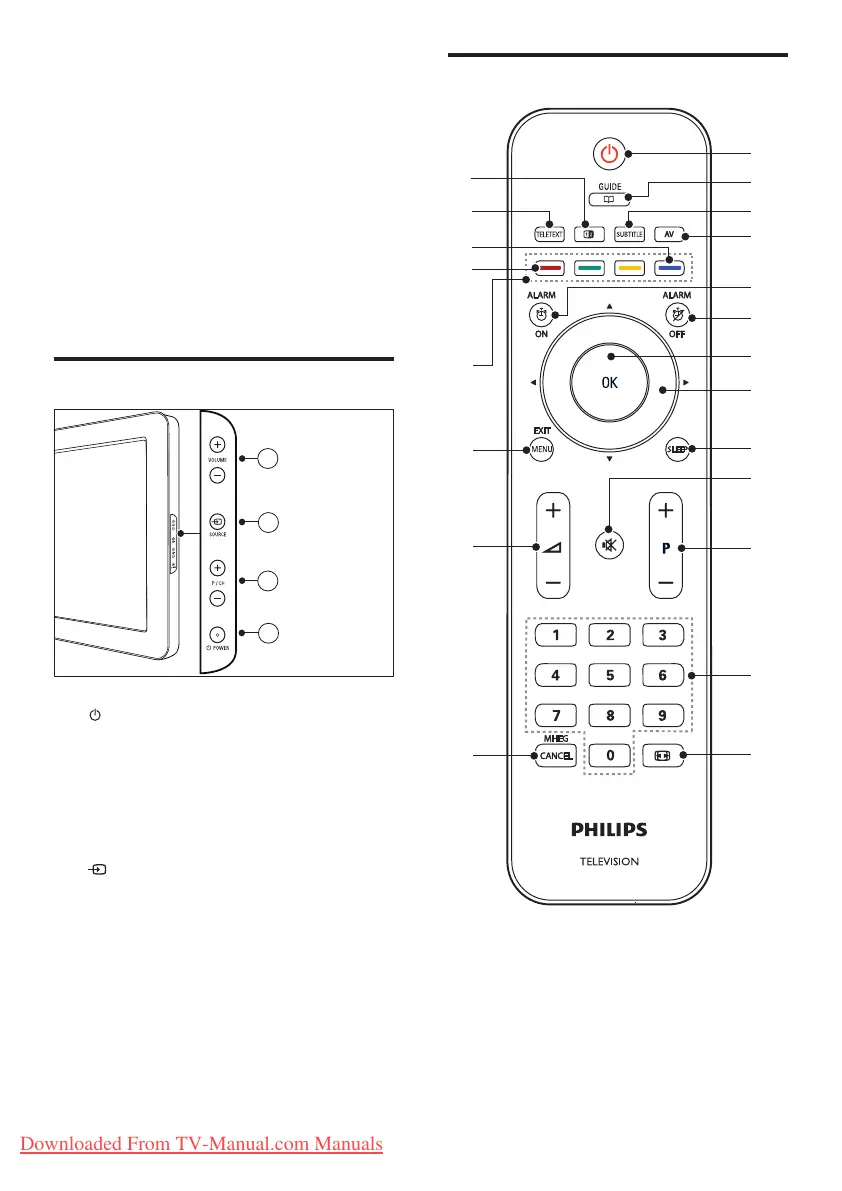
Guest remote control
3 TV overview
This section gives you an overview of
commonly used TV controls and functions.
Please read section 3 to 6 to set the basic
consumer menu rst, then follow the
instructions in section 7 to set the Professional
mode menu.
Side controls and indicators
a POWER: Switches the product on
or off. The product is not powered
off completely unless it is physically
unplugged.
b P/CH +/-: Switches to the next or
previous channel.
c SOURCE: Selects connected devices.
d VOLUME +/-: Increases or decreases
volume.
Downloaded From TV-Manual.com Manuals




 To Next Page