13
English
View channel grid
You can view an overview of all available
channels with the channel grid.
1 Press FIND.
» The channel grid appears.
2 To watch a channel, select it, then press
OK.
Watch connected devices
Note
•
Before you select a device as a source, switch the
device on.
Select a device from the source list
1 Press SOURCE.
» The source list appears.
2 Press to select a device.
3 Press OK to conrm your choice.
» The TV switches to the selected
device.
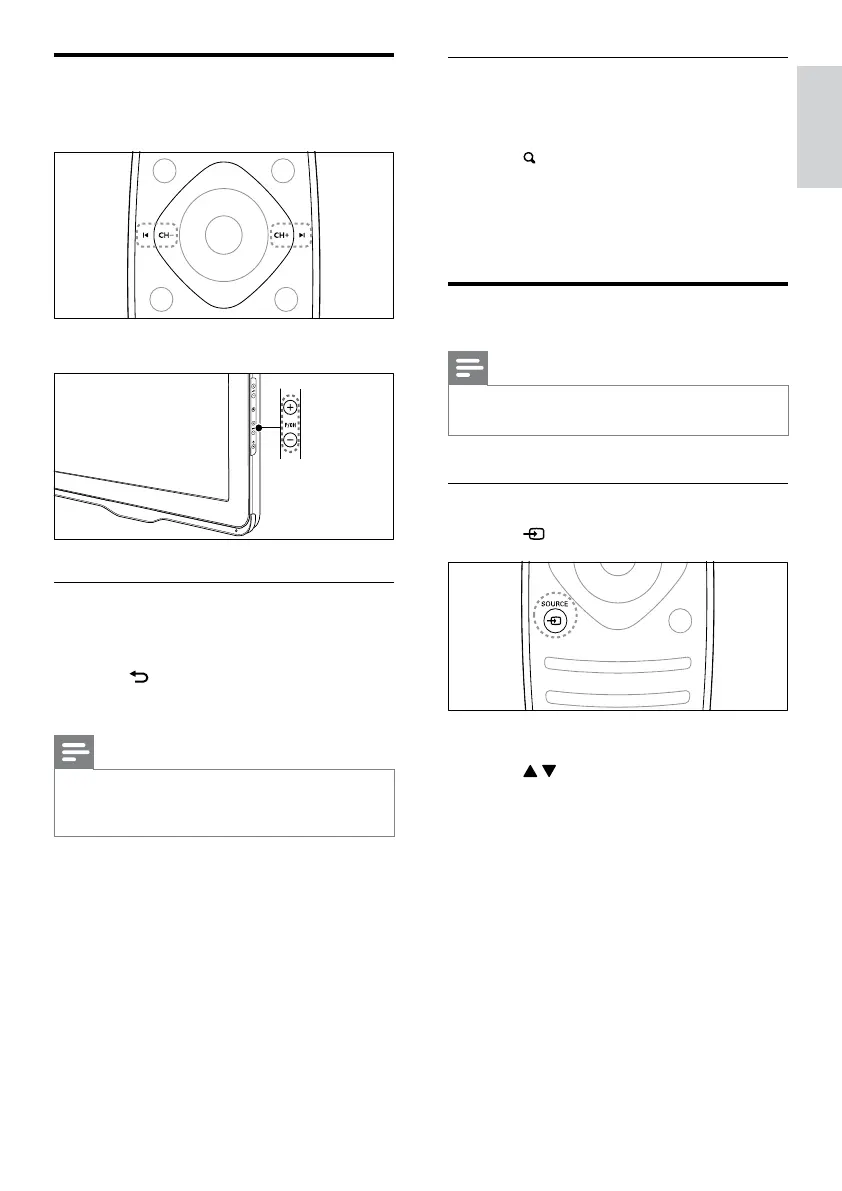
Switch channels
• Press CH+ or CH- on the remote control.
• Press P/CH +/-on the TV.
Other ways to switch channels
• Enter a channel number using the Numeric
buttons.
• Press
(BACK) on the remote control
to return to the previous channel.
Note
•
When you use a favorite list, you can only select those
channels in the list (see ‘Create and use list of favorite
channels’ on page 19).
EN







 To Next Page