30
Back connectors
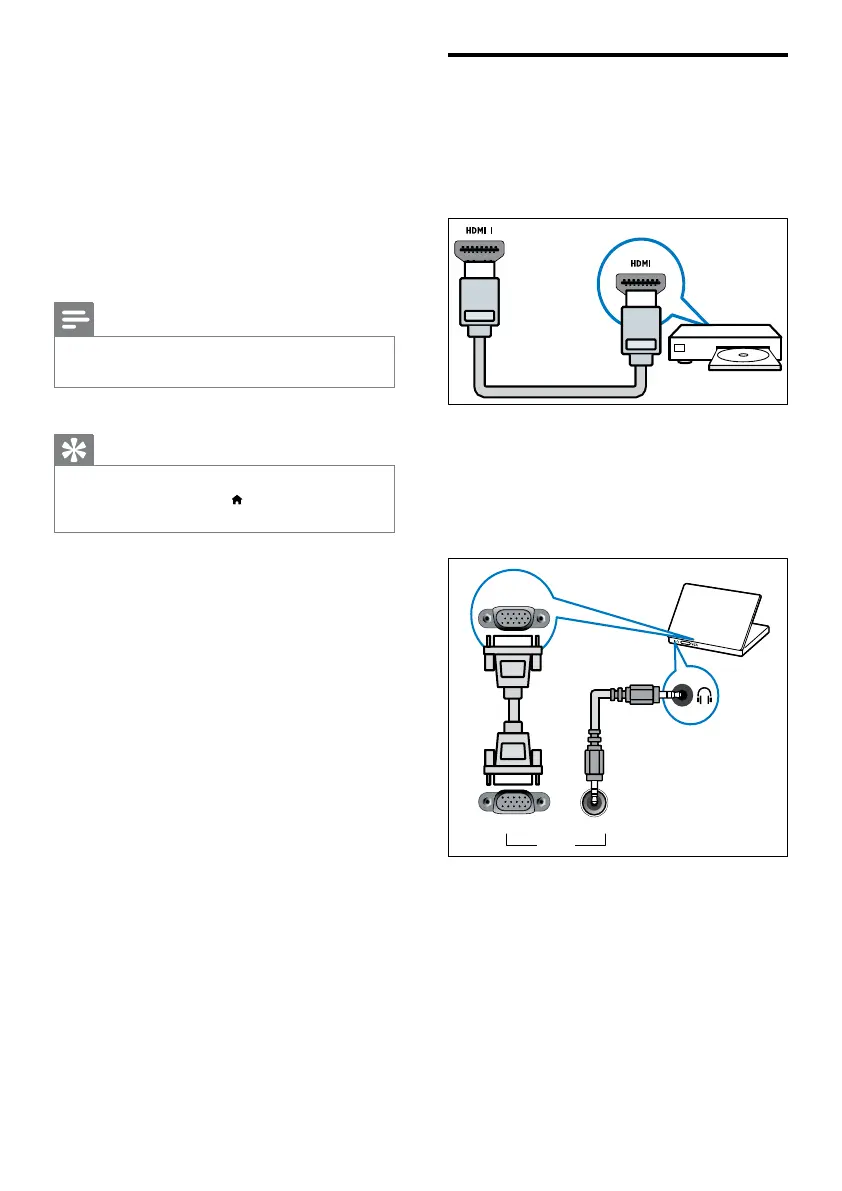
a HDMI 1
Digital audio and video input from high-
denition digital devices such as Blu-ray
players.
Connections via DVI or VGA require an
additional audio cable (see ‘Connect a
computer’ on page 32).
b PC IN/AUDIO IN (VGA)
Video/Audio input from a computer.
7 Connect devices
This section describes how to connect devices
with different connectors. For the location of
these connectors on your TV, see the quick
start guide. More examples of connections with
other devices are provided in the quick start
guide.
Note
•
You can use different types of connectors to connect a
device to your TV.
Tip
•
After connection, for easy access to your device, add
it to the home menu: press
, then select [Add new
device].
After you connect a device, add it to the home
menu for easy access (see ‘Add device to the
home menu’ on page 15).
EN






 To Next Page