45
Meridian 3
13.3 Prepare the EDID written
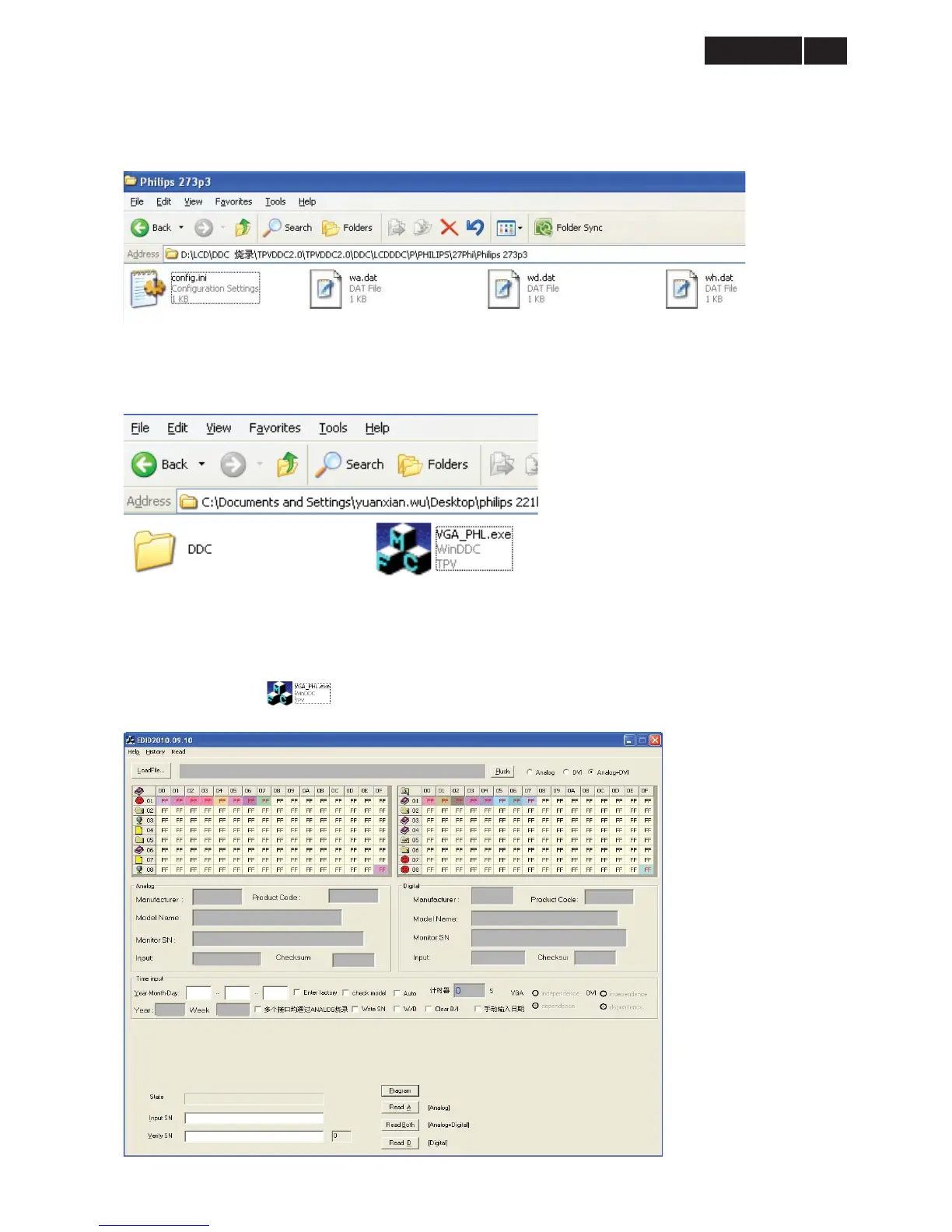
1. Rename the analog EDID to “wa.dat”, digital EDID to “wd.dat” and HDMI EDID to “wh.dat”.
2. Put the EDID data and “config.ini” files into one folder named Philips 273P3.
3. Copy the folder named Philips 273P3 to the “DDC” folder (It must be “DDC” instead of other names), and put the
“DDC” folder and “VGA_PHL.exe” into the same folder.
13.4 The process of writing EDID and SN
1. Double-click the icon to open the tool.


 To Next Page