21
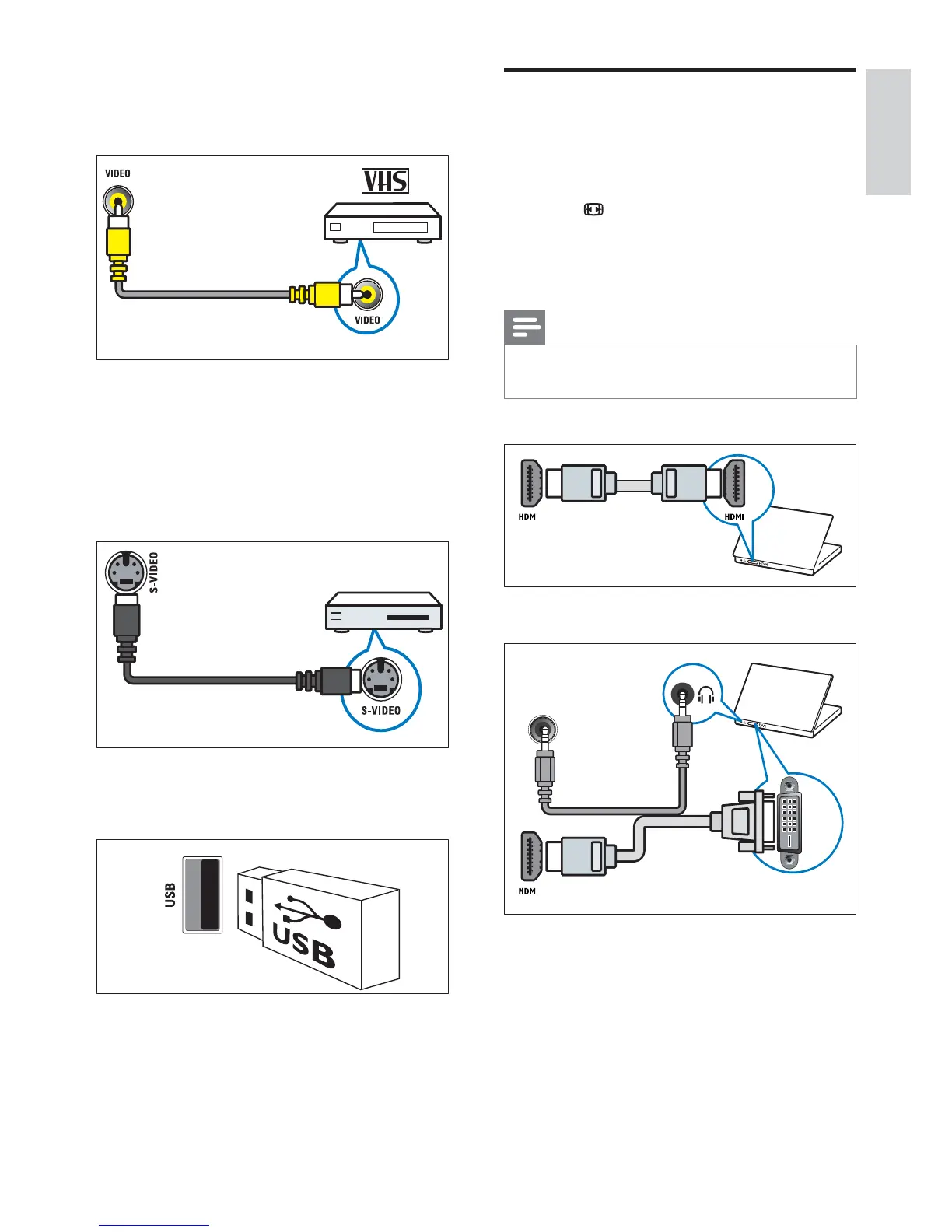
Connect a computer
Before you connect a computer to the TV
Set the monitor refresh rate on your •
computer to 60Hz.
Press •
FORMAT and change the TV
picture format to [Unscaled] .
Connect a computer with one of the
following connectors:
Note
Connections via DVI or VGA require an •
additional audio cable.
• HDMI cable
• DVI-HDMI cable
DVI
PC AUDIO IN/ PC IN(AUDIO)
b VIDEO
Composite video input from analogue
devices such as VCRs.
c S-VIDEO
S-Video (side) to be used with Audio L/R
connectors for camcorder, game console,
etc. When you use the S-Video (side) for
video signals, do not use the Composite
video (side) input for video signals.
d USB
Data input from USB storage devices.
English
EN










 To Next Page