EN-10
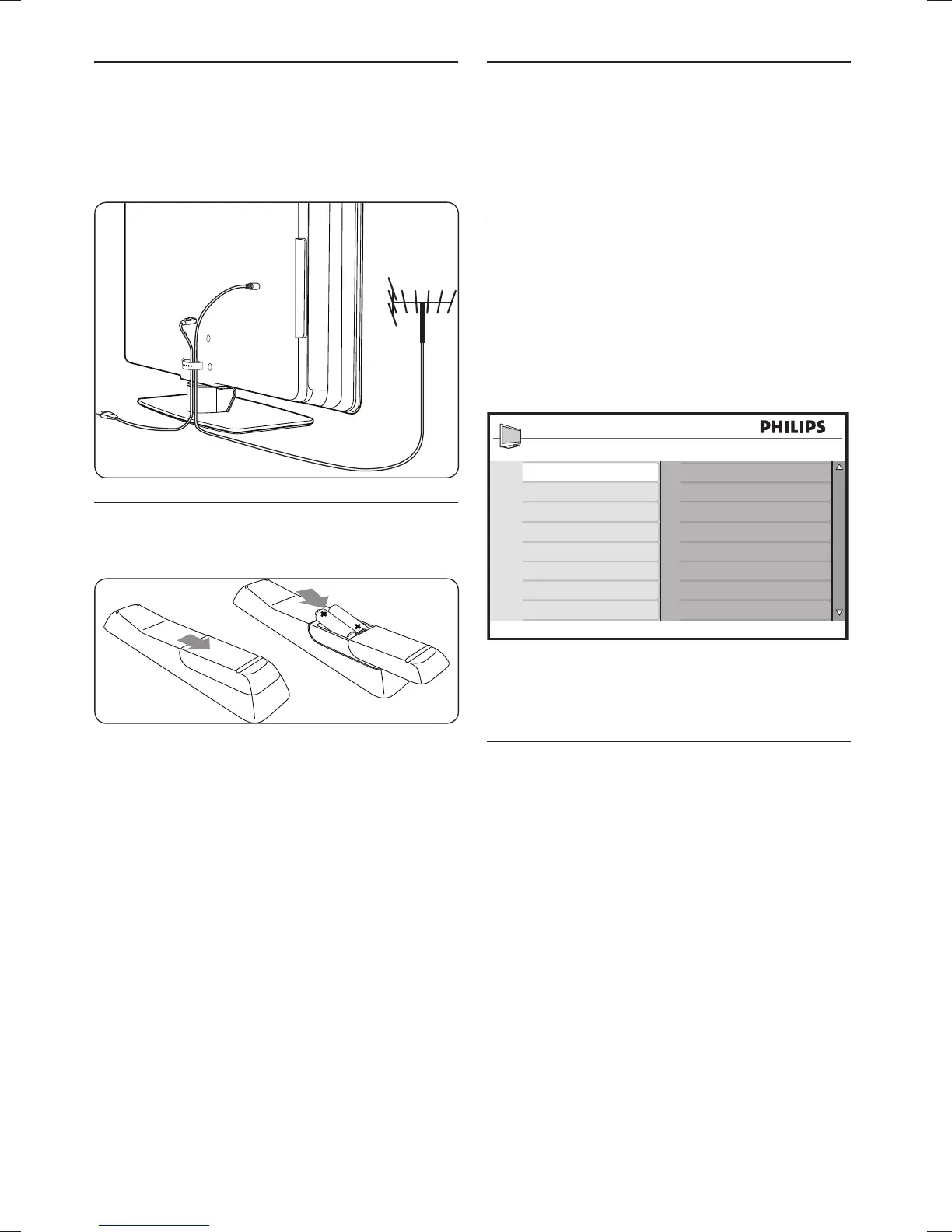
Manage cables3.5
Route your mains cord, antenna cable and all
other device cables through the cable holder at
the back of the TV. This holder helps keep your
cables tidy and easily manageable.
Insert the remote control 3.6
batteries
Slide the battery cover off the back of the 1.
remote control.
Insert the two supplied batteries. Be sure 2.
the + and - ends of the batteries line up
with the markings inside the case.
Slide the cover back into position.3.
Note D
Remove the batteries if not using the
remote control for an extended period of
time.
Switch on the TV3.7
The first time you switch on the TV, check that
the mains cord is properly connected. When
ready, turn on the mains, then press POWER
on the side of the TV.
Select your location3.8
The first time and only the first time when
you switch on the TV, an on-screen display will
prompt you to select a location. The location
settings is to maximise your viewing pleasure
depending on your environment at home or at
the shopfloor.
Location
Home
Shop
Please select location
to continue
Press 4. Î or ï a location.
Press 5. OK to confirm your choice.
Re-select your location3.9
If you wish to re-select your location, see
Section 6.4 Change to Shop or Home mode.









 To Next Page