EN-35
EN
Use your TV as PC 8
monitor
Confi gure PC mode8.1
1. Connect your computer in Section 7.3.7
Personal Computer.
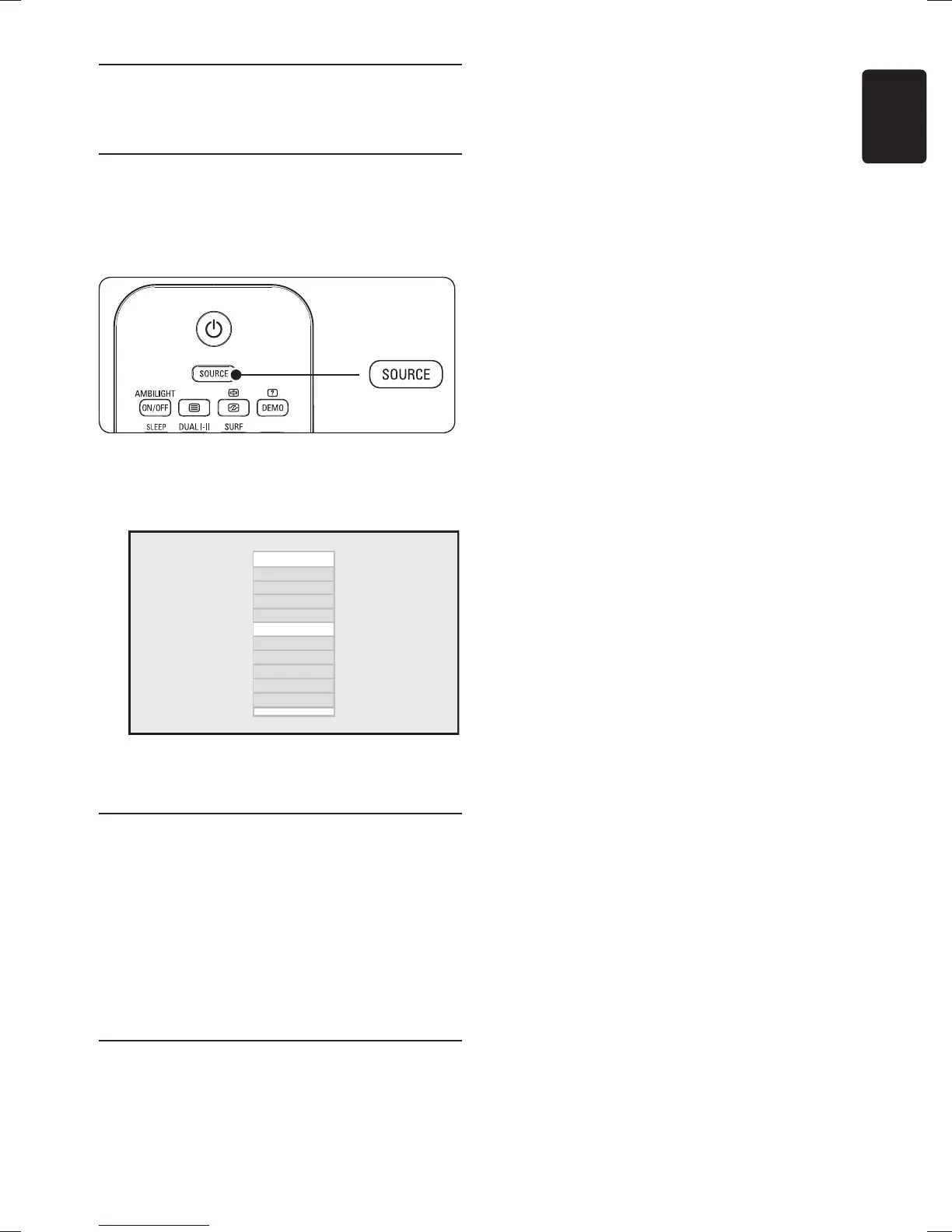
Press 2. SOURCE on the remote control.
The list of sources appears.
Press 3. ï to select VGA and press OK to
confirm.
Source list
TV
AV
SIDE AV
CVI
VGA
HDMI 1
HDMI 2
HDMI 3*
Side HDMI*
* Available in selected models
Note: D Set your PC refresh rate to 60 Hz.
Picture settings in PC mode
Except for Horizontal Shift and Vertical Shift,
all of the picture settings in PC mode are the
same as the picture settings in TV mode.
Horizontal Shift•
To adjust horizontal position of the range.
Vertical Shift•
To adjust vertical position of the range.
Feature settings in PC mode
Phase• and Clock
To match the TV and computer display
settings
Auto Adjust•
To synchronise the TV and computer Phase
and Clock rate automatically. The geometry
is also adjusted.
Reset•
To return to default settings.









 To Next Page