3.2 Assembly/Panel Removal
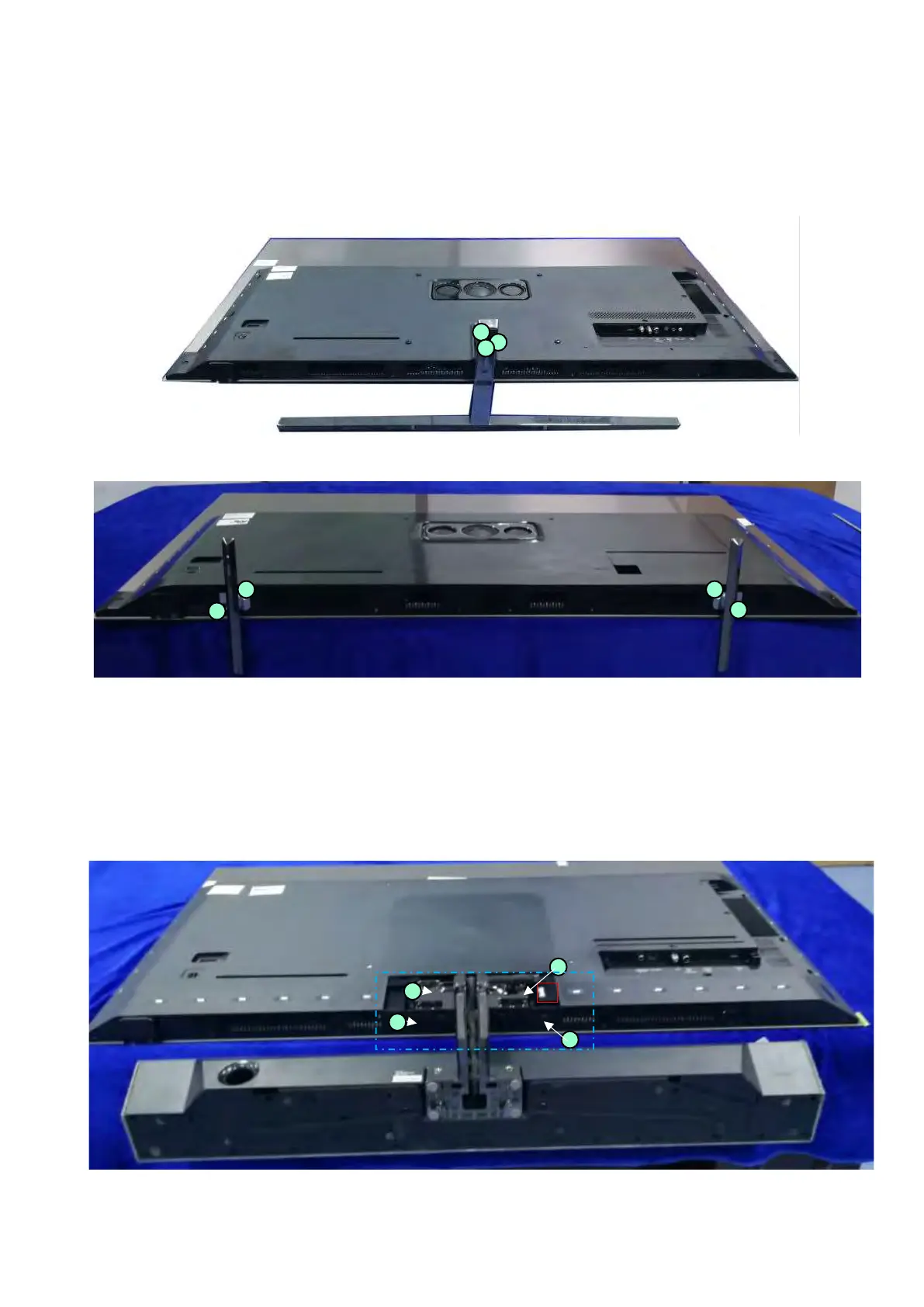
3.2.1 Stand removal
1. Remove the fixation screws [1] that secure the stand.
2. Take the stand bracket out from the set.
(55"/65" OLED855/865 Series stand removal)
(55"/65" OLED805 Series stand removal)
Stand removal and rear cover for 935 series
1. Remove the cover in the blue box first
2. Release the connector from the Audio Board in red box as following
3. Remove the fixation screws [1] that secure the stand.
4. Take the stand bracket out from the set as below indicated.
(48”/55"/65" OLED935 Series stand removal -1)
1
1
1
1
1
1
1
1
1
1
1




 To Next Page