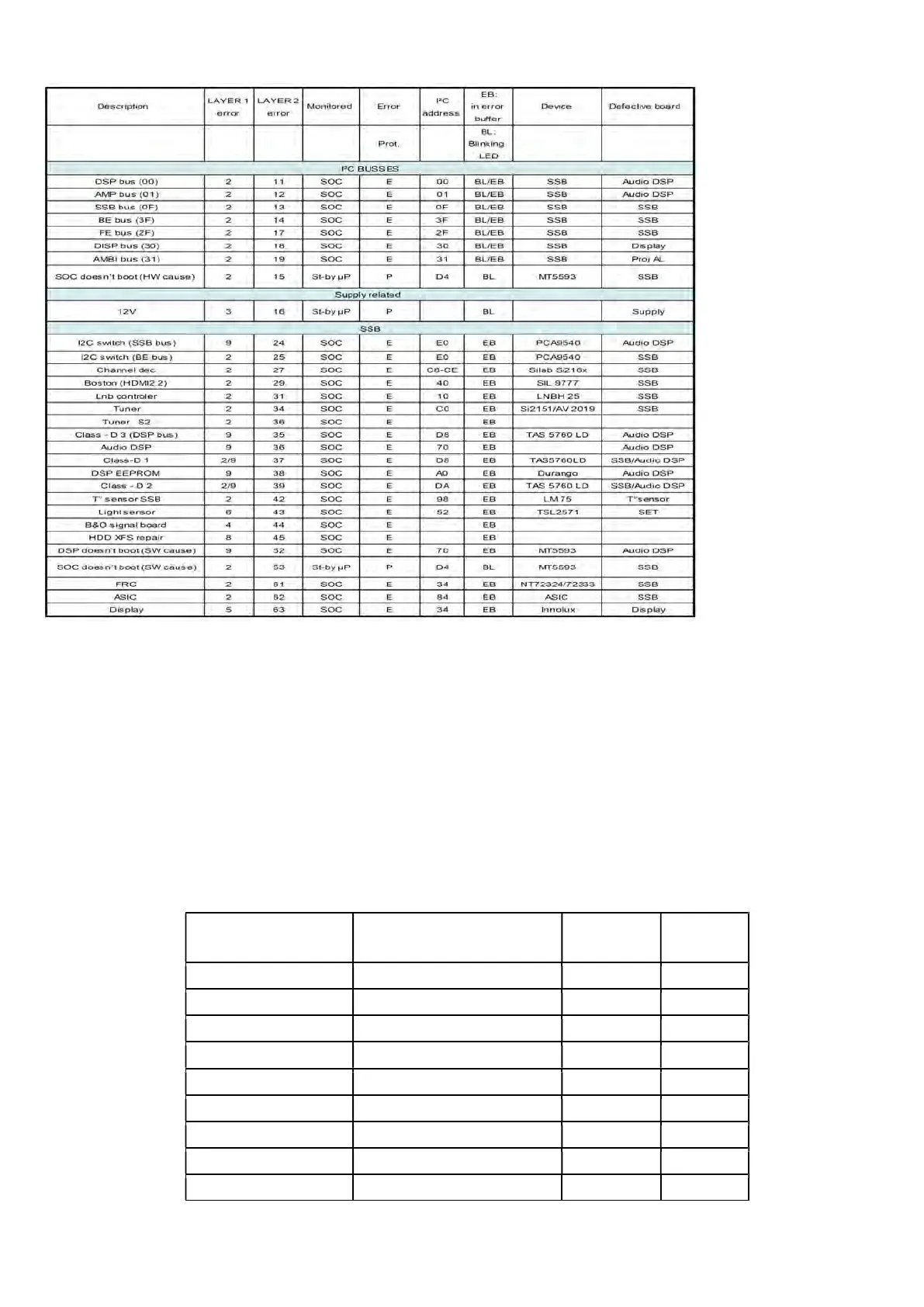
5.2.4 How to Clear the Error Buffer
The error code buffer is cleared in the following cases:
• By using the CLEAR command in the SAM menu
• By using the CLEAR command in the Factory mode:
• By using the following key sequence on the remote control transmitter: “062599” directly followed by the OK button.
• If the contents of the error buffer have not changed for 50 hours, the error buffer resets automatically.
Note: If you exit SAM by disconnecting the mains from the television set, the error buffer is not reset.
5.3 Set Option Code
Press the following key sequence on a standard RC transmitter: “062598” directly followed by MENU and “xxx”, where “xxx” is a 3 digit decimal value
of the panel type: see column “Set Option Code” in below tab. After resetting the Display Code, restart the set immediately.
CTN_ALT BOM# Panel Type
Set Option
Code
Panel ID
55OLED805/12 OLED LE550AQD-ENA3 GZ LGD
352
37
55OLED855/12 OLED LE550AQD-ENA3 GZ LGD
355
37
55OLED865/12 OLED LE550AQD-ENA3 GZ LGD
358
37
55OLED935/12 OLED LE550AQD-ENA3 GZ LGD
360
37
65OLED805/12 OLED LE650AQD-ENA3 GZ LGD
353
38
65OLED855/12 OLED LE650AQD-ENA3 GZ LGD
356
38
65OLED865/12 OLED LE650AQD-ENA3 GZ LGD
359
38





 To Next Page