3
Getting started
EN
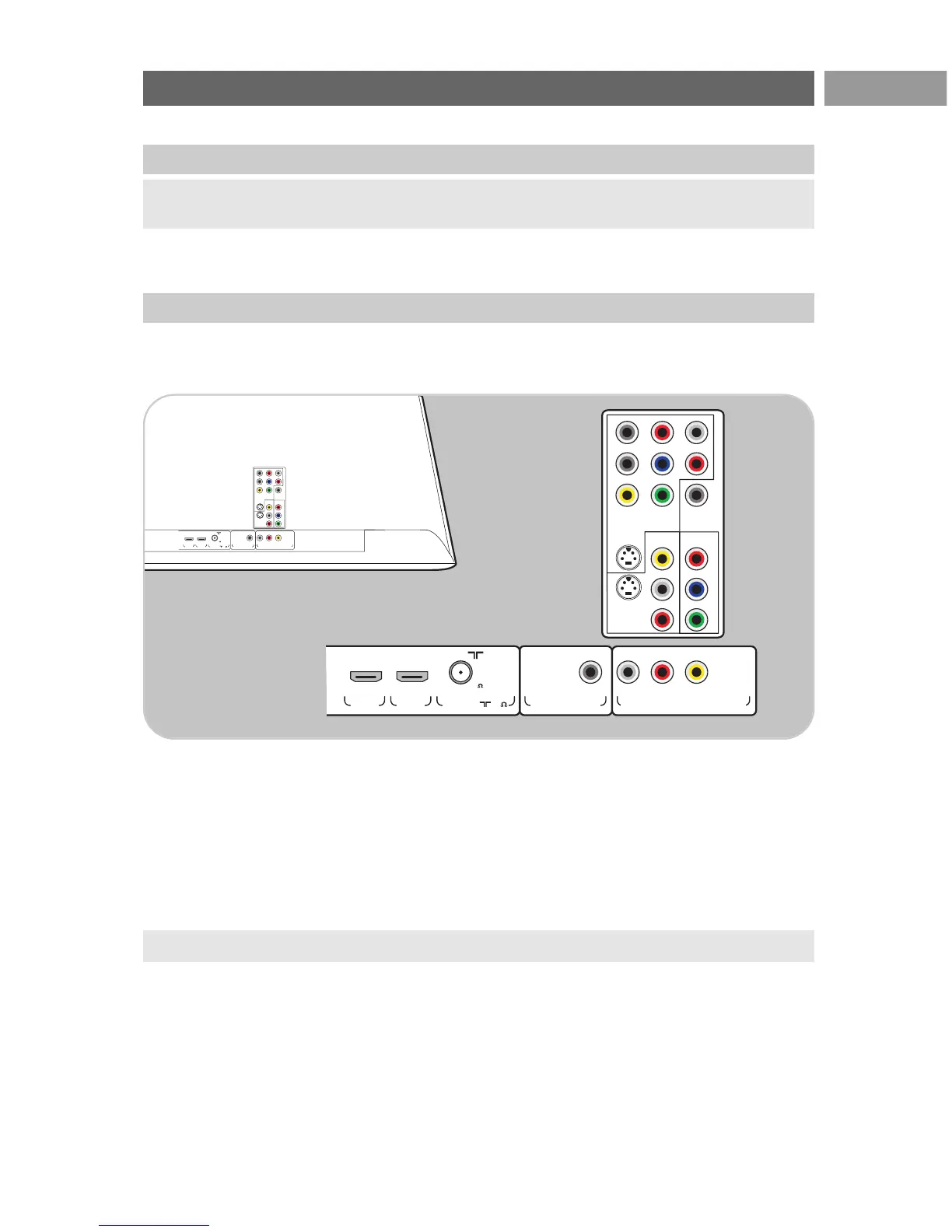
Before you switch on your TV, connect all your peripheral equipment. See To make video and audio
connections, p. 37.
There is a wide range of audio and video equipment that can be connected to your TV. See To make
audio and video connections, p. 37.
AV1 can handle YPbPr, S-VIDEO, RGB+HB or CVBS and Audio L/R;
AV2 can handle CVBS, S-VIDEO and Audio L/R;
AV3 can handle YPbPr and Digital Audio;
HDMI 1 and 2.
Supported video formats: 480i, 480p, 576i, 576p, 720p, 1080i.
Warning: do not insert the mains cord into the mains at the bottom of the TV and in a wall socket
or hang the TV on the wall before all connections are made.
Warning: disconnect all power sources before making any connections.
Before you start
Overview of the rear connector panel




 To Next Page