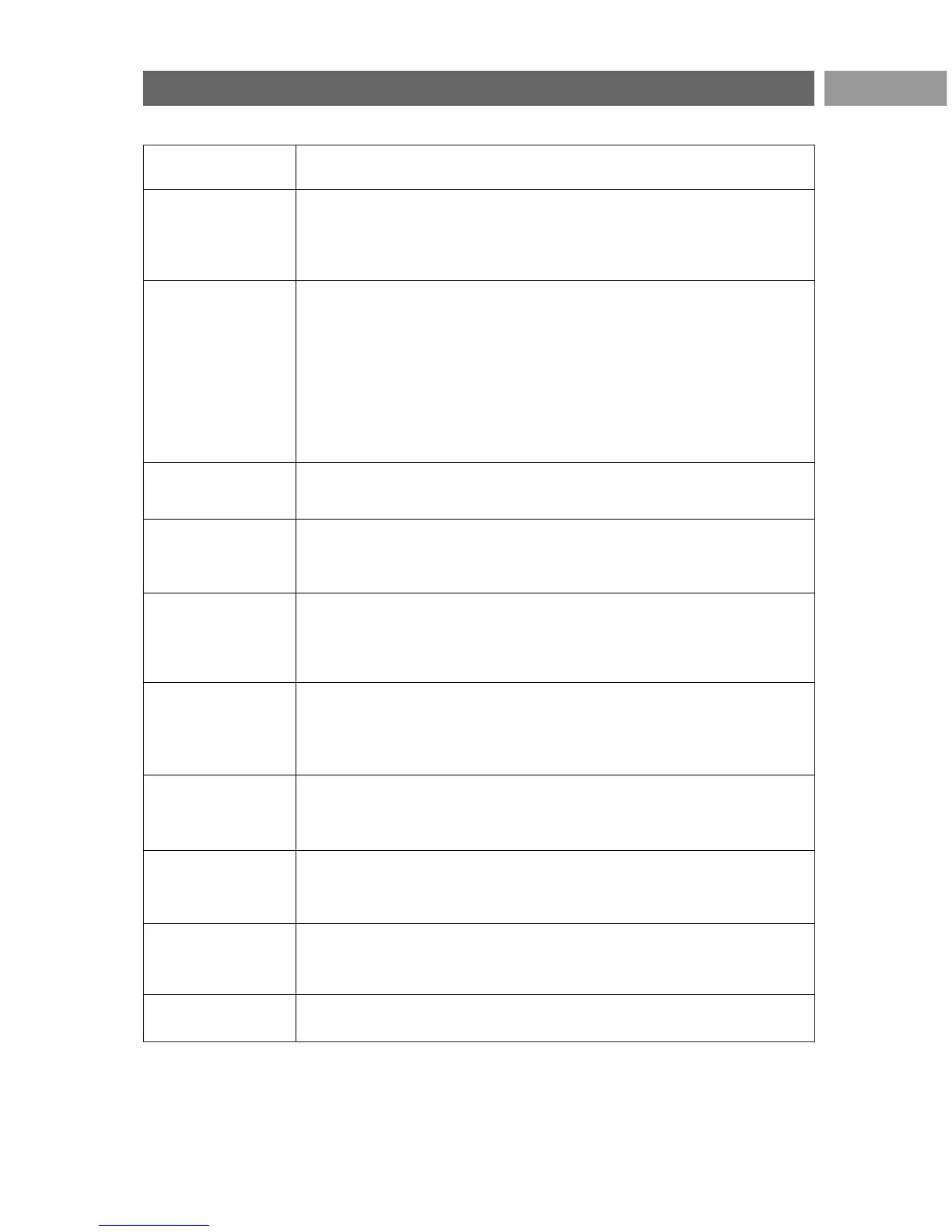
Symptom Possible cause/Remedy
No picture < Verify if the supplied cables are connected properly. (The aerial cable to the
TV, the other aerial to your recorder, the power cables, ..)
< Verify if you selected the correct source.
< Verify if the child lock has been switched off.
Poor picture < Verify in the Manual installation menu if you have selected the correct TV
system.
< Verify if your TV or house aerial isn't located too close to loudspeakers,
non-earthed audio equipment or neon lights, etc.
< Mountains or high buildings can cause double pictures or ghost images.
Sometimes you can improve the picture quality by changing the direction of
the aerial.
< Is the picture or teletext unrecognisable.Verify if you have entered the
correct frequency. See Installation, Manual installation, p. 26.
Poor colour < Select Factory settings in the Installation menu.
< Verify the connections between the optional equipment and the TV.
No sound < Verify if the volume isn't at minimum.
< Verify if the sound hasn't been muted with the ¬ key.
< Verify the connections between the optional equipment and the TV.
The remote does < Verify if the remote is set correctly for the equipment your are using.
not function < Verify if the batteries are not dead. Replace the batteries.
You can still use the keys at the right side of the TV.
< Select
TV mode on your remote control.
The remote of < The infrared signals of the screen may influence the reception sensibility
connected equip- of other peripherals.
ment does not Solution: replace the batteries of the remote of other peripheral equipment.
function well
No photo or music < Verify if the source complies with a supported code.
play or in poor
quality
No stable or not < Verify if you have selected the correct VGA mode in your PC.
synchronised VGA See Connect a PC, p. 45.
picture < Verify the connections between the PC and the TV.
No solution found < Switch off your TV off and then on again once.
for your picture or Never attempt to repair a defective TV yourself.
sound problem Verify with your dealer or call a TV technician.
Red blinking led < Unplug the mains cord for 10 seconds and insert it in again.
49
Troubleshooting
EN




 To Next Page