EN
7
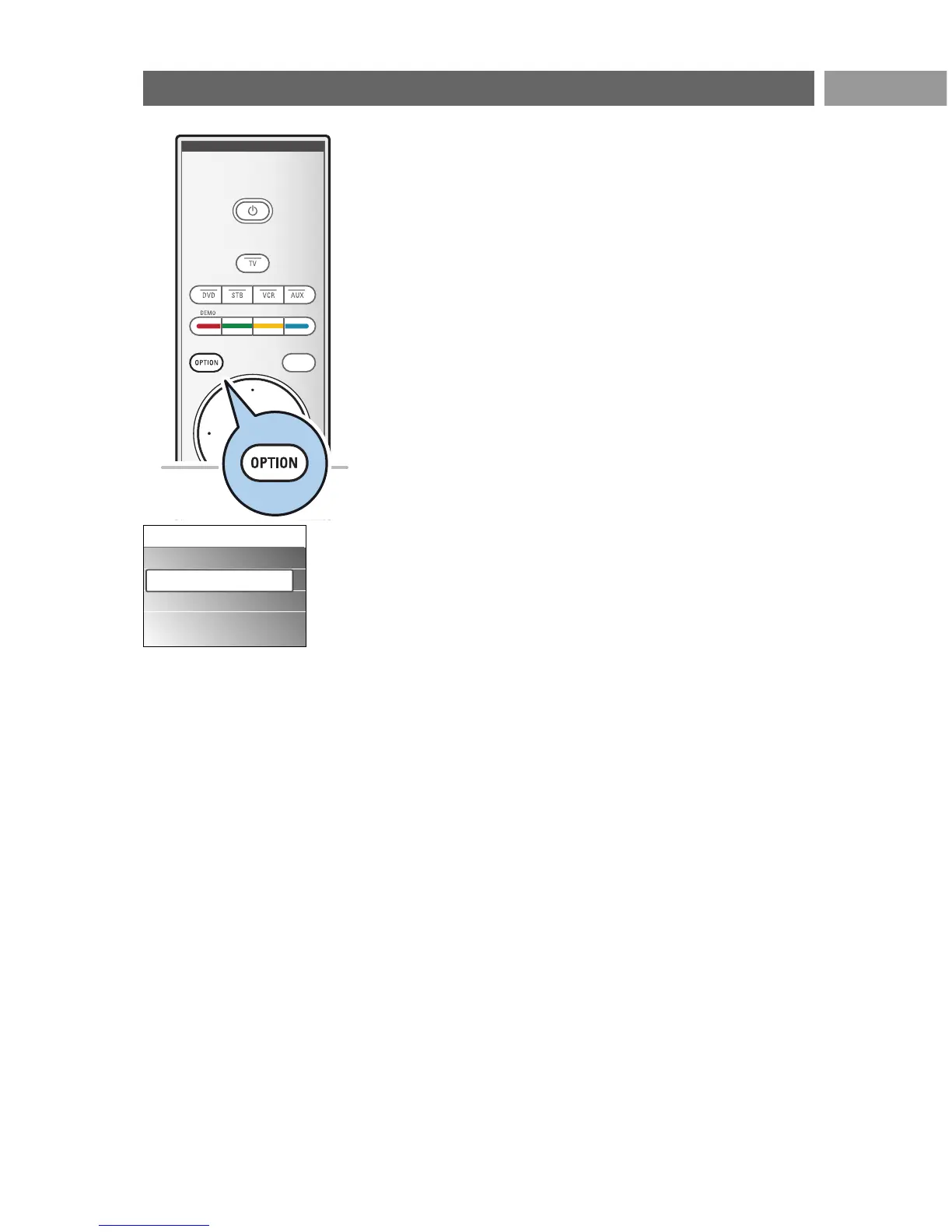
The OPTION key allows you to display the Quick access menu
which will give you direct access to some features and menu
options.
1. Press the
OPTION key.
> The Quick access menu appears.
2. Press the cursor up/down to select a menu item.
3. Press the
OK key to jump to the selected menu item in the
TV menu. (Except for the Clock option).
4. Use the cursor keys to make a selection.
5. Press the
OPTION key to exit.
Subtitles:
See Adjust feature menu settings, p. 22.
Picture format:
See Use of the TV menu settings,Adjust picture menu
settings, p. 16.
Equalizer:
See Use of the TV menu settings,Adjust sound menu
settings, p. 17.
Clock:
< Select to activate/deactivate the clock display on the screen.





 To Next Page