EN
8
Switch the TV on
< Press the power switch B at the right side of the TV.
> An indicator on the front of the TV lights up and the
screen comes on.
< If the TV is in standby mode, press the
-P+ keys or the B
key on the remote control.
Note: the first time (and only the first time) you switch
on your TV, you see a Welcome screen followed by the
installation procedure. See First time installation, p. 9.
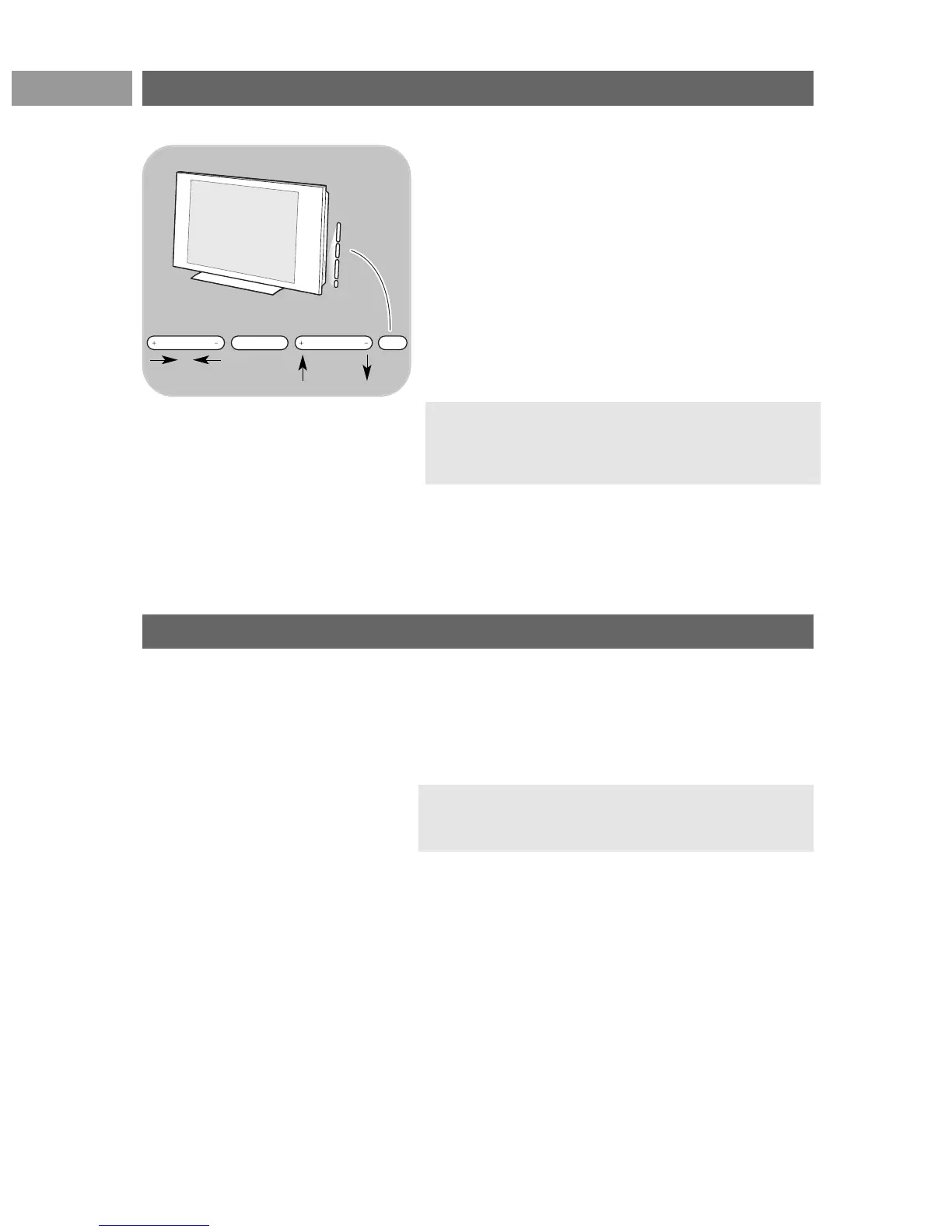
In case your remote is lost or broken, apart from
channel selection and volume adjustment, you can still
change some of the basic settings with the keys at the
right side of your TV.
< Press the power switch B to switch the TV on or off.
The
MENU key can be used to summon the TV menu
without the remote control.
< Use:
- the
VOLUME - and + keys and the
PROGRAM/CHANNEL - and + keys to select menu
items;
- the
MENU key to confirm your selection.
Note: when activated via the MENU key at the right side
of the TV, only Exit lets you dismiss the menu.
Navigate to Exit,press the cursor right and then press the
MENU key.
Keys at the right side of the TV




 To Next Page