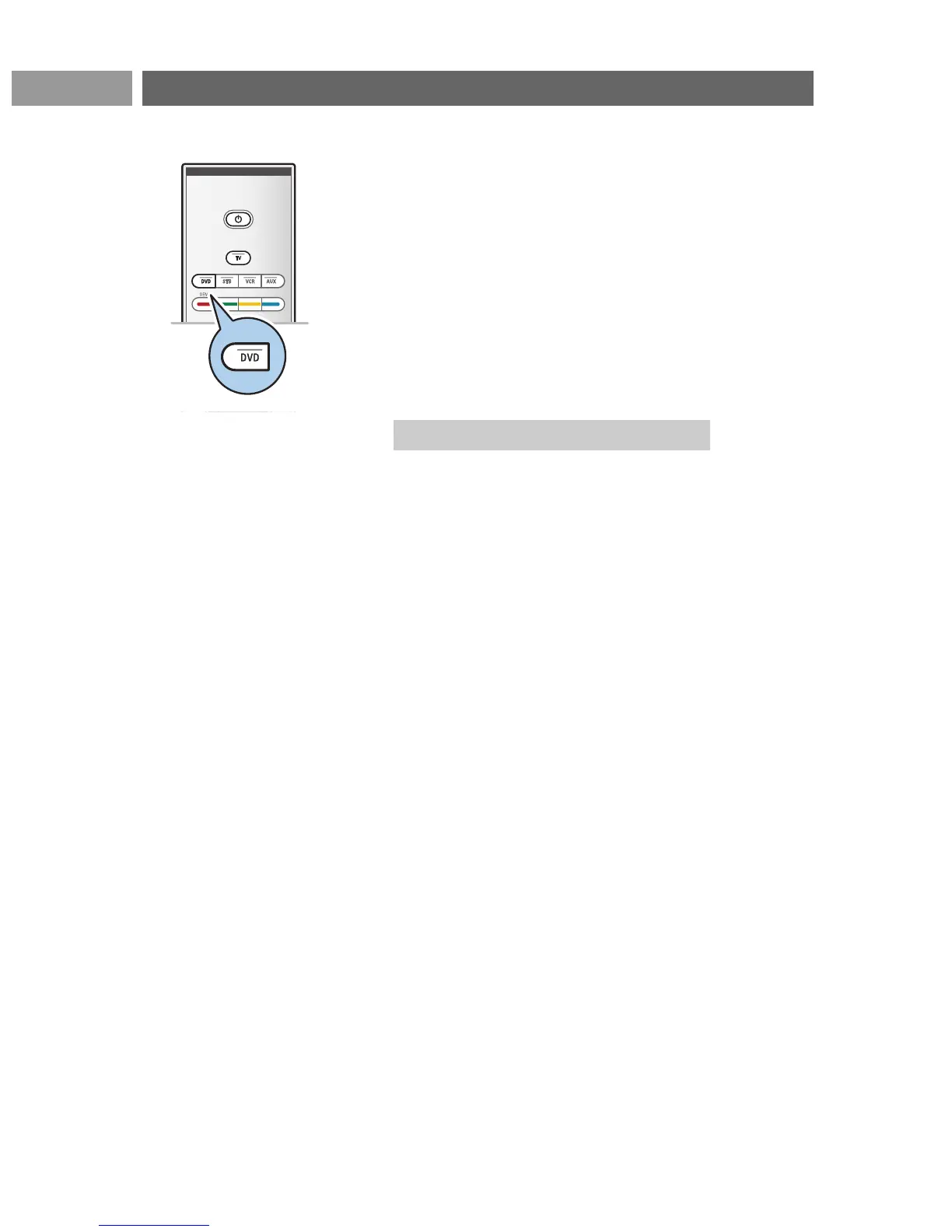
Your TV remote control gives you the opportunity to control
your Philips DVD or DVD-R with one single remote control.
1. Press the DVD mode key for 4 seconds until the LED lights
up constantly.
2. Enter the code 500 with the digit keys for a Philips DVD
player.
Enter the code 542 with the digit keys for a Philips DVD
recorder.
> All mode LEDs will blink fast for 3 seconds as a
confirmation you entered the correct code.
If you entered a wrong code all mode LEDs will stay on for
2 seconds. Redo step 2.
> Your remote control is in the DVD or DVD-R mode.
< Press the DVD mode key for 4 seconds.
> The remote control will return to
TV mode.
50
Annex 1:To set the remote control to work a Philips DVD or DVD-REN




 To Next Page