10
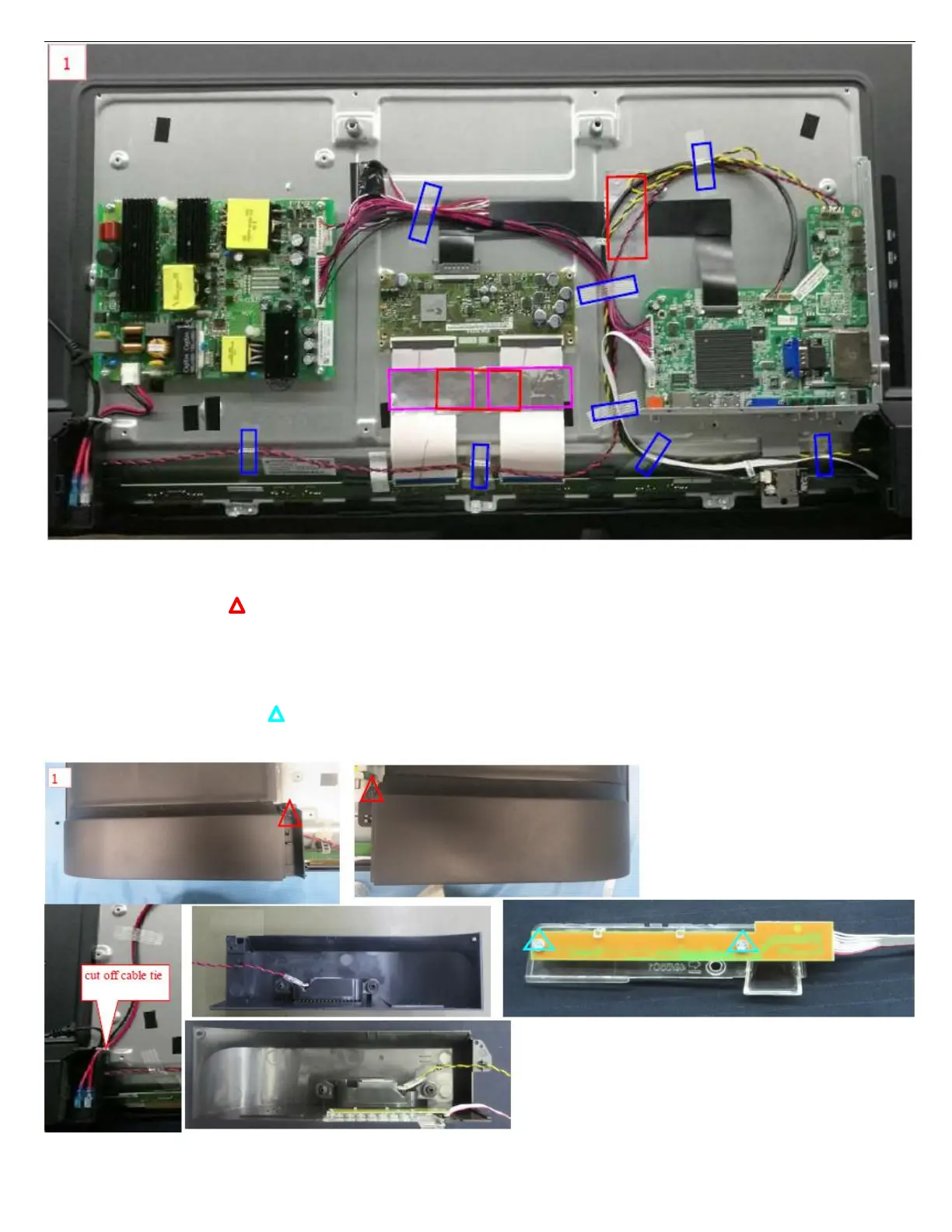
3.2.4 Dismantle left/right back cover,key module
1.
Use electric screwdriver to dismantle 2pcs Ф3×5mm flat head black zinc plating machine screws,and Put at the appointed
position. Figure 1
2.
Unplug speaker wire and key wire from the socket of M/B,use cutting nippers to cut off cable tie on the back cover.Then take down rocker
switch from back
3. Take down speaker’s module from the speaker pillar on the left /right back cover, put them at the appointed position.
Take down key module from back cover,and then put removed back cover at appointed position
4. Use electric screwdriver to dismantle Φ3×5mm flat head and tail blue zinc plating self-tapping screw, and put them at the
appointed position. Figure 1
5. Split key module into keypad,key wire and button array,and put them at the appointed position.
6. After self-check OK,flow it into next station by foot switch





 To Next Page