65BDL3050Q
26
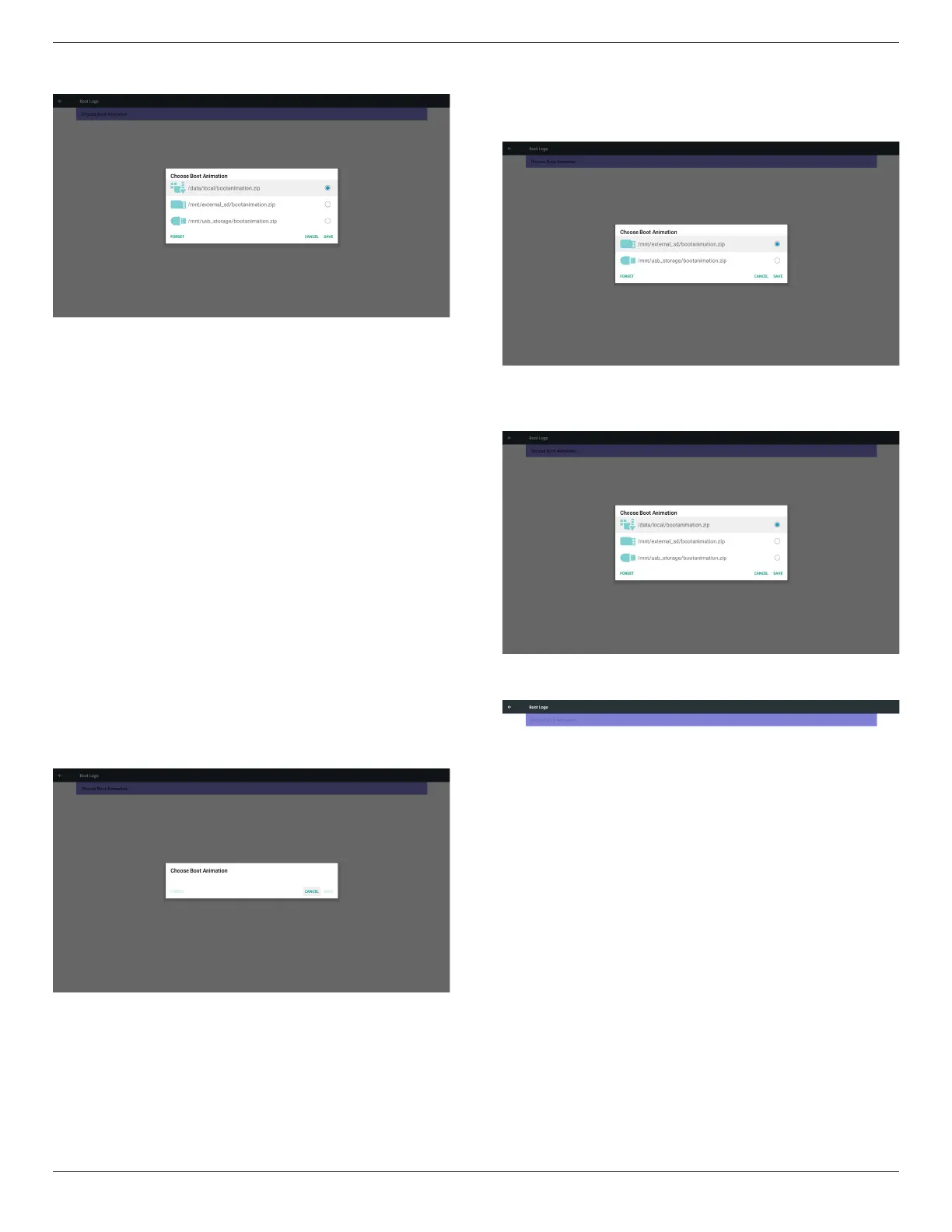
2) When boot logo selected, PD will check if there is bootanimation.
zip under USB and SD card.
Function introduction:
a. Option description
/data/local
Use customized boot animation le which is copied from SD card or
USB
/mnt/external_sd
Use boot animations le under SD card
/mnt/usb_storage
Use boot animations le under USB
b. Save
Press save key to save SD card or USB bootanimation.zip to /data/
local and set it as boot logo.
c. Forget
Press Forget key to delete /data/local bootanimation.zip and not
show boot logo.
d. Cancel
Close dialogue w/o changes.
Scenario introduction:
Case 1
The user don’t settle customized boot logo. PD does not nd any
bootanimation.zip le under SD and USB. The list will be blank. Save
and Forget button will be gray and useless.
Case 2
The users do not settle customized boot logo. PD nd
bootanimation.zip le under SD and USB. The screen will show
bootanimation.zip and select the rst le automatically.
Case 3
The user settle customized boot logo, the screen will show /data/
local/bootanimation.zip.
3) If OSD menu Logo item is On or Off, the users cannot choose
boot animation in Android settings.
3. Screenshot
Via Enable/Disable to control screenshot On/Off.
After Enable, user can set screenshot timeslot and save path.
Note:
Time slot of deletion and screenshot:
(1) Will delete picture at initial time 0 sec.
(2) Will screeshot at rst 40 sec.
(3) Media player, Browser, CMND & play, PDF reader, Custom source
are supported.
(4) Screenshot will not include video container


 To Next Page