- English 12 -
Features and settings
Volume
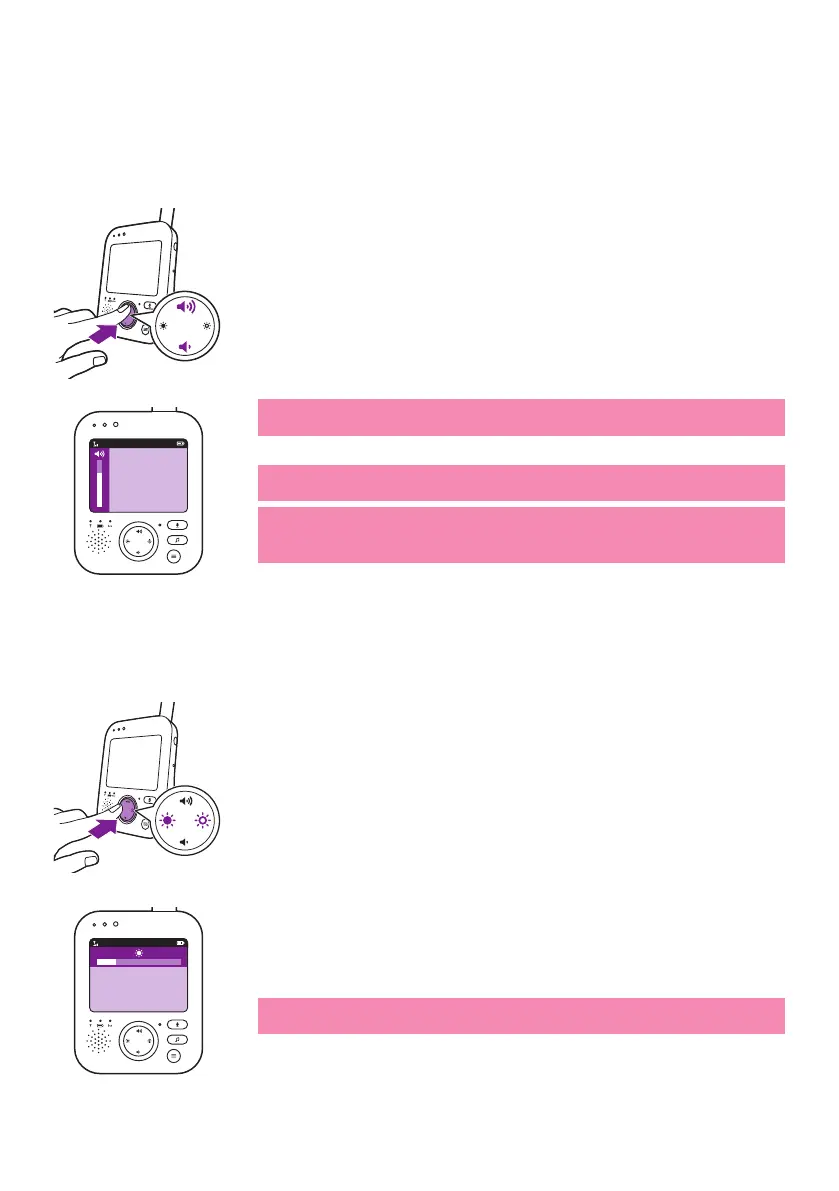
You can adjust the speaker volume of the parent unit to the level you
prefer�
1 Press the top or bottom part of the control button to adjust the
volume�
Tip: Make sure that the volume is adapted to the current conditions�
The volume bar appears on the display to show the selected volume�
more power�
The parent unit shows a mute icon in the status bar and you will only
receive alerts and video from the parent unit�
Brightness
You can adjust the display brightness of the parent unit to the level you
prefer�
1 Press the left or right part of the control button to adjust the
brightness of the display of the parent unit�
The brightness bar appears on the display to show the selected display
brightness�
more power�
20°C
1
20°C
1








 To Next Page