- 20 -
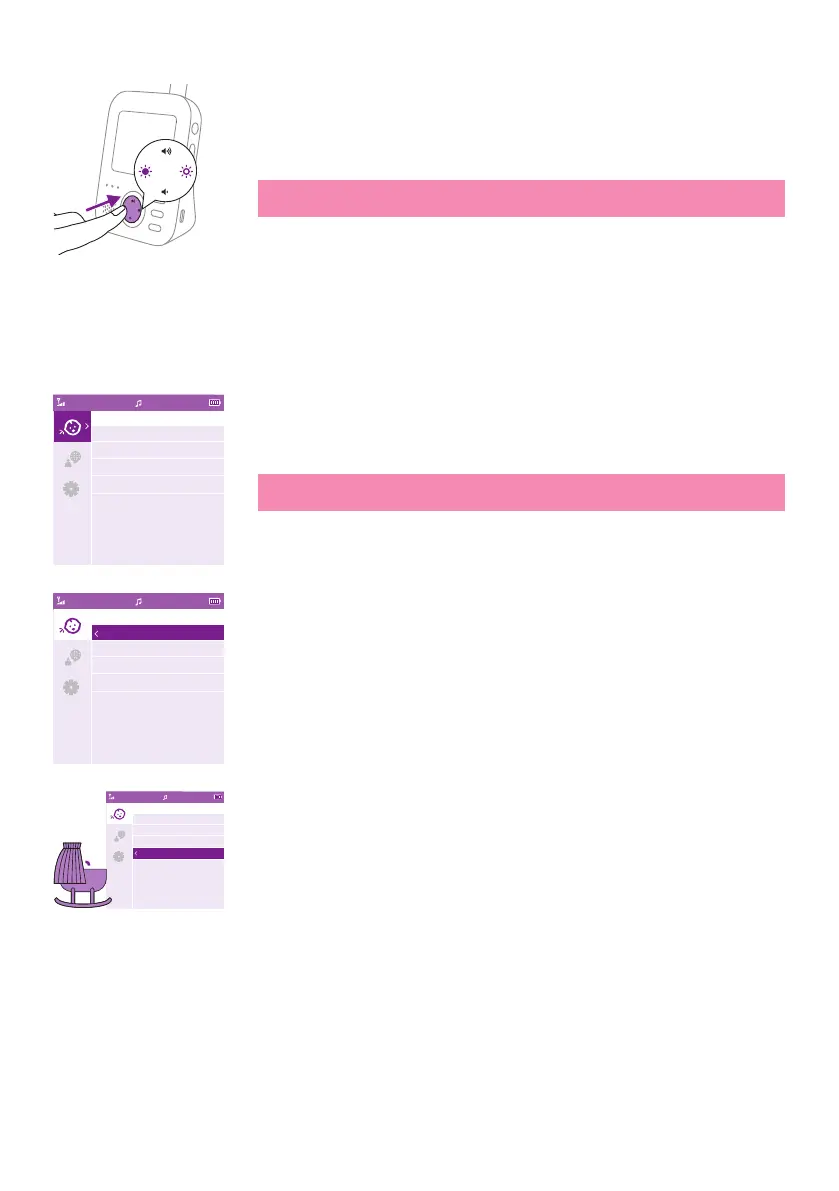
When you are navigating through the menu features and do not want
to save any change, press the menu button. You will leave the menu
without changing any settings�
Note: If you are in the menu but do not press a button for 5 seconds,
the menu will exit without saving changed settings.
Sensitivity
The sensitivity level of the baby unit denes what you hear through
the parent unit. When the level is set high, you will hear many sounds,
including soft background sounds. When the sensitivity level is set low,
you will hear only the louder sounds�
1 Press the right part of the control button to access the sensitivity levels�
Note: When pressing the left part of the control button again, you
will leave the menu�
2 Press the top or bottom part of the control button to select the desired
sensitivity level�
If your baby only makes soft sounds, the sensitivity of the baby unit
needs to be set to a high sensitivitylevel on the parent unit.
Video17:00
Sensitivity
Low
Medium
High
Very High
Video17:00
Sensitivity
Low
Medium
High
Very High
Video17:00
Sensitivity
Low
Medium
High
Very High


 To Next Page