- 9 -
Using the baby monitor
Linking parent unit and baby unit
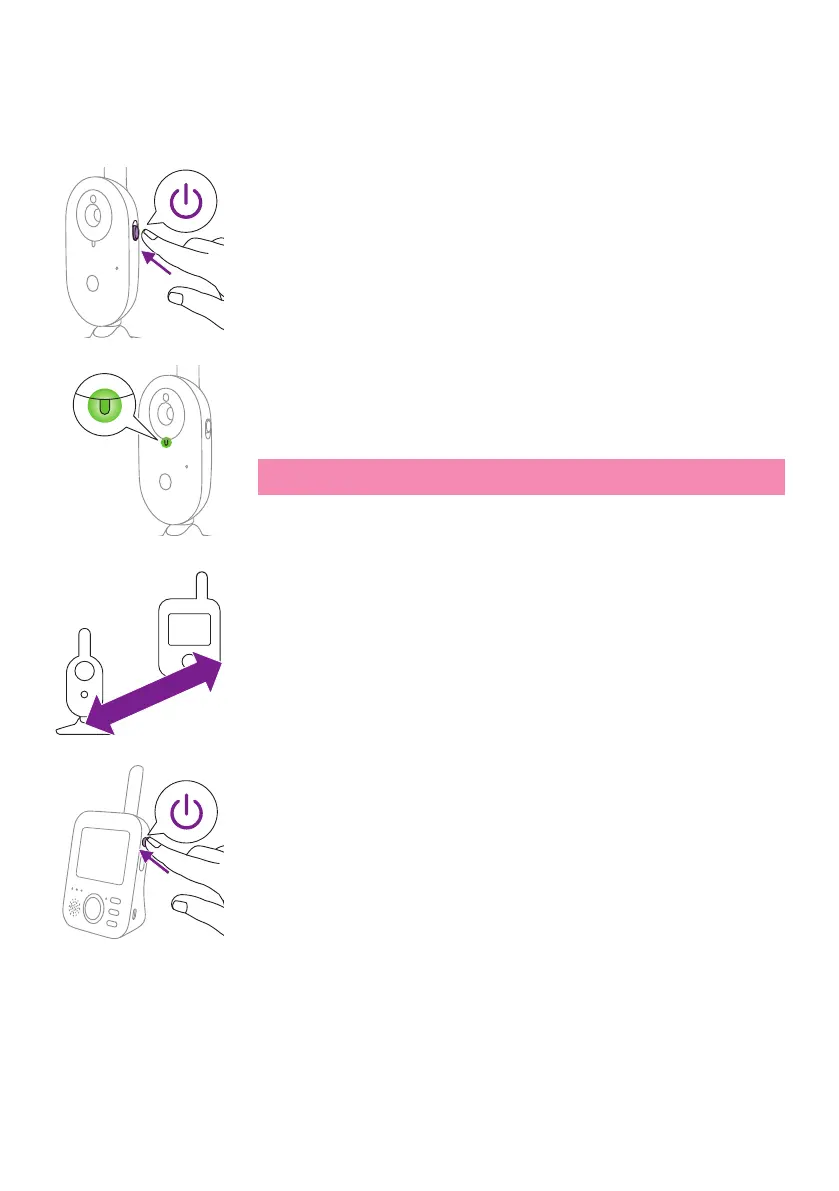
1 Push the on/o slide on the baby unit upwards to the ON position.
2 When the baby unit is on, the power-on light on the baby unit lights
up green�
Note: The power-on light on the baby unit always lights up green,
even when there is no connection with the parent unit�
3 Make sure that the parent unit and the baby unit are at least
2.5meters/ 8.2 feet away from each otherto avoid acoustic feedback.
4 Press the on/o button on the parent unit for 1 second to switch on
the parent unit�
>2.5m/8.2ft








 To Next Page