- 22 -
Video17:00
Setting
Format
Time
Firmware
License
24-hour
17:00
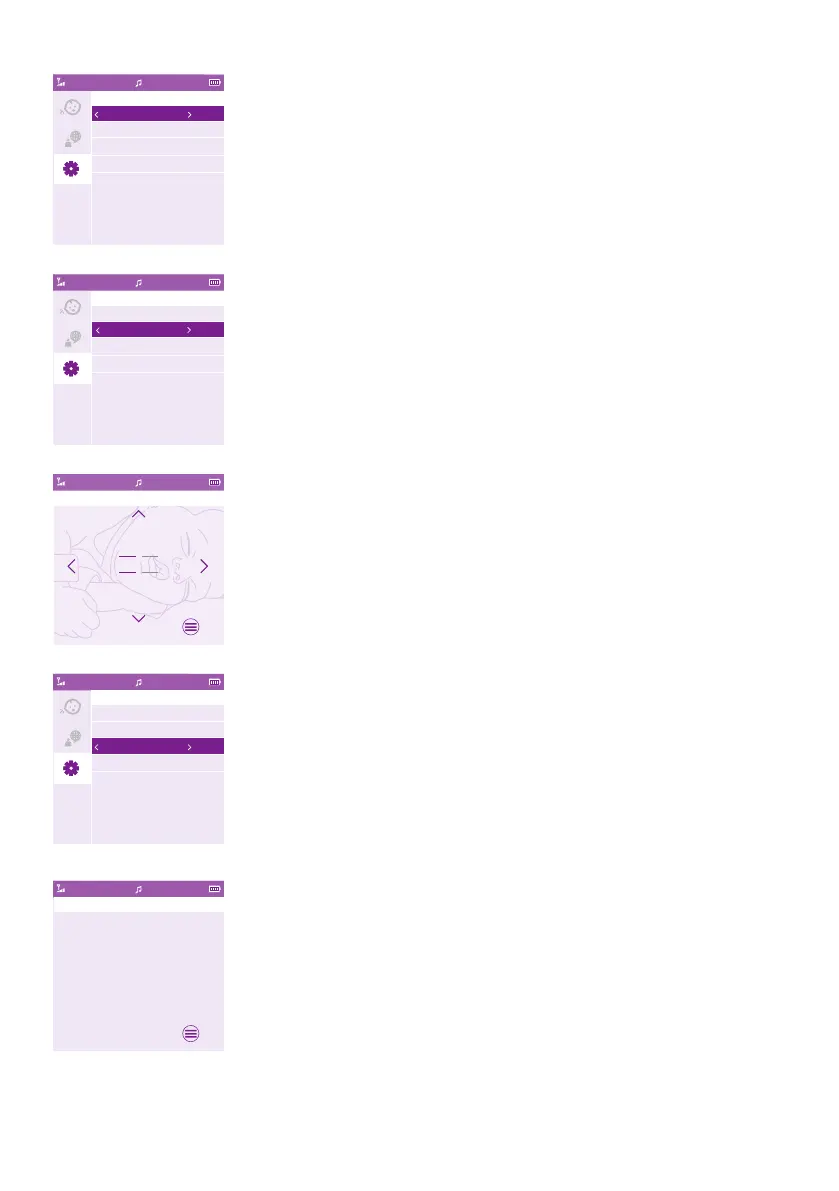
You can change the time format and time setting of your baby
monitor�
1 Press the right part of the control button to enter the Time Format
option�
2 Press the right part of the control button again to change the time
format from 24-hour to 12-hour�
Video17:00
Setting
Format
Time
Firmware
License
24-hour
17:00
You can change the time by pressing the right part of the control
button to enter the Time Setting option�
Video17:00
Time
16
17
18
:
59
00
01
OK
1 Press the left part of the control button to set hour and the right part
of the control button to set minute� Press the top or bottom part of
the control button to select the time�
2 Press the menu button to save the new time setting and to return to
the main menu�
Video17:00
Setting
Format
Time
Firmware
License
24-hour
17:00
You can check the rmware version of the parent unit and baby unit.
1 Press the right part of the control button to access the Firmware
Version option�
Video17:00
Firmware
Baby unit �rmware version: x.x.xx
Parent unit �rmware version: x.x.xx
OK
2 The display shows the rmware version of the parent unit and the
baby unit�
Your product’s rmware is designed to be upgradeable for critical bug
xes. To get a better experience, check online regularly to see if any
new version is available. To search for the latest rmware, please go to
www.philips.com/support�










 To Next Page