- 20 -
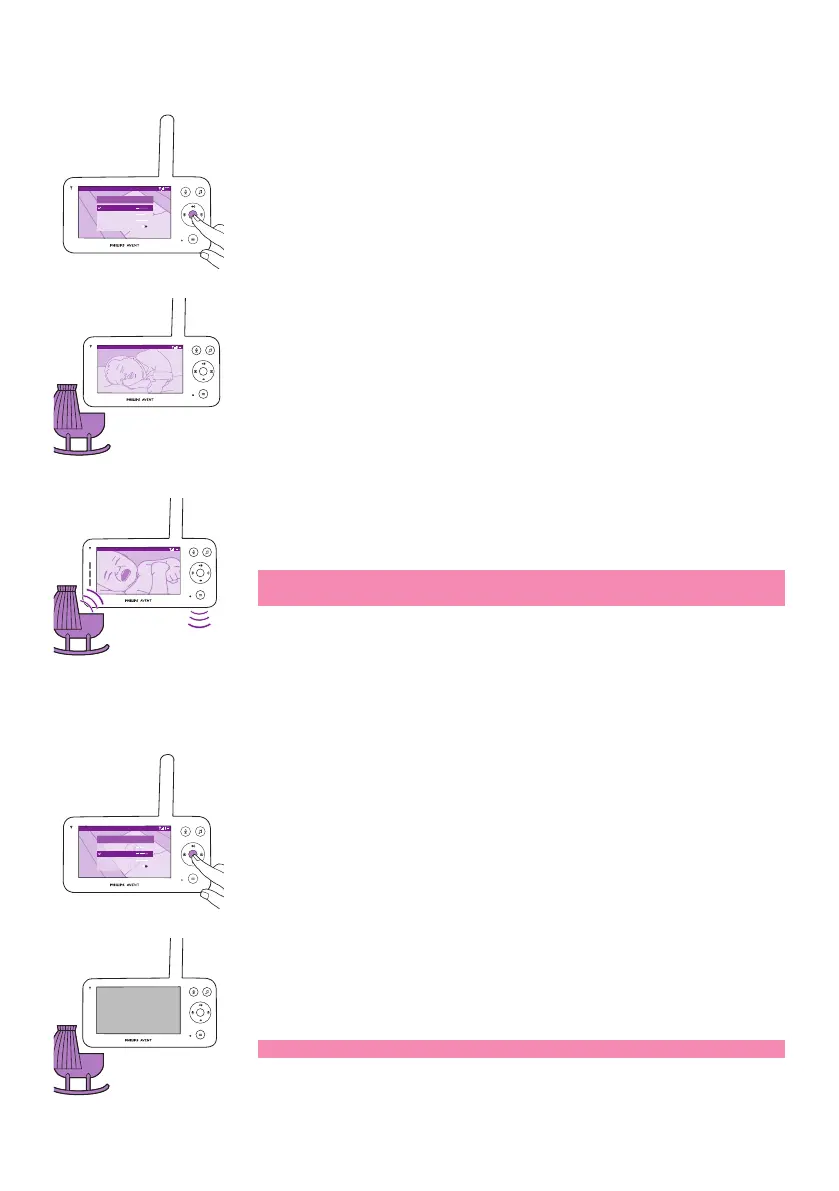
Video mode
Video 20.3
o
C
Modes and Sensitivity
Video < >
Audio
Eco
Privacy
1 Press the mode button on the top left of the parent unit�
2 Press the conrm button to select the Video mode�
Video 20.3
o
C
When the Video mode is activated, the display is always on.
20.3
o
C
Video
Note: Set the sensitivity level to the highest to have continuous sound
on the parent unit�
Audio mode
Video 20.3
o
C
Modes and Sensitivity
Video
< >
Audio
Eco
Privacy
1 Press the mode button on the top left of the parent unit�
2 Press the bottom part of the control button to switch to Audio mode�
3 Press the conrm button to select the Audio mode.
When the Audio mode is activated, the display of the parent unit switches
o after 3 seconds.
Note: The status bar is not visible when the display is o.













 To Next Page