- 21 -
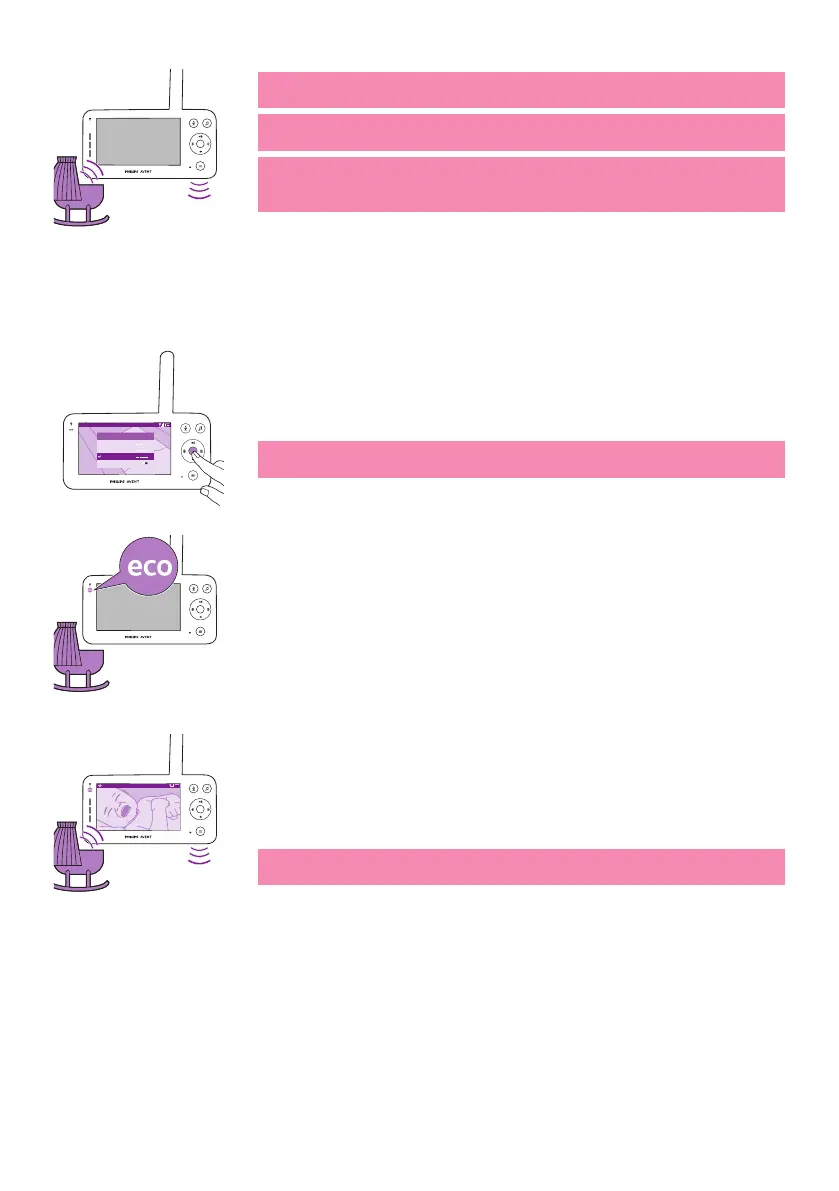
Note: The white link light shows that the parent unit is still on and
connected to the baby unit�
Note: When sensitivity is not set to the highest level, low sounds will
be muted�
Note: Set the sensitivity level to the highest to have continuous sound
on the parent unit� Please see the 'Modes and sensitivity' chapter for
more information�
If your baby makes any sound, the sound level lights turn on and the
sounds detected by thebaby unitare transmitted to the parent unit. As
long as no sound is detected, the sound level lights are o.
Eco mode
Video 20.3
o
C
Modes and Sensitivity
Video
< >
Audio
Eco
Privacy
1 Press the mode button on the top left of the parent unit�
2 Press the bottom part of the control button to switch to Eco mode�
3 Press the conrm button to select the Eco mode.
Note: When the display is on, the selected mode will be visible in the
status bar. The status bar is not visible when the display is o.
The display and sound level lights switch o when there is no sound
detected for 20seconds. TheEco-mode light turns white to indicate that
the parent unit is still on and Eco mode is active�
20.3
o
C
Video
Whensound is picked up by the baby unit, the displayand sound level
light of the parent unit turn on immediately.The video and sounds are
transmitted to the parent unit and the sound level lights turn white�
As long as no sound is detected, the sound level lights are o.
Note: The minimum sound level to activate sound and display is
dened by the sensitivity setting.













 To Next Page