8 EN
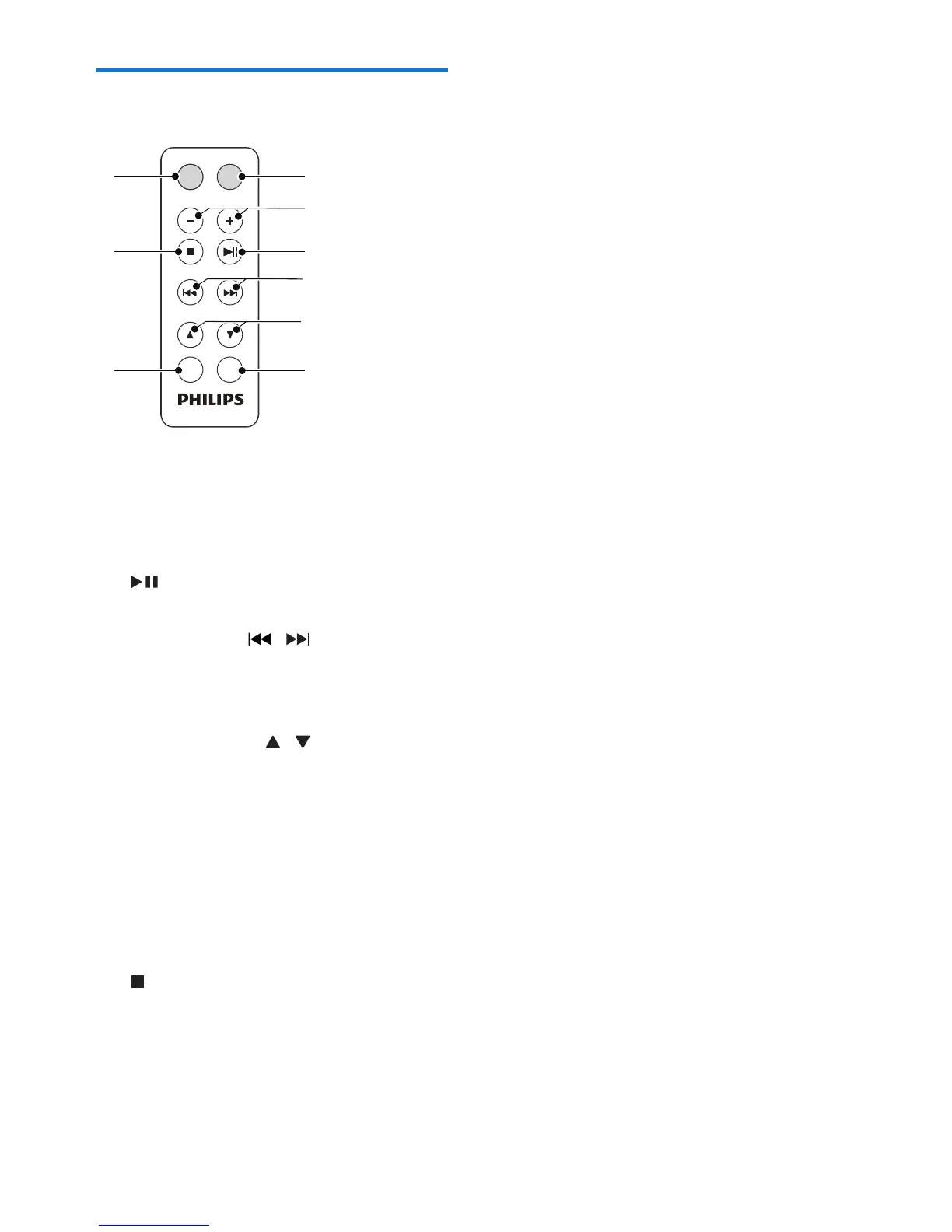
Overview of the remote
control
a MUTE
• Mute or restore volume.
b - VOLUME +
• Adjust volume.
c
• Start or pause play.
d TUNING/SKIP /
• Tune to a radio station.
• Skip to the previous/next track.
• Search within a track.
e ALBUM/PRESET/ /
• Skip to the previous/next album.
• Select a preset radio station.
f DISPLAY
• Change the display contents.
g PROG
• Program tracks and browse the
program.
• Tuner AUTO SEARCH.
h
• Stop play.
• Erase a program.
i SOURCE
• Select a source (CD, USB, MP3-Link,
FM, MW).
VOLUME
SOURCE
MUTE
PROG DISPLAY
TUNING/SKIP
ALBUM/PRESET
i
h
g
a
b
c
d
e
f



 To Next Page