10 EN
Connect power
Warning
• Risk of product damage! Ensure that the power supply
voltage corresponds to the voltage printed on the back
or the underside of the apparatus.
• Risk of electric shock! When you disconnect the AC
power, always pull the plug from the socket. Never pull
the cord.
Note
• Install the apparatus near the power supply socket and
where the power plug can be easily reached.
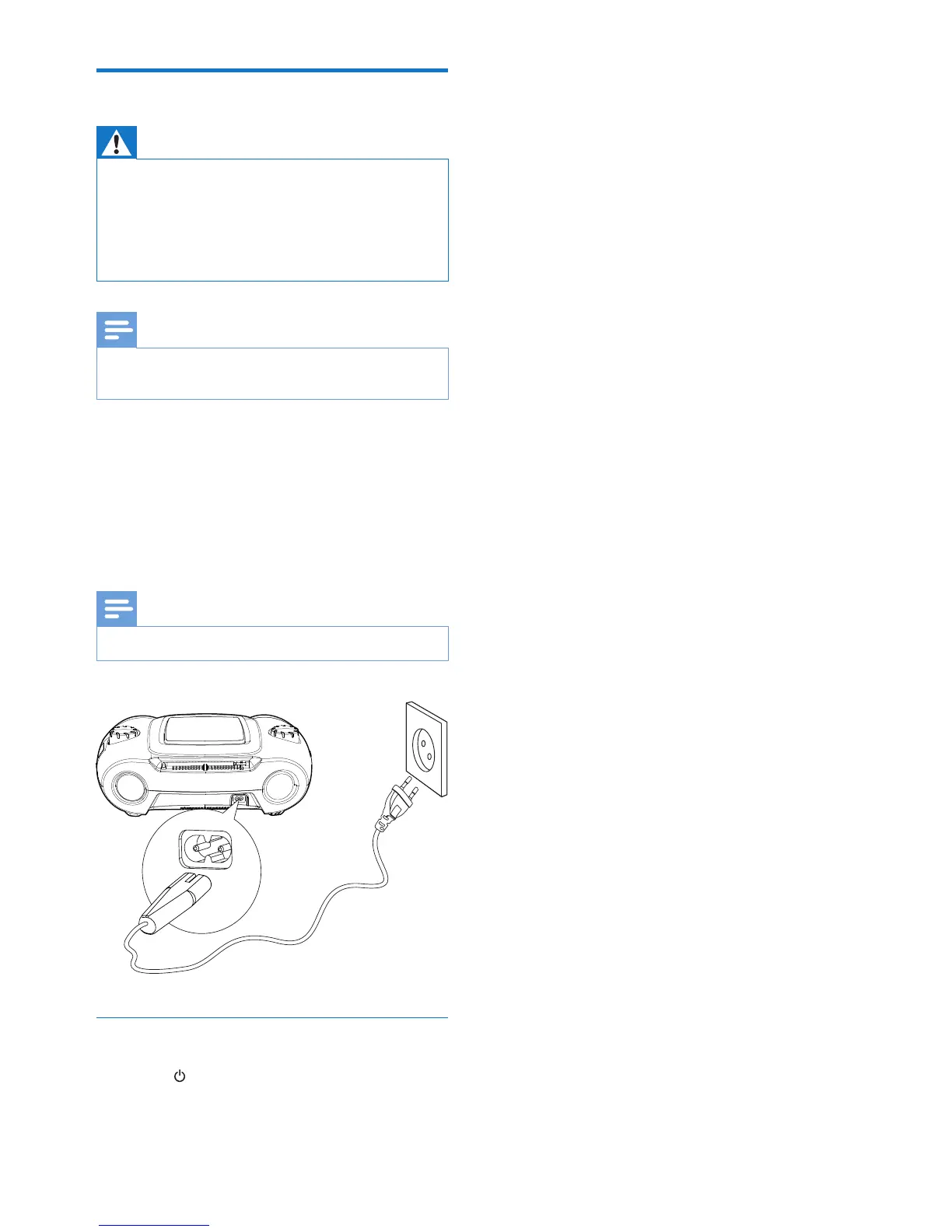
1 Connect the AC power cord to the AC
input jack on the apparatus and to the
power supply socket.
• To switch the apparatus off completely,
disconnect the AC power cord from
the power supply socket.
Note
• To save energy: after use, turn off the apparatus.
Turn on
1 Press .
» The unit switches to the last selected
source.



 To Next Page