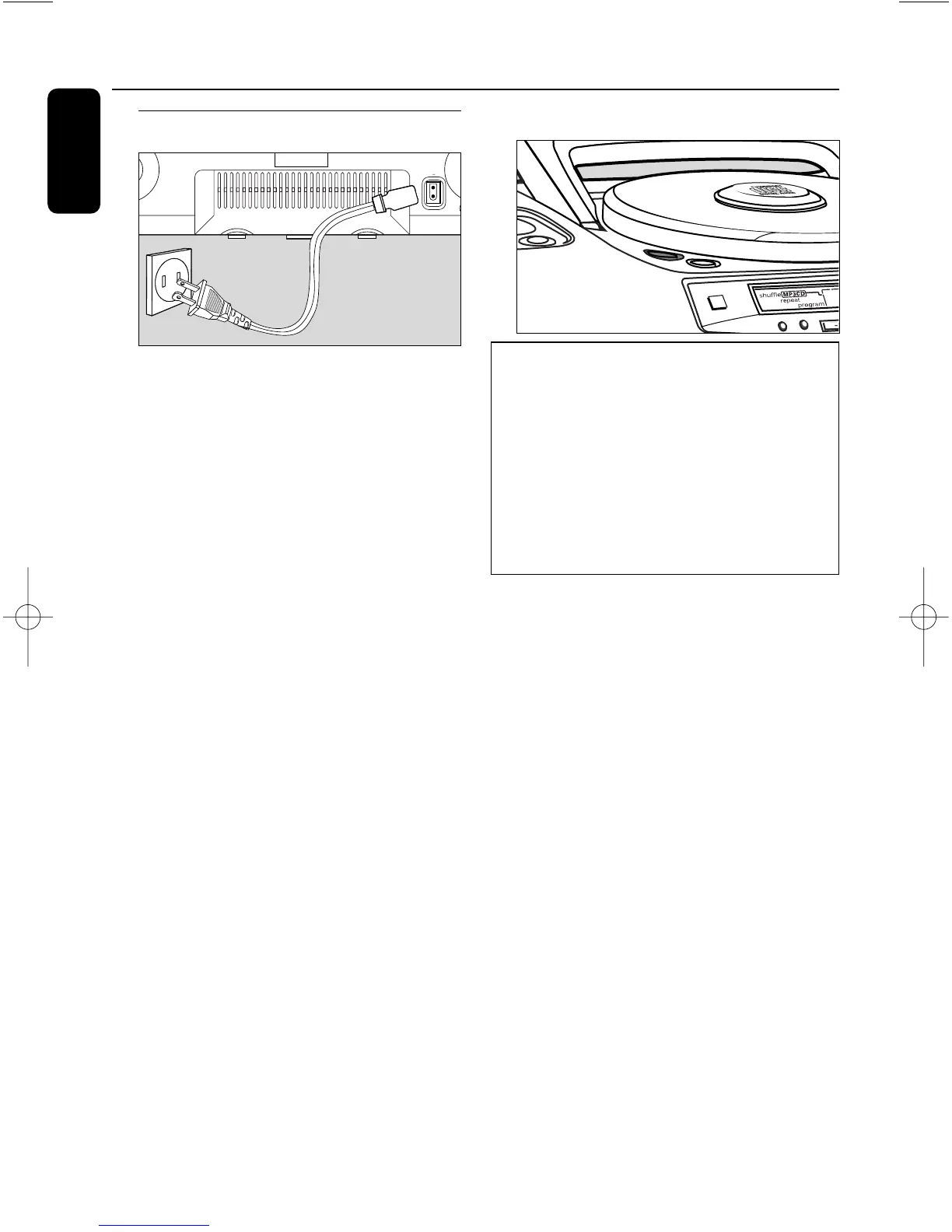
Using AC Power
1 Check if the power voltage,as shown on
the type plate located on the bottom
of the set,corresponds to your local
power supply.If it does not,consult your
dealer or service center.
2 Connect the power cord to the MAINS
inlet and the wall outlet.The power supply
is now connected and ready for use.
3 To switch off completely,withdraw the
power cord from the wall outlet.
• Disconnect the power cord from the wall
outlet to protect your set during heavy
thunderstorms.
The type plate is located on the
bottom of the set.
Switching POWER on/off
IMPORTANT!
1 This set can only be switched on by
pressing the POWER y button on
the set.
2 Whether you are using mains or battery
supply,to avoid unnecessary energy
consumption always press POWER y on
the set or y on the remote control to
switch off.
When the set is switched off,the set's
memory will retain:
– the tuner presets;
– the volume level setting
(level 20 maximum), and sound settings;
– the last sound source played.
• The display backlight only operates when
using AC power supply.
• If the set is operated on batteries,to save
energy the backlight only lights up briefly
when you adjust the controls on the set.
Power supply
10
English


 To Next Page