English
8
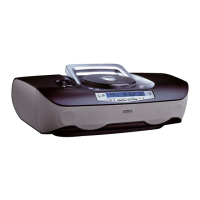
Top and front panels
1 BASS/ TREBLE –
enhances bass/treble response
2 SOUND CONTROL
CENTRE/VOLUME – adjusts volume
level and digital equalizer settings
3 ULTRABASS – enhances bass response
4 p – 3.5 mm headphone jack
5 FM/AM – selects FM/ AM waveband
6 POWER y – switches the set on/off
Note: The set can only be switched on using
this button.
7 SOURCE – selects sound source for
CD or TUNER
8 MP3-CD/ CD door –
press door to open/ close
9 CD MODE – plays MP3-CD/ CD tracks/
CD/ a program in random order;
– repeats a track/ MP3-CD/ CD/ program
10 PROGRAM
MP3-CD/ CD: programs and reviews
programmed tracks;
TUNER:programs tuner stations
11 PRESET / ALBUM -,
+
MP3 only:selects previous/next album;
TUNER:selects a previous/next preset
station
12 Telescopic antenna –
to improve FM reception
13 SEARCH ∞,§
MP3-CD/ CD: fast searches backwards,
forwards within a track;
skips to previous/ next track
TUNER:tunes radio (manually:down,up);
automatic search tuning (down,up)
14 PLAY•PAUSE 2; –
starts or pauses MP3-CD/ CD playback
15 STOP 9 – stops MP3-CD/ CD playback;
erases a MP3-CD/ CD program
16 SLEEP – selects SLEEP function and
adjusts the SLEEP time
17 DISPLAY
MP3-CD: shows various text and time
information during playback;
TUNER:displays tuner information
18 IR SENSOR – infrared for remote control
Back & Bottom Panel
19 Battery door –
open to insert 8 x R-20,UM-1 or D-cells
20 AC MAINS – inlet for power cord
21 Voltage selector (some versions
only) – adjust to match the local voltage
110/220V before plugging in the set
Digital Remote Control
1 CD – selects MP3-CD/ CD sound source
2 y – switches the set off
Note: When the set is switched off, the
remote control cannot operate any
commands.The set needs to be switched on
first via the set’s POWER y button.
3 3 VOLUME 4 – adjusts volume level
4 SHUFFLE – plays all MP3-CD/ CD tracks
in random order
5 BASS – selects ULTRABASS on/off
6 2; – starts MP3-CD/ CD playback;
– pauses MP3-CD/ CD playback
7 SEARCH 5,6 –
search within MP3-CD/ CD track
Controls
XP AZ 4000/17 18-09-2001 15:04 Pagina 8


 To Next Page