BDL5590VL
24
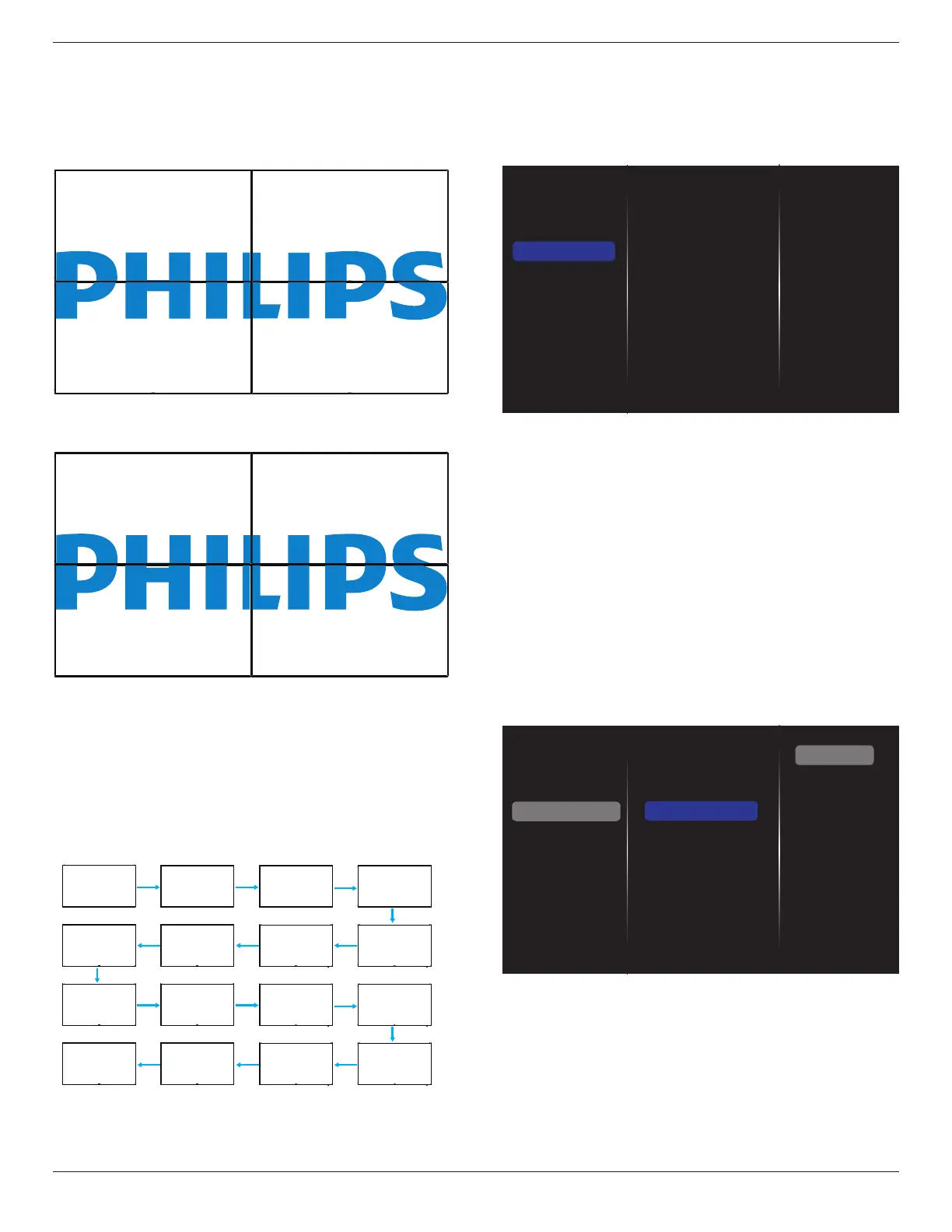
Frame comp.
Choosetoturntheframecompensationfunctiononoroff.Ifselected
{On},thedisplaywilladjusttheimagetocompensateforthewidthof
thedisplaybezelsinordertoaccuratelydisplaytheimage.
{On}
{Off}
Switch on delay
Adjustthepower-ondelayingtime(inseconds)allowsasequential
powering-onforeachdisplaybytheirIDnumberwhenmultipledisplays
areconnected.
Auto ID
Thesetupfunctionenablessettingup{MonitorID}ofconnected
machineaccordingto{Hmonitors}settings.
Example:Hmonitorssetsas4
1 2
5 6
3 4
7 8
9 10 11 12
13 14 15 16
Note:Tousethisfunction,serialconnectallmachineswithRS-232cable
andsettheirNetworkcontrolporttoRS-232too.
Note:TousethisfunctionforDP1.2connectivity,themaximum
resolutiononlysupport1920x1080/60Hz@4sets.For4Kx2K/30Hz
resolution,onlysupport2setsconnectivity.
5.1.4. Network
Picture
Sound
Tiling
Network
Storage
General settings
Adv.
Network settings
Digital Media Rendere...
Network name
Mail Notification
FTP Setting
Clear Internet memory
Network settings
{Network conguration}:Choosehowthisdisplayshouldassign
addressestothenetworkresources.
Theusercanchoose{DHCP & Auto IP}(suggested)or{Static IP}.
Digital Media Renderer - DMR
Receivemultimedialesfromtheconnecteddevicebyyournetwork.
Network name
Inthemultiple-displayconnection,youcanrenameeachdisplayforeasy
identication.
Usetheon-screenkeyboardortheremotecontrolkeypadtoenterthe
name.
Mail Notication
MailNoticationsupporttemperatureandinputsourcesignalevent.
Itwillsendyouanemail,notifyyouwhentemperatureistoohight,or
whensignalhasloss.
Picture
Sound
Tiling
Network
Storage
General settings
Adv.
Network settings
Digital Media Rende...
Network name
Mail Notification
FTP Setting
Clear Internet memory
Status
From
To
CC1
CC2
SMTP Setting
Send
• {From}:Yourfullemailaddress.
• {To}:Typetheemailaddressofthestrecipientyourwanttosend
themailtointhe“To”eld.
• {CC1}:Typetheemailaddressofthesecondrecipientyourwantto
sendthemailtointhe“CC1”eld.
• {CC2}:Typetheemailaddressofthethirdrecipientyourwantto
sendthemailtointhe“CC2”eld.
• {SMTPSetting}:Addandremoveaccountsorchangeexisting
connectionsettings.










 To Next Page