BDL5590VL
30
Hmonitors=5displays
Vmonitors=5displays
1 2
6 7
3 4
8 9
5
10
11 12 13 14 15
16 17 18 19 20
21 22 23 24 25
H monitors
V monitors
Position
Framecomp.On
Framecomp.
Off
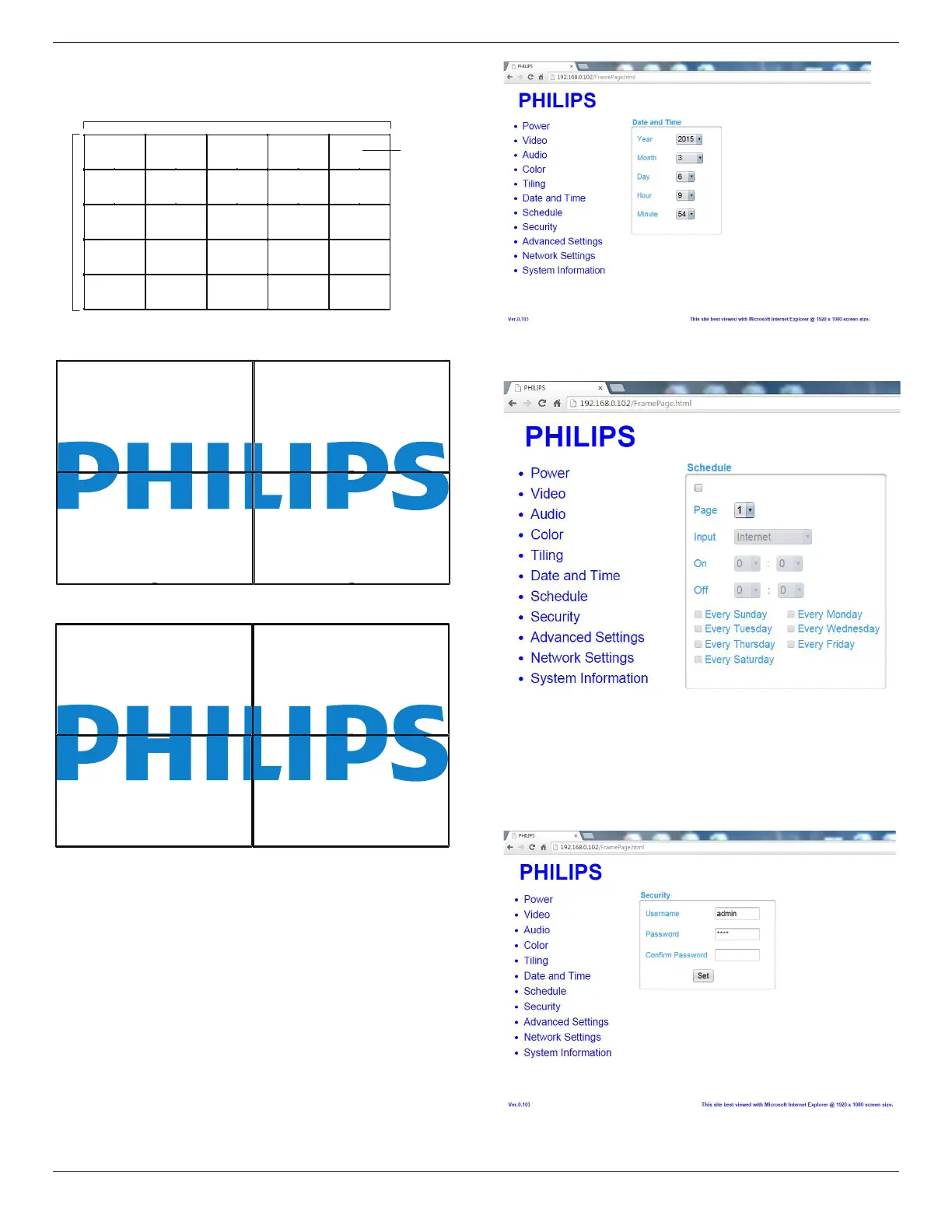
G. ClickonDateandTimetoswitchtoDateandTimePage.It
providesyouaneasywaytosetdateandtimeforthedisplay’s
internalclock.
H. ClickonScheduletoswitchtoSchedulePage.Thefunctionallows
youtoprogramupto7differentscheduledtimeintervalsforthis
displaytoactivate.
Note:SeeschedulingonPage21forthedetaildescriptionsabout
Schedulingsetting.
I. ClickSecuritytoswitchtoSecurityPage.Itprovidesyouaneasy
waytochangeyourusernameandpassword.
EnteryournewUsernameandPasswordintotheUsernameand
PasswordeldsandthenclickontheSetbuttontosetyournew
usernameandpassword.
J. ClickonAdvancedSettingtoswitchtoAdvancedSettingsPage.












 To Next Page