EasyManua.ls Logo

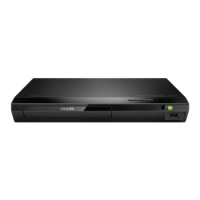
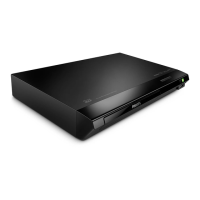
Philips BDP2510B/98 - User Manual

Philips BDP2510B/98
25 pages
Print Icon
To Next Page IconTo Next Page
Loading...
User manual
使用手冊
Manual pengguna
คู่มือผู้ใช้
www.philips.com/support
Register your product and get support at
BDP2510B_98_UM_V2.0.indb 1 1/11/2016 4:00:36 PM

Questions and Answers

  • K
    Kathryn CampbellSep 23, 2025
    Why Philips Blu-ray Player cannot play DivX video files?
    • J
      john14Sep 23, 2025
      If your Philips Blu-ray Player cannot play DivX video files, ensure that the DivX video file is complete. Also, verify that the video file name extension is correct.
  • R
    Ronald McneilSep 23, 2025
    Why EasyLink feature does not work on Philips Blu-ray Player?
    • D
      David TurnerSep 23, 2025
      If the EasyLink feature is not working on your Philips Blu-ray Player, ensure that the player is connected to a Philips brand EasyLink TV and that the EasyLink option is turned on.
  • M
    Mrs. Theresa WilliamsSep 23, 2025
    How to fix no secondary audio output for Picture-in-Picture feature on Philips Blu-ray Player?
    • J
      Jean AlvarezSep 23, 2025
      If you're not getting secondary audio output for the Picture-in-Picture feature on your Philips Blu-ray Player, it may be because [Bitstream] is selected under the [HDMI audio] or [Digital audio] menu. Deselect [Bitstream].
  • B
    Benjamin HaynesAug 31, 2025
    What to do if there is no picture on HDMI connection with my Philips BDP2510B/98 DVD Player?
    • M
      Morgan BryantAug 31, 2025
      If you're not getting a picture when using an HDMI connection, first ensure the HDMI cable isn't faulty by testing it or replacing it. If that doesn't work, try pressing the '731' (numeric buttons) on the remote control to recover the picture display, or wait 10 seconds for auto-recovery. Finally, the lack of picture might be caused by connecting the player to an unauthorized display device; in this case, the audio and video signals may not be output.
  • A
    Alexandra ClineAug 25, 2025
    What to do if there is no audio output from TV when using Philips DVD Player?
    • J
      jonesjamesAug 25, 2025
      If you're not getting any audio output from the TV when using your Philips DVD player, ensure the audio cables are correctly connected to the audio input of the TV. Also, verify that the TV is switched to the correct source input for the DVD player.
  • Z
    Zachary BallAug 25, 2025
    What to do if Philips BDP2510B/98 DVD Player cannot read USB storage?
    • R
      robertssarahAug 26, 2025
      Make sure the USB storage device's format is compatible with the player and that the file system is supported. If you're using a USB HDD, it might need an external power source.
  • N
    Nicholas HuffAug 26, 2025
    Why Philips BDP2510B/98 disc does not play high-definition video?
    • T
      Teresa PalmerAug 26, 2025
      Verify that the disc actually contains high-definition video content. Also, make sure your TV supports high-definition video.
  • K
    Katherine RodriguezAug 27, 2025
    What to do if Philips BDP2510B/98 DVD Player buttons do not work?
    • M
      Morgan HayesAug 27, 2025
      Disconnect the player from the power supply for a few minutes, and then reconnect it.
  • S
    Samantha AlvarezAug 27, 2025
    How to fix Philips BDP2510B/98 DVD Player EasyLink feature if it does not work?
    • J
      Johnny ScottAug 27, 2025
      Ensure the player is connected to a Philips EasyLink TV and that the EasyLink option is enabled in the settings.
  • C
    chunterAug 27, 2025
    What to do if there is no audio output from loudspeakers of external audio device when using Philips DVD Player?
    • J
      Jessica HodgeAug 28, 2025
      If you're experiencing no audio output from the loudspeakers of your external audio device with the Philips DVD Player, ensure that the audio cables are correctly connected to the audio input of the audio device. Also, switch the external audio device to the correct audio source input.

Philips BDP2510B/98 Specifications

General IconGeneral
TypeBlu-ray Disc Player
Video UpconversionYes
UpscalingUp to 1080p
HDMI Output(s)1
USB PortYes
Ethernet PortNo
Disc Types PlayableDVD, CD, USB
Video FormatsMPEG2
Audio FormatsDolby Digital, DTS, MP3, WMA
Video OutputHDMI, Composite
Audio OutputHDMI
Dimensions (W x H x D)360 x 50 x 210 mm

Related product manuals