8
1 Connect a composite video cable to:
the • VIDEO jack on this product.
the VIDEO input jack on the TV.•
2 Connect the audio cables to:
the • AV OUTPUT-L/R jacks on this
product.
the AUDIO input jacks on the TV.•
Tip
The video input jack on the TV might be labeled as A/V •
IN, VIDEO IN, COMPOSITE or BASEBAND.
Route audio to other devices
You can route the audio from this product to other
devices.
Connect to an HDMI-compliant AV
receiver/amplifier
1 Connect an HDMI cable (not supplied) to:
the • HDMI jack on this product.
the HDMI jack input jack on the device.•
Tip
The HDMI connection provides best audio quality. •
Connect to a digital AV amplifier/receiver
Connect to a coaxial jack
HDMI IN
COAXIAL
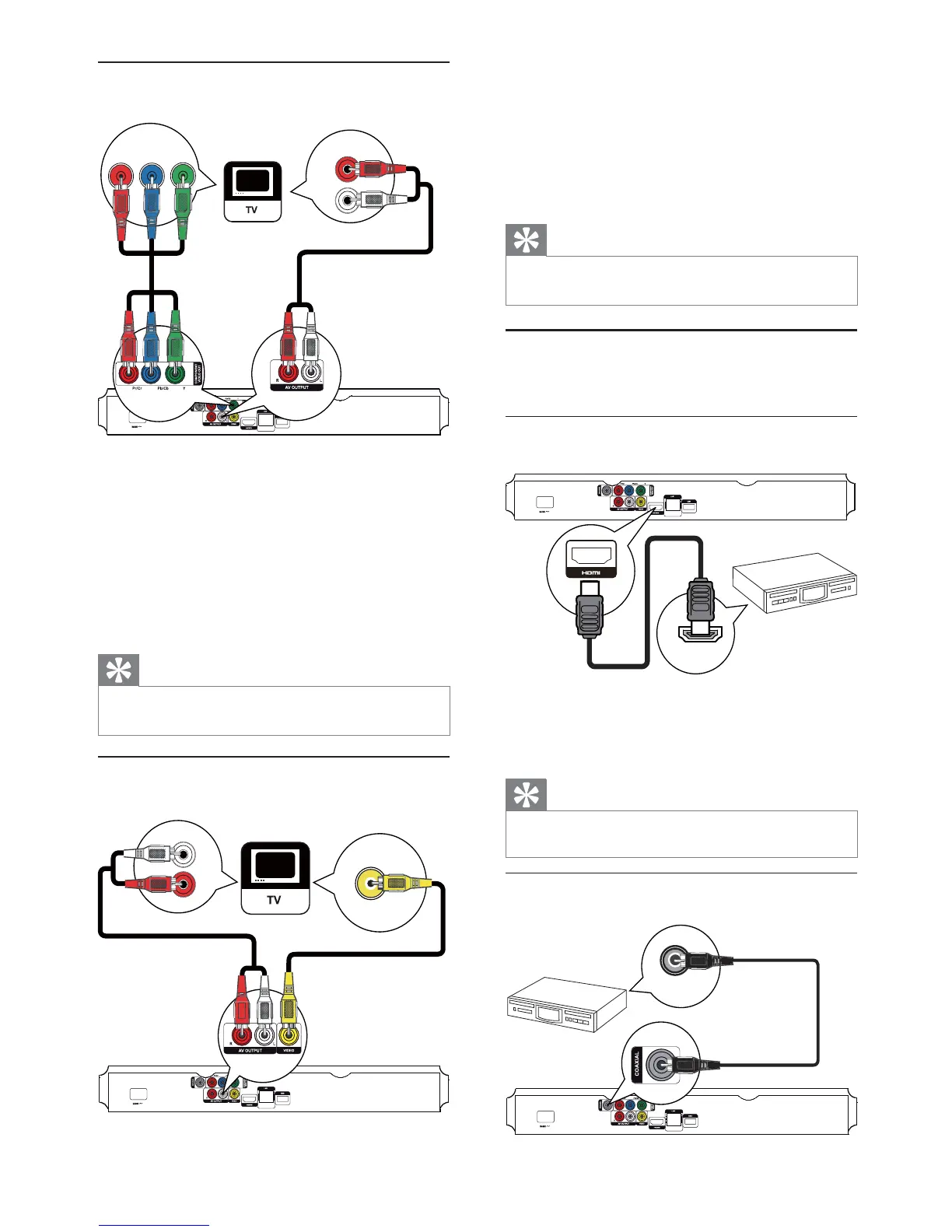
Option 2: Connect to the component
video jack
1 Connect the component video cables (not
supplied) to:
the • Y Pb/Cb Pr/Cr jacks on this product.
the COMPONENT VIDEO input jacks •
on the TV.
2 Connect the audio cables to:
the • AV OUTPUT-L/R jacks on this
product.
the AUDIO input jacks on the TV.•
Tip
The component video input jack on the TV might be •
labeled as Y Pb Pr or YUV.
Option 3: Connect to the composite
video jack
Pb Y
Pr
AUDIO IN
AUDIO IN
VIDEO IN
EN



 To Next Page