EasyManua.ls Logo

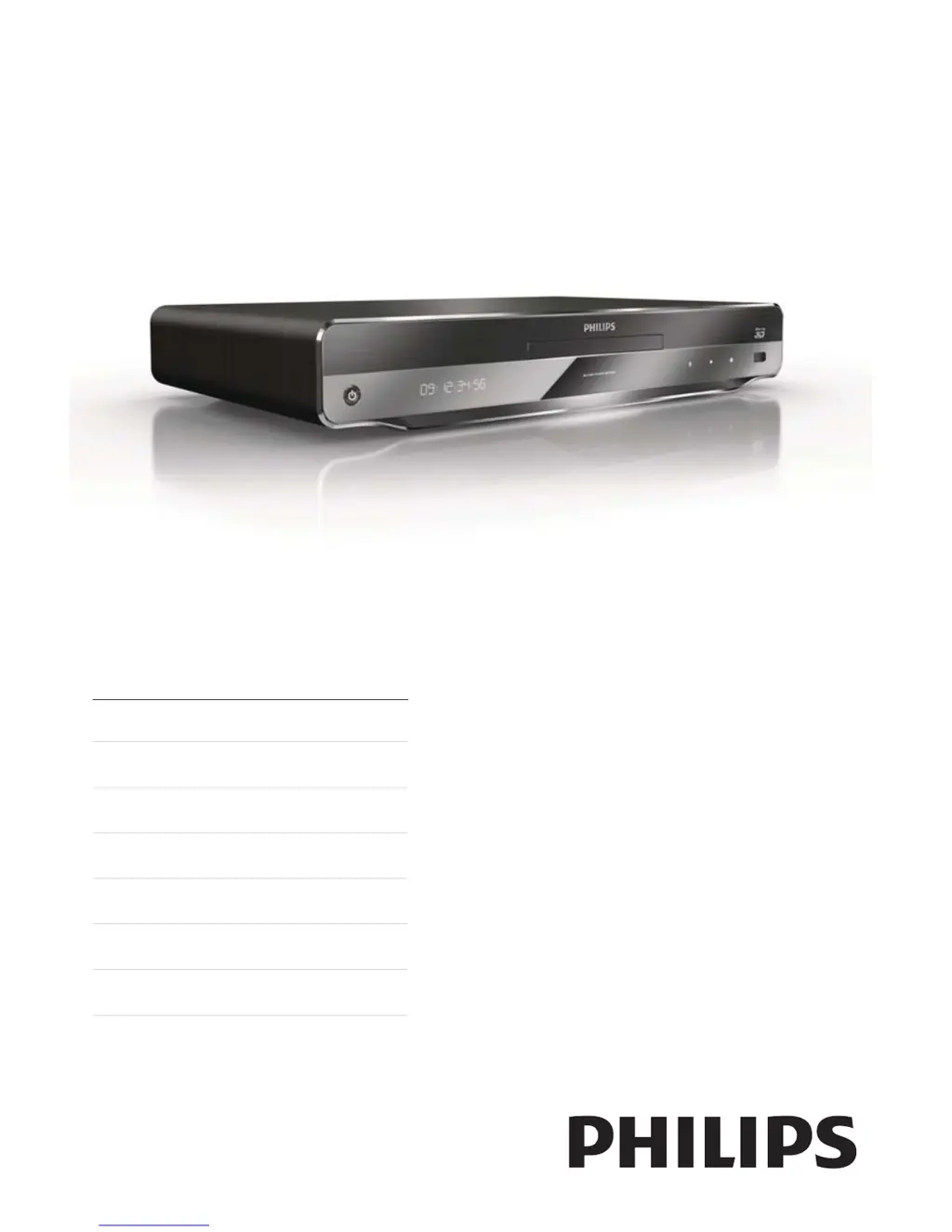
Philips BDP9600/12 - User Manual

Philips BDP9600/12
54 pages
Print Icon
To Next Page IconTo Next Page
Loading...
BDP9600
EN User manual 7
DE Benutzerhandbuch 33
ES Manual del usuario 63
FR Mode d’emploi 93
IT Manuale utente 123
NL Gebruiksaanwijzing 151
PT Manual do utilizador 179
Register your product and get support at
www.philips.com/welcome

Other manuals for Philips BDP9600/12

Questions and Answers

Summary

EC Declaration of Conformity

Safety and Regulatory Information

UK Specific Notes

Details about UK mains plug, copyright, and regional notices.

Laser Safety Information

Cautions and location information regarding laser radiation exposure.

Italian Declaration of Conformity

Specific conformity declaration for Italy based on DM 28 August 1995.

Product Specifications and Trademarks

Laser Technical Data

Specifies laser diode types, wavelengths, and output power.

Trademark Notices

Information on trademarks for Blu-ray, DivX, HDMI, DLNA, Dolby, DTS, and Java.

Getting Started and Setup

Important Safety Notices

General safety precautions and important notices for product use.

Player Overview (Main Unit & Remote)

Visual identification of main unit components and remote control buttons.

Connecting Your Player

Guides for connecting video, audio, and optional devices.

Network and USB Setup

Instructions for connecting to networks and USB devices.

Initial Setup and Menu Navigation

Steps for first-time use, language selection, and menu navigation.

Playing Media

Playback Basics (Disc, USB, One-Touch)

How to play discs, USB devices, and use one-touch playback features.

Video, Photo, and Music Playback Controls

Controls for managing video, photo, and music playback.

Advanced Playback Features

Features like zoom, subtitle shift, audio sync, and repeat play.

Media Type Playback (BD, DivX, MP3;WMA, Net TV)

Specific instructions for playing various media formats and Net TV content.

Adjusting Settings

Video and Audio Configuration

Settings for video output resolution, deep color, and audio formats.

Network, EasyLink, and Preference Settings

Configuration for network, EasyLink features, and user preferences.

Advanced Setup Options

Access to advanced settings like screen saver, parental control, and software updates.

Additional Information and Troubleshooting

Software Updates and Product Care

Instructions for updating software and guidelines for product care.

Troubleshooting Common Issues

Solutions for common problems with picture, sound, playback, and network.

Glossary of Terms

Definitions of technical terms used in the manual.

Legal and Licensing Information

Software End User License Agreement

The complete legal agreement for using the product's software.

Open Source Software Licenses

Details on GPL, LGPL, and other open source software licenses.

Unicode and Other Software Licenses

License terms for Unicode components and other software libraries.

Summary

EC Declaration of Conformity

Safety and Regulatory Information

UK Specific Notes

Details about UK mains plug, copyright, and regional notices.

Laser Safety Information

Cautions and location information regarding laser radiation exposure.

Italian Declaration of Conformity

Specific conformity declaration for Italy based on DM 28 August 1995.

Product Specifications and Trademarks

Laser Technical Data

Specifies laser diode types, wavelengths, and output power.

Trademark Notices

Information on trademarks for Blu-ray, DivX, HDMI, DLNA, Dolby, DTS, and Java.

Getting Started and Setup

Important Safety Notices

General safety precautions and important notices for product use.

Player Overview (Main Unit & Remote)

Visual identification of main unit components and remote control buttons.

Connecting Your Player

Guides for connecting video, audio, and optional devices.

Network and USB Setup

Instructions for connecting to networks and USB devices.

Initial Setup and Menu Navigation

Steps for first-time use, language selection, and menu navigation.

Playing Media

Playback Basics (Disc, USB, One-Touch)

How to play discs, USB devices, and use one-touch playback features.

Video, Photo, and Music Playback Controls

Controls for managing video, photo, and music playback.

Advanced Playback Features

Features like zoom, subtitle shift, audio sync, and repeat play.

Media Type Playback (BD, DivX, MP3;WMA, Net TV)

Specific instructions for playing various media formats and Net TV content.

Adjusting Settings

Video and Audio Configuration

Settings for video output resolution, deep color, and audio formats.

Network, EasyLink, and Preference Settings

Configuration for network, EasyLink features, and user preferences.

Advanced Setup Options

Access to advanced settings like screen saver, parental control, and software updates.

Additional Information and Troubleshooting

Software Updates and Product Care

Instructions for updating software and guidelines for product care.

Troubleshooting Common Issues

Solutions for common problems with picture, sound, playback, and network.

Glossary of Terms

Definitions of technical terms used in the manual.

Legal and Licensing Information

Software End User License Agreement

The complete legal agreement for using the product's software.

Open Source Software Licenses

Details on GPL, LGPL, and other open source software licenses.

Unicode and Other Software Licenses

License terms for Unicode components and other software libraries.

Philips BDP9600/12 Specifications

General IconGeneral
BrandPhilips
ModelBDP9600/12
CategoryBlu-ray Player
LanguageEnglish

Related product manuals