To Next Page
C
Cheryl HughesSep 23, 2025
What does ‘No entry’ or ‘x’ sign displayed on the TV mean for Philips Blu-ray Player?
- Mmarie82Sep 23, 2025
The operation is not possible on your Philips Blu-ray Player.

What does ‘No entry’ or ‘x’ sign displayed on the TV mean for Philips Blu-ray Player?
The operation is not possible on your Philips Blu-ray Player.
How to fix cannot play a disc Philips BDP1300 Blu-ray Player?
If your Philips Blu-ray Player isn't playing a disc, try the following: * Clean the disc. * Ensure the disc is loaded correctly. * Check that the player supports the disc type. * Confirm the player supports the DVD or BD region code. * For DVD±RW or DVD±R discs, make sure it has been finalized.
What to do if there is no picture on my Philips BDP1300 Blu-ray Player?
Ensure that the TV is switched to the correct source input for the Philips Blu-ray Player.
How to fix no picture on HDMI connection with my Philips BDP1300 Blu-ray Player?
Make sure that the HDMI cable is not faulty. If it is faulty, replace it with a new HDMI cable for your Philips Blu-ray Player.
What to do if the buttons on my Philips Blu-ray Player do not work?
If the buttons on your Philips Blu-ray Player are not working, disconnect the player from the power supply for a few minutes, and then reconnect it.
Why the disc does not play high-definition video on my Philips BDP1300 Blu-ray Player?
Make sure that the disc contains high-definition video for your Philips Blu-ray Player.
How to fix no audio output from loudspeakers of external audio device with Philips Blu-ray Player?
Switch the external audio device to the correct audio source input for your Philips Blu-ray Player.
Why there is no sound on HDMI connection with my Philips BDP1300?
The connected device is non-HDCP compliant or only DVI-compatible.
Why EasyLink feature does not work Philips Blu-ray Player?
If the EasyLink feature isn't working on your Philips Blu-ray Player, make sure that the player is connected to a Philips brand EasyLink TV and that the EasyLink option is turned on.
How to fix cannot read the contents of a connected USB storage Philips BDP1300 Blu-ray Player?
If your Philips Blu-ray Player can't read the contents of a connected USB storage device, make sure the format of the USB storage device is compatible with the player and that the file system on the USB storage device is supported by the player. Also, for a USB HDD (a portable hard disc drive), an external power source may be needed.
Explains safety symbols indicating electrical shock risk and importance of reading literature.
Instructions for basic playback functions using the remote control.
Details on adjusting video and audio settings during playback.
Explains how to use special features like commentaries on compatible Blu-ray discs.
How to adjust picture display format, resolution, and color.
Detailed guide on downloading and installing software updates from a USB drive.
Defines warranty coverage, who is covered, exclusions, and limitations.
 General
| Depth | 199 mm |
|---|---|
| Width | 270 mm |
| Height | 41 mm |
| Weight | 1090 g |
| Full HD | Yes |
| Quantity | 1 |
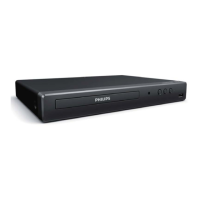
| Device type | Blu-Ray player |
| Aspect ratio | 4:3, 16:9, 21:9 |
| Package type | Carton |
| Product color | Black |
| Audio decoders | DTS 2.0, Dolby Digital Plus, Dolby TrueHD |
| Package weight | 1320 g |
| Playback modes | Pause, Repeat, Slow, Zoom |
| DVD region code | 3 |
| AC input voltage | 220-240 V |
| AC input frequency | 50 - 60 Hz |
| Blu-ray region code | A |
| Disc types supported | BD, BD-R, BD-RE, CD, CD-DA, CD-R, CD-RW, DVD, DVD+R, DVD+RW, DVD-R, DVD-RW |
| Supported video modes | 720p, 1080i, 1080p |
| Card reader integrated | - |
| USB 2.0 ports quantity | USB 2.0 ports have a data transmission speed of 480 Mbps, and are backwards compatible with USB 1.1 ports. You can connect all kinds of peripheral devices to them. |
| Audio formats supported | AAC, MKA, MP3, PCM, WAV, WMA |
| Image formats supported | GIF, JPEG XR, JPG, PNG |
| Video formats supported | AVC, DIVX HD, H.264, M2TS, MPEG, MPEG1, MPEG2, MPEG4, MPG, XVID |
| Power consumption (standby) | 1 W |
| Power consumption (typical) | 11 W |
| Audio output channels | - channels |
| Sound enhancement technology | Night mode |
| Disc playback modes | Repeat interval, Repeat track |
| Ethernet LAN (RJ-45) ports | 0 |