EasyManua.ls Logo

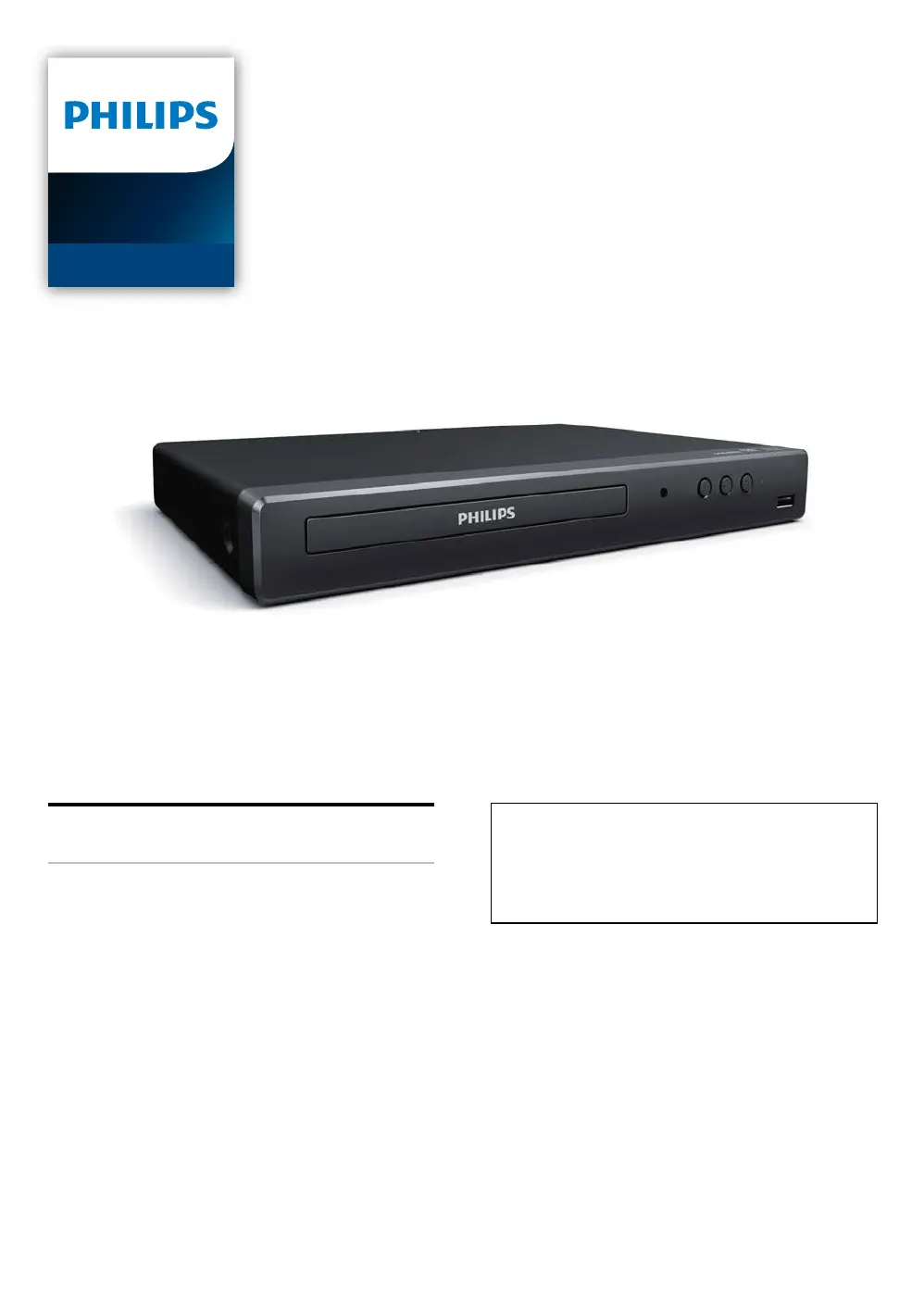
Philips BDP1502/F7 - User Manual

Philips BDP1502/F7
52 pages
Print Icon
To Next Page IconTo Next Page
Loading...
Register your product and get support at
www.philips.com/support
User Manual
BDP1502
Blu-ray Disc™ /
DVD Player
For further assistance, call the customer
support service in your country.
To obtain assistance, contact Philips Customer
Care Center;
In the U.S.A., Canada, Puerto Rico, or the U.S.
Virgin Islands; 1-866-202-5960

Questions and Answers

Summary

Introduction

Safety Instruction

Information on safety precautions, warnings, and symbols used in the manual.

Introduction (Continued)

Included Accessories

List of accessories provided with the Philips Blu-ray Disc™ / DVD Player.

Features

Player Features

Details on Blu-ray Disc, BD-Java, DVD upscaling, media playback, and HDMI connectivity.

Version Information

How to check and update the unit's software version.

Manual Symbols

Explanation of symbols indicating media types supported by the player.

Functional Overview

Front Panel

Description of buttons, indicators, and ports on the front panel.

Rear Panel

Description of connection ports on the rear panel.

Remote Control

Detailed explanation of the remote control buttons and their functions.

On-Screen Display Guide

Explanation of the home menu, setup menu, and play menu interfaces.

Connections

Connecting to a TV

Instructions for connecting the unit to a TV via HDMI cable.

Connecting to an Audio System

Instructions for connecting to an audio system via HDMI.

HDMI Audio Output Settings

Configuration options for HDMI audio output formats.

Before You Start

Initial Setup Process

Step-by-step guide for initial setup and language selection.

Resetting OSD Language

Procedure to reset the On-Screen Display language if set incorrectly.

Information on Playback

Playable Discs and Files

Details on playable discs and file formats supported by the unit.

USB Memory Stick Notes

Precautions and compatibility notes for USB memory sticks.

Unplayable Media and Region Codes

List of unplayable media and explanation of region codes.

File List Navigation

How to navigate photo and music file lists on the screen.

Inserting a Disc

Step-by-step instructions for inserting discs into the player.

Basic Playback

Playing Back a Disc

Guide to playing back Blu-ray, DVD, AVCHD, and audio CDs.

Resume-on-Stop Mode

Explanation of how resume-on-stop functionality works for discs.

Playing USB Contents

Instructions for playing files from a USB memory stick.

Using Menus

How to navigate and use title, disc, and pop-up menus.

Special Playback

Forward and Reverse Playback

How to use fast forward, fast reverse, and slow playback features.

Step-by-Step Playback

How to use the step-by-step playback feature.

Repeat and Shuffle Playback

Options for repeating content and playing files in random order.

Slide Show and PiP Settings

Instructions for viewing photos as a slide show and PiP settings.

Search Functions

How to search for titles, chapters, tracks, or files.

Time and Number Select Search

How to jump to specific times or use number selection for navigation.

Switching Subtitles

How to change subtitle language and style during playback.

Switching Audio Soundtrack

How to change audio languages or formats during playback.

Camera Angles, Noise Reduction, Closed Caption

How to change camera angles, adjust noise reduction, and display closed captions.

List of Settings

Setup Menu Navigation

How to navigate the setup menu to customize player settings.

Video and Audio Settings

Available settings for video display, HDMI output, and audio.

Preference and Parental Control Settings

Options for menu language, parental controls, and other preferences.

Advanced and Accessibility Settings

Options for software updates, voice guide, and closed caption settings.

Setups

EasyLink (HDMI CEC)

Explanation and functions of EasyLink (HDMI CEC) for system control.

HDMI Video Resolution

How to set the video resolution for HDMI output.

Parental Control

How to change password and set rating levels for parental lock.

Software Update

Instructions for updating the unit's software via disc or USB.

Voice Guide Configuration

How to configure voice guide settings for accessibility.

Restore Default Settings

Options to reset AV settings, erase data, or reset all player settings.

Troubleshooting

Power and Signal Issues

Solutions for power, no sound/picture, and remote control issues.

HDMI and Display Problems

Troubleshooting HDMI connections and display issues.

Picture and Sound Quality Issues

Solutions for distorted picture, no sound, or freezing playback.

Disc Playback Errors

Reasons why a disc may not play and how to resolve errors.

File Playback and USB Issues

Solutions for unplayable files, USB errors, and disc loading problems.

General Unit Responsiveness

Troubleshooting for unresponsive controls or system errors.

File Not Found or Choppy Playback

Solutions for files not found or choppy music playback.

Audio System and Surround Sound

Troubleshooting audio signal issues with surround sound systems.

Specifications

General Specifications

General technical specifications of the player, including power and dimensions.

Terminal Specifications

Details on the unit's input and output terminals.

Maintenance

Servicing and Support

Guidance on when and how to seek professional servicing or contact support.

Cleaning Instructions

Instructions for cleaning the cabinet, discs, and disc lens.

Disc Handling and IR Signal Check

Best practices for disc handling and how to test the remote control's signal.

Trademark Information

Brand Trademarks

Trademarks related to Blu-ray, HDMI, Dolby, x.v.Color, DVD, Java, AVCHD, and DTS.

Patent Licensing Information

Licensing information for AVC and VC-1 video encoding and decoding technologies.

Glossary

Technical Term Definitions (A-L)

Definitions for technical terms from AACS to Local Storage.

Technical Term Definitions (P-X)

Definitions for technical terms from PCM to x.v.Color.

Ninety (90) Day Limited Warranty

Warranty Coverage Details

Details on the scope, duration, and eligibility for the product warranty.

Warranty Exclusions and Limitations

Limitations and exclusions from the product warranty coverage.

Obtaining Assistance and Support

Contact information for customer support and warranty assistance.

Summary

Introduction

Safety Instruction

Information on safety precautions, warnings, and symbols used in the manual.

Introduction (Continued)

Included Accessories

List of accessories provided with the Philips Blu-ray Disc™ / DVD Player.

Features

Player Features

Details on Blu-ray Disc, BD-Java, DVD upscaling, media playback, and HDMI connectivity.

Version Information

How to check and update the unit's software version.

Manual Symbols

Explanation of symbols indicating media types supported by the player.

Functional Overview

Front Panel

Description of buttons, indicators, and ports on the front panel.

Rear Panel

Description of connection ports on the rear panel.

Remote Control

Detailed explanation of the remote control buttons and their functions.

On-Screen Display Guide

Explanation of the home menu, setup menu, and play menu interfaces.

Connections

Connecting to a TV

Instructions for connecting the unit to a TV via HDMI cable.

Connecting to an Audio System

Instructions for connecting to an audio system via HDMI.

HDMI Audio Output Settings

Configuration options for HDMI audio output formats.

Before You Start

Initial Setup Process

Step-by-step guide for initial setup and language selection.

Resetting OSD Language

Procedure to reset the On-Screen Display language if set incorrectly.

Information on Playback

Playable Discs and Files

Details on playable discs and file formats supported by the unit.

USB Memory Stick Notes

Precautions and compatibility notes for USB memory sticks.

Unplayable Media and Region Codes

List of unplayable media and explanation of region codes.

File List Navigation

How to navigate photo and music file lists on the screen.

Inserting a Disc

Step-by-step instructions for inserting discs into the player.

Basic Playback

Playing Back a Disc

Guide to playing back Blu-ray, DVD, AVCHD, and audio CDs.

Resume-on-Stop Mode

Explanation of how resume-on-stop functionality works for discs.

Playing USB Contents

Instructions for playing files from a USB memory stick.

Using Menus

How to navigate and use title, disc, and pop-up menus.

Special Playback

Forward and Reverse Playback

How to use fast forward, fast reverse, and slow playback features.

Step-by-Step Playback

How to use the step-by-step playback feature.

Repeat and Shuffle Playback

Options for repeating content and playing files in random order.

Slide Show and PiP Settings

Instructions for viewing photos as a slide show and PiP settings.

Search Functions

How to search for titles, chapters, tracks, or files.

Time and Number Select Search

How to jump to specific times or use number selection for navigation.

Switching Subtitles

How to change subtitle language and style during playback.

Switching Audio Soundtrack

How to change audio languages or formats during playback.

Camera Angles, Noise Reduction, Closed Caption

How to change camera angles, adjust noise reduction, and display closed captions.

List of Settings

Setup Menu Navigation

How to navigate the setup menu to customize player settings.

Video and Audio Settings

Available settings for video display, HDMI output, and audio.

Preference and Parental Control Settings

Options for menu language, parental controls, and other preferences.

Advanced and Accessibility Settings

Options for software updates, voice guide, and closed caption settings.

Setups

EasyLink (HDMI CEC)

Explanation and functions of EasyLink (HDMI CEC) for system control.

HDMI Video Resolution

How to set the video resolution for HDMI output.

Parental Control

How to change password and set rating levels for parental lock.

Software Update

Instructions for updating the unit's software via disc or USB.

Voice Guide Configuration

How to configure voice guide settings for accessibility.

Restore Default Settings

Options to reset AV settings, erase data, or reset all player settings.

Troubleshooting

Power and Signal Issues

Solutions for power, no sound/picture, and remote control issues.

HDMI and Display Problems

Troubleshooting HDMI connections and display issues.

Picture and Sound Quality Issues

Solutions for distorted picture, no sound, or freezing playback.

Disc Playback Errors

Reasons why a disc may not play and how to resolve errors.

File Playback and USB Issues

Solutions for unplayable files, USB errors, and disc loading problems.

General Unit Responsiveness

Troubleshooting for unresponsive controls or system errors.

File Not Found or Choppy Playback

Solutions for files not found or choppy music playback.

Audio System and Surround Sound

Troubleshooting audio signal issues with surround sound systems.

Specifications

General Specifications

General technical specifications of the player, including power and dimensions.

Terminal Specifications

Details on the unit's input and output terminals.

Maintenance

Servicing and Support

Guidance on when and how to seek professional servicing or contact support.

Cleaning Instructions

Instructions for cleaning the cabinet, discs, and disc lens.

Disc Handling and IR Signal Check

Best practices for disc handling and how to test the remote control's signal.

Trademark Information

Brand Trademarks

Trademarks related to Blu-ray, HDMI, Dolby, x.v.Color, DVD, Java, AVCHD, and DTS.

Patent Licensing Information

Licensing information for AVC and VC-1 video encoding and decoding technologies.

Glossary

Technical Term Definitions (A-L)

Definitions for technical terms from AACS to Local Storage.

Technical Term Definitions (P-X)

Definitions for technical terms from PCM to x.v.Color.

Ninety (90) Day Limited Warranty

Warranty Coverage Details

Details on the scope, duration, and eligibility for the product warranty.

Warranty Exclusions and Limitations

Limitations and exclusions from the product warranty coverage.

Obtaining Assistance and Support

Contact information for customer support and warranty assistance.

Philips BDP1502/F7 Specifications

General IconGeneral
BrandPhilips
ModelBDP1502/F7
CategoryBlu-ray Player
LanguageEnglish

Related product manuals