3EN
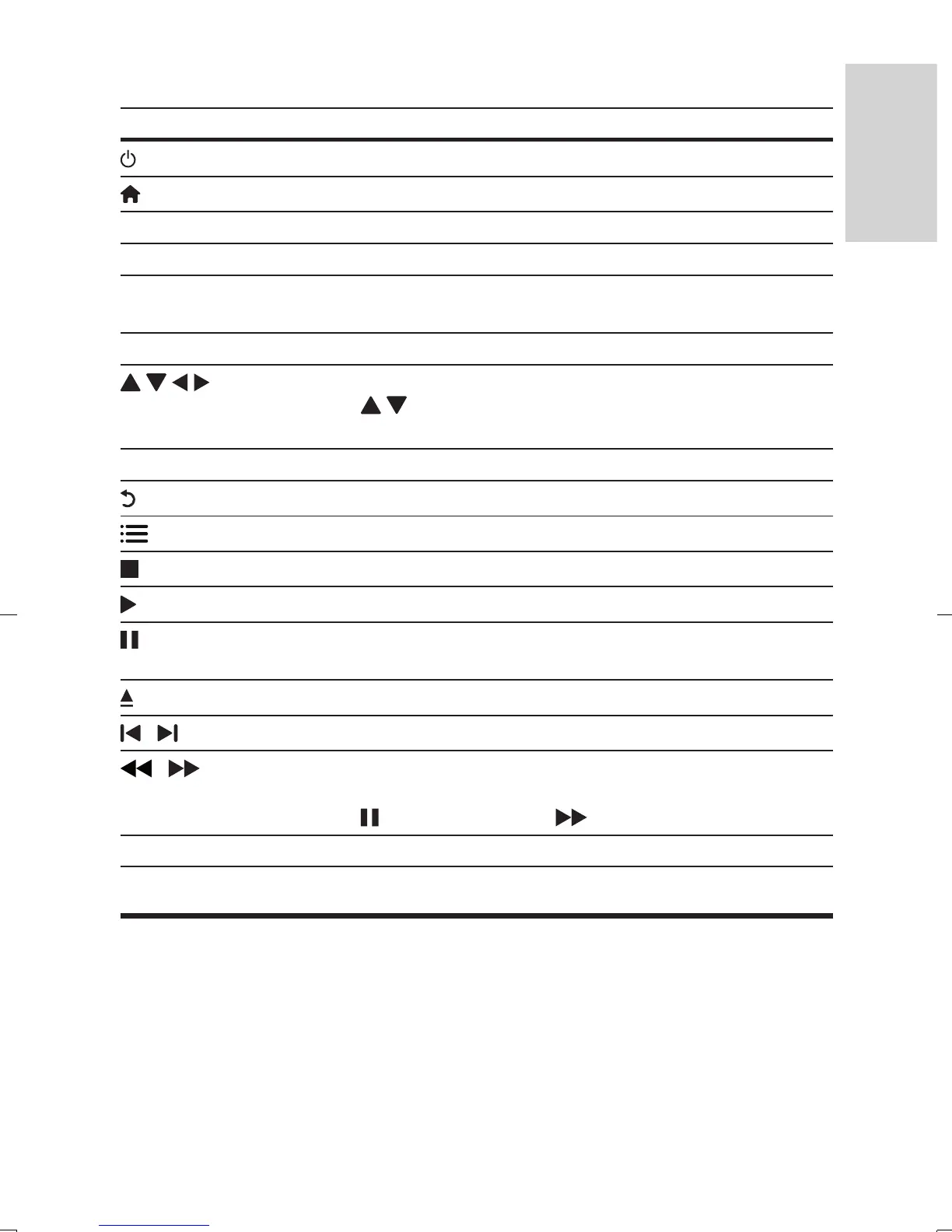
During play, press the following buttons to control.
Button Action
Turn on the player, or switch to standby.
Access the home menu.
SUBTITLE Select a subtitle language.
AUDIO Select an audio language or channel.
DISC MENU /
POP-UP MENU
Access or exit the disc menu.
TOP MENU Access the main menu of a video disc.
Navigate the menus.
Press
to rotate a picture clockwise or counter-clockwise
during slideshow.
OK Conrm a selection or entry.
Return to a previous display menu.
Access more options during play.
Stop play.
Start or resume play.
Pause play.
Press repeatedly to slow forward frame by frame.
Open or close the disc compartment.
/
Skip to the previous or next track, chapter or le.
/
Fast backward or forward.
Press repeatedly to change the search speed.
Press
once, and then press to slow forward.
Color buttons Select tasks or options for Blu-ray discs.
Video and audio options
More options are available for video play from a disc.
BDP1300_F7_UM_V2.0.indb 3 4/14/2015 5:17:14 PM



 To Next Page