Alignments
EN 102 BP2.2U, BP2.3U8.
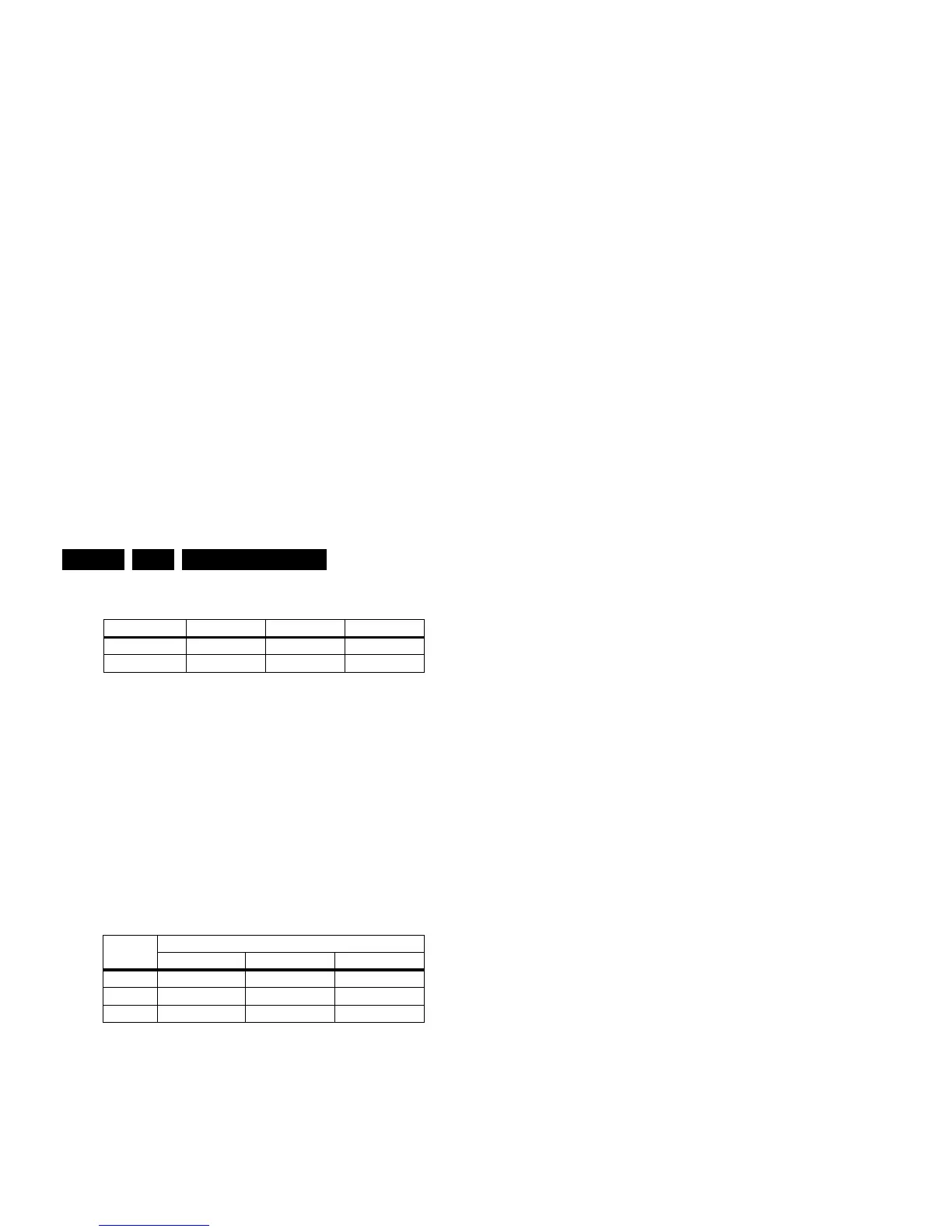
Table 8-2 White D alignment values
When such equipment is not available, use “method 2”.
Method 2 (without color analyzer):
If you do not have a color analyzer, you can use the default
values. This is the next best solution. The default values are
average values coming from production (statistics).
1. Select a COLOUR TEMPERATURE (e.g. COOL,
NORMAL, or WARM).
2. Set the RED, GREEN and BLUE default values according
to the values in the "Tint settings" table.
3. When finished press STORE (in the SAM root menu) to
store the aligned values to the NVM.
4. Restore the initial picture settings after the alignments.
Table 8-3 Tint settings (42”/50”)
Note: These values were not available at the time of writing. As
soon as they become available, a Service Info or Service
Manual update will be issued via the appropriate channels.
8.4 Option Settings
8.4.1 Introduction
The microprocessor communicates with a large number of I
2
C
ICs in the set. To ensure good communication and to make
digital diagnosis possible, the microprocessor has to know
which ICs to address. The presence / absence of these specific
ICs (or functions) is made known by the option codes.
Notes:
• After changing the option(s), save them with the STORE
command.
• The new option setting is only active after the TV is
switched "off" and "on" again with the Mains switch (the
EAROM is then read again).
Color Temp. Cool Normal Warm
x 0.276 0.285 0.313
y 0.282 0.293 0.329
Default Values (42”/50”)
Cool Normal Warm
R???
G???
B???








 To Next Page