Mechanical Instructions
EN 12 BP2.2U, BP2.3U4.
4.3.12 PDP Glass Plate
In order to remove/exchange the PDP glass plate:
1. Remove the PDP as described earlier.
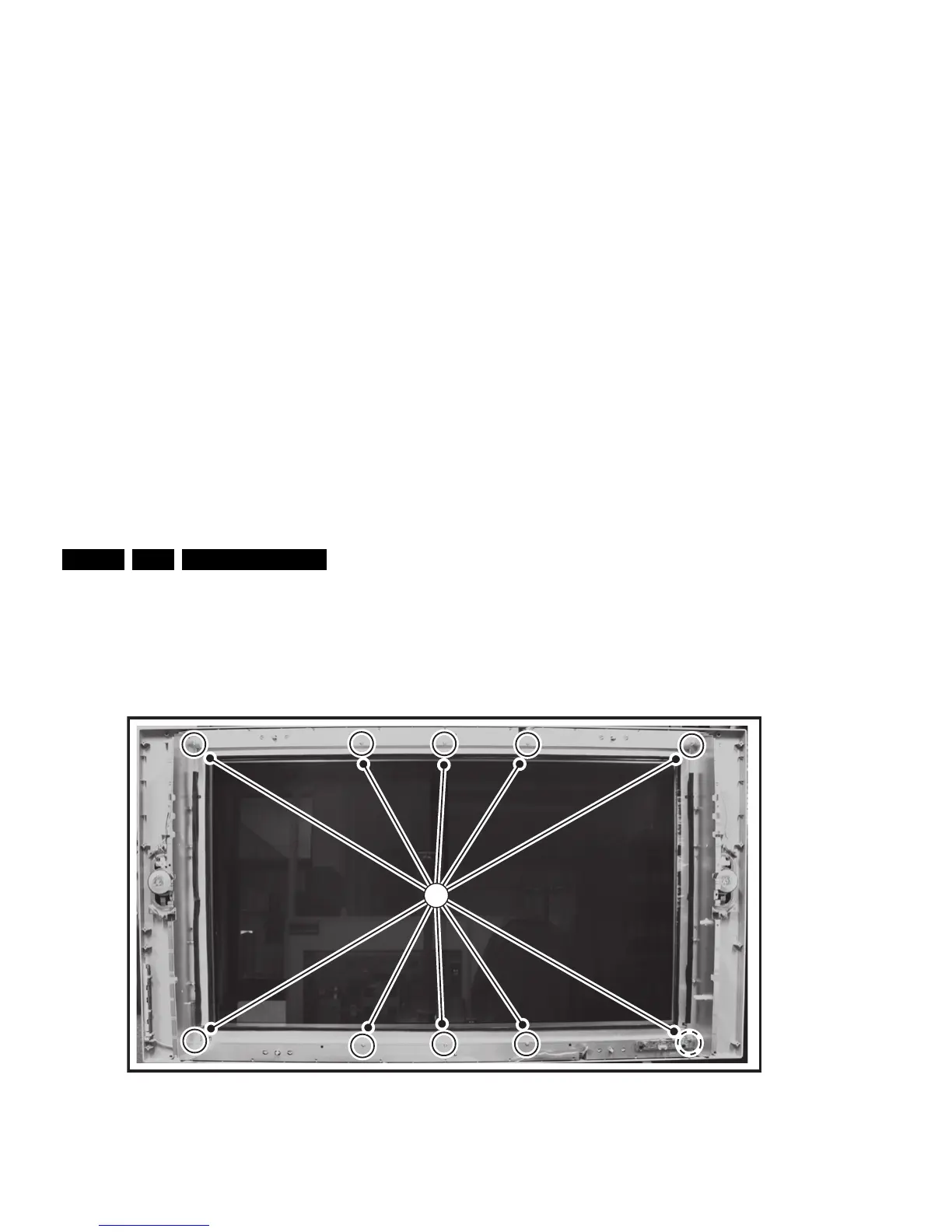
2. Remove the T10 screws [1] from the mounting frame.
3. After removal of the frame, you can lift the glass plate from
the set.
Figure 4-12 Glass plate removal (photo from LC4.9 chassis)
4.4 Set Re-assembly
To re-assemble the whole set, execute all processes in reverse
order.
Notes:
• While re-assembling, make sure that all cables are placed
and connected in their original position. See figure "Cable
dressing".
• Pay special attention not to damage the EMC foams on the
SSB shields. Ensure that EMC foams are mounted
correctly.
F_15400_119.eps
200505
1








 To Next Page