16 EN
Button Function
Press repeatedly to select a
play mode:
• [SHU ALL]: play all tracks
randomly,
• [SHU FLD]: play tracks in
the current folder ran-
domly, or
• [SHU OFF]: play all tracks
in the storage device in
sequence.
Switch tracks
During play, you can switch tracks or
folders quickly.
Switch tracks directly
1 Press to access the track list.
» The le name of current track
scrolls.
2 Rotate to toggle through tracks.
3 Press to play the selected track.
Switch folders for a track
1 Press to access the folder list.
» The name of current folder
scrolls.
2 Rotate to toggle through folders.
3 Press to select the folder.
» The system starts playing the
rst track under the folder.
7 Listen to
an external
player
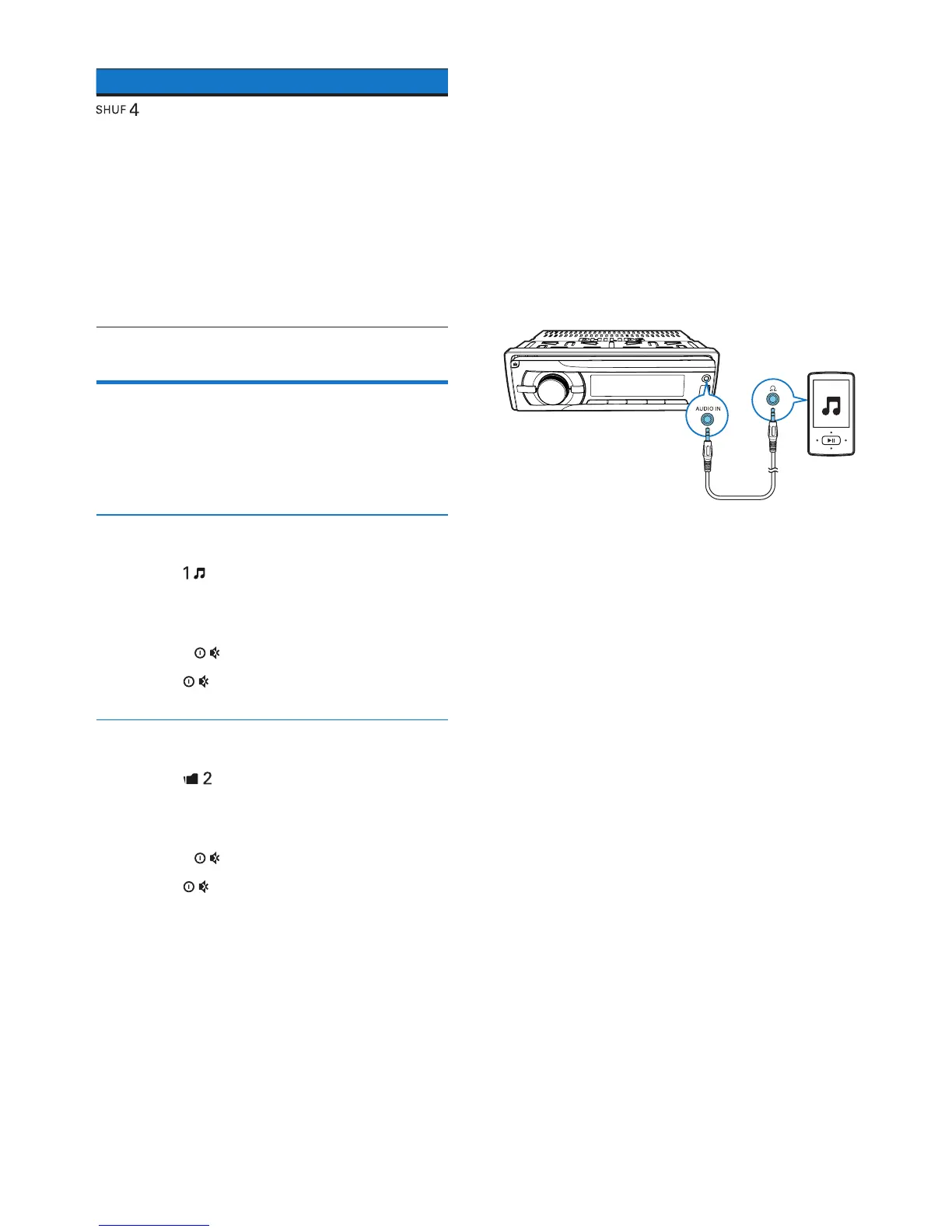
You can use the system to amplify the
audio input from an external player, for
example, MP3 player.
1 Press AS/SOURCE repeatedly to
switch the source to [AUDIO IN].
2 Connect an audio input cable with
a 3.5 mm connector on both ends
between
• the AUDIO IN socket on the
front panel, and
• the audio output socket (usually
the headphone socket) on the
external player.
3 Play audio on the external player.



 To Next Page