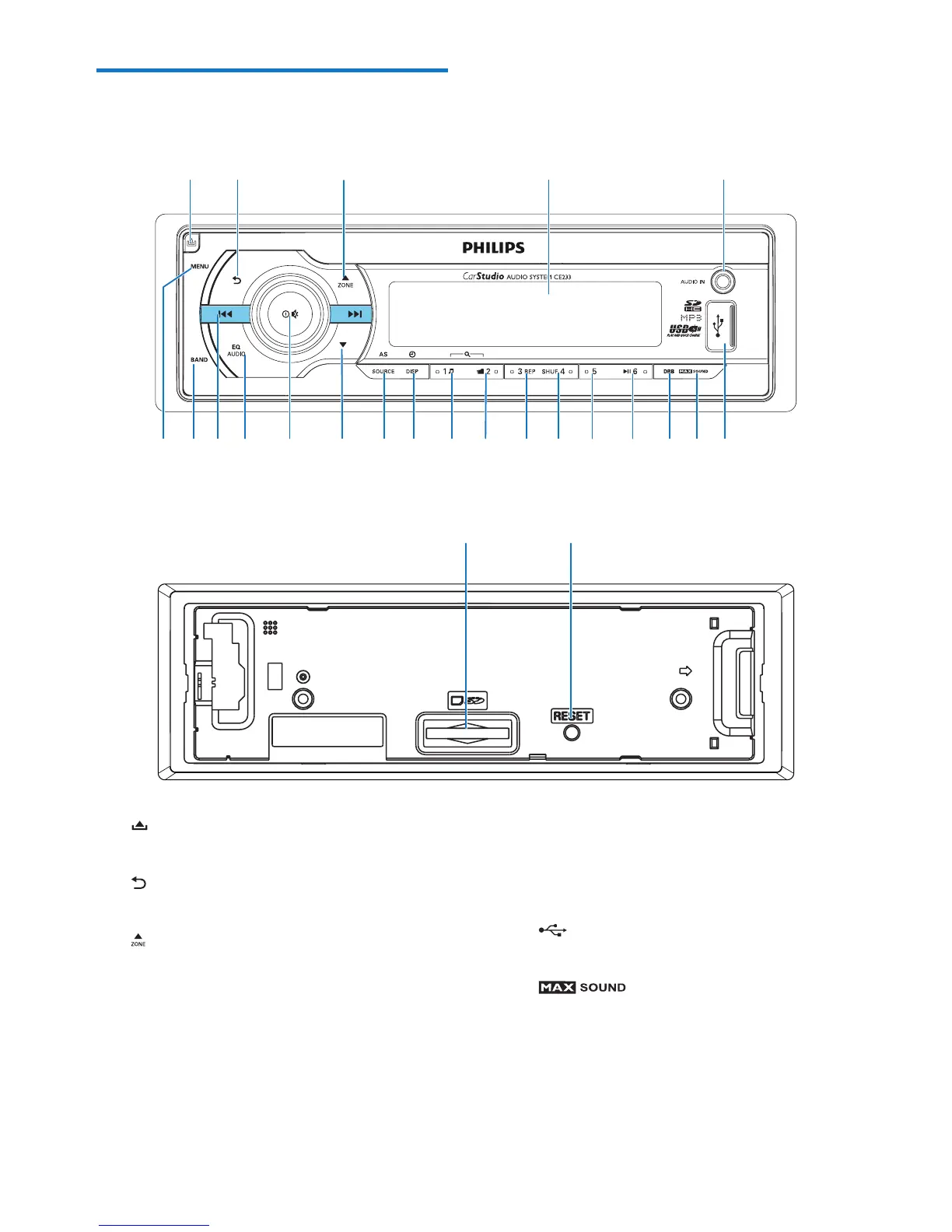
a
• Unlock the front panel.
b
• Return to the previous menu.
c
• For .mp3 tracks, press to select
the previous folder.
• In radio mode, press to select a
tuner band.
• Press and hold to activate the
selection of listening zones.
d LCD screen
ab cde
ts rqpo nm lkji hfg
x
u
v
w
e AUDIO IN
• Connect to the audio output
socket (usually the headphone
socket) of an external device.
f
• Connect to a USB storage device.
g
• Press to enable or disable the
MAX Sound feature.
h DBB
• Press to enable or disable the
DBB (dynamic bass boost)
sound eect.



 To Next Page