9EN
2 In , tap to calibrate
the positioning of your taps on the
screen.
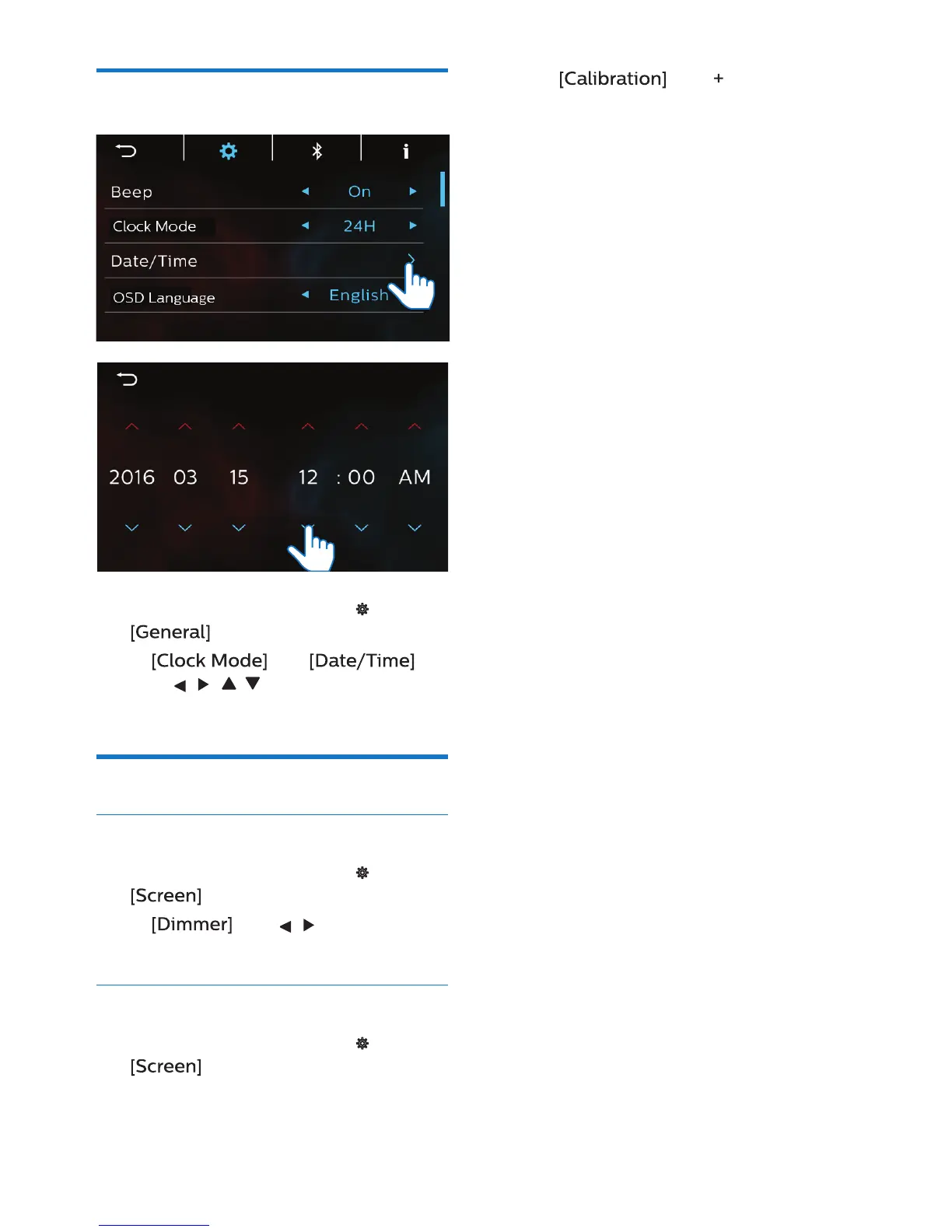
Set the date and time
1 On the Home screen, tap >
.
2 In and
, tap , , , to select your
options.
Adjust the screen
Adjust the screen brightness
1 On the Home screen, tap >
.
2 In , tap , to select your
options.
Calibrate the touch panel
1 On the Home screen, tap >
.



 To Next Page