18 EN
11 Sound
On the Home screen or functional
menu, tap to select your sound
settings.
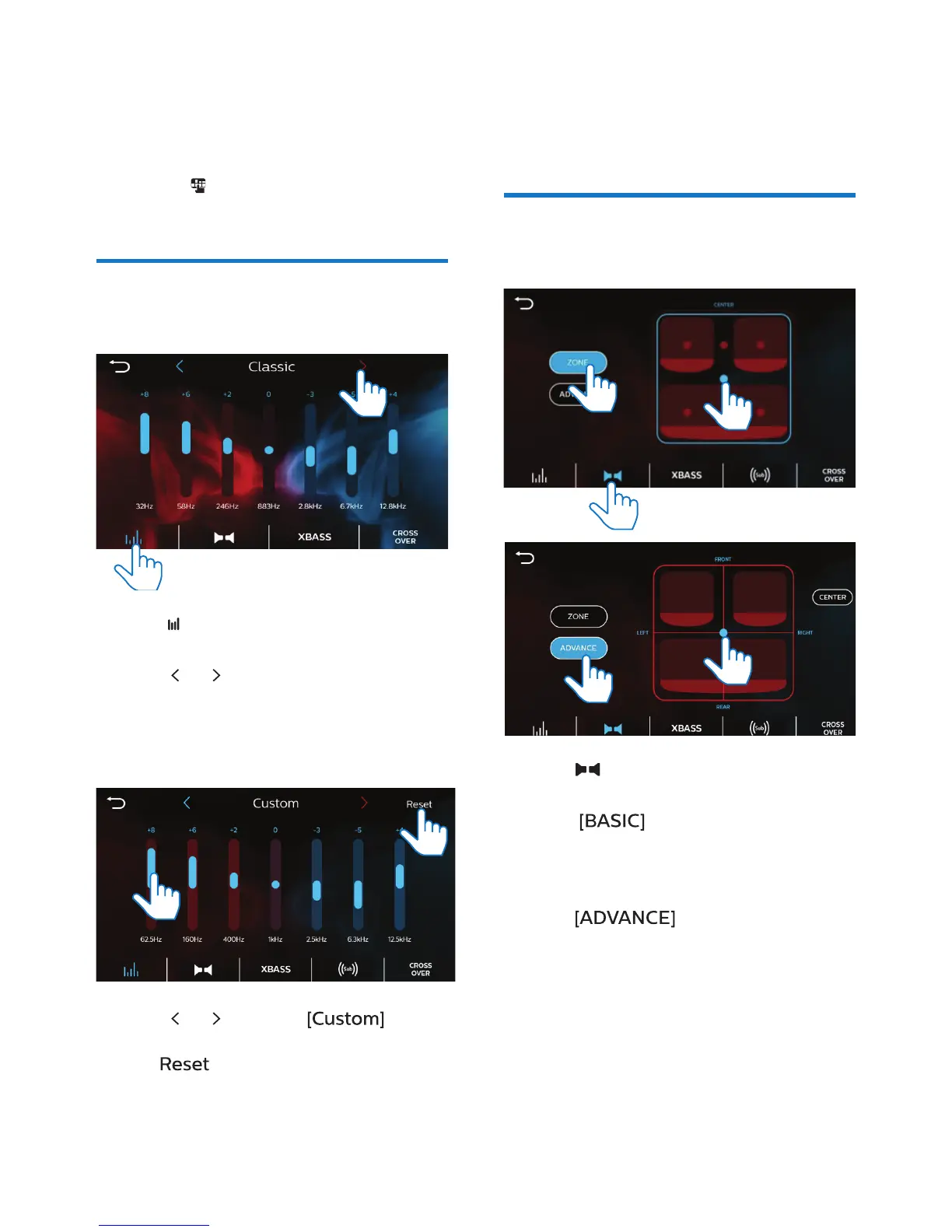
Select the equalizer
settings
1 Tap to enter the option list of
equalizer settings.
2 Tap or to select a preset sound
equalizer.
To set your equalizer settings as
needed
1 Tap or to select .
• To reset the custom settings, tap
.
2 Tap the numbers to increase or
decrease the value.
• Alternately, drag the slider to
increase or decrease.
Select the channel
settings
1 Tap to enter the option list of
channel settings.
2 Tap to select your listening
zone.
• Tap on the dots to select your
option.
3 Tap to adjust the fader/
balance.
• Drag the dot to select your
option.



 To Next Page